---
title: "ShipStation Connect Setup & Printing Tool"
url: "https://www.shipstation.com/fulfillment/shipping/shipstation-connect/"
type: "page"
modified: "2026-07-09T04:49:31-05:00"
---
ShipStation Connect for faster, cleaner warehouse printing
==========================================================
ShipStation Connect keeps printing simple when your order volume climbs. With Shipstation Connect, your labels, packing slips, and other docs can print straight from ShipStation to the right workstation without downloading files. Cut clicks. Cut mix-ups. Keep every packing station moving so you ship on time, every day.
[ Start a Free Trial ](/start-a-free-trial/) [ Request a Demo ](/contact-us/)
Connected to the platforms that power your business
- 
- 
- 
- 
- 
- 
- 
- 
- 
- 
- 
- 
- 
- 
- 
- 
- 
- 
- 
- 
- 
- 
- 
- 
- 
- 
- 
- 
- 
- 
- 
- 
- 
- 
Streamline warehouse printing workflows
---------------------------------------
Keep printing right in the flow of fulfillment. Route documents to the right device, apply smart defaults, and keep your team moving in one streamlined workflow. It’s warehouse shipping automation built for real operations—without the steep learning curve.
 ### Print to the right station, every time
Connect your warehouse printers to ShipStation and leave the “wrong printer” problem behind. With ShipStation Connect, print jobs can be sent from any computer on your network to the workstations running Connect. Your team stays focused on pick, pack, and ship, while you keep centralized control over how and where labels get printed.
 ### Fewer clicks, less file juggling
Manual downloads slow you down. They also invite errors. ShipStation Connect helps reduce manual shipping document handling by routing print jobs directly to your devices. You can also set a default printer per document type, so ShipStation skips the printer selection step. It’s a practical way to automate shipping document printing workflows and protect your daily throughput.
 ### Scale without rebuilding your process
Today it’s one packing table. Next month it’s five. ShipStation Connect grows with your warehouse. Add workstations, share printers and scales across users, and keep device names consistent inside ShipStation. The result is a scalable shipping setup your team can pick up quickly—even during peak season.
ShipStation Connect results — faster, cleaner warehouse printing
----------------------------------------------------------------
We’ve helped 130,000+ businesses print labels locally and speed up warehouse workflows with ShipStation Connect. Let us make printing the easiest part of your fulfillment, too.


**4.9 rating** 67 reviews

**4.6 rating** 897 reviews

**4.3 rating** 531 reviews
How ShipStation Connect works
-----------------------------
ShipStation Connect is a downloaded app that acts like a bridge between your ShipStation account and your printer hardware. It helps you streamline fulfillment workstation setup, route print jobs, and keep print status visible as shipments move through your workflow.
### What is ShipStation Connect
ShipStation Connect is the lightweight desktop app that passes print jobs from your ShipStation account to printers connected to a printer workstation. Think of it as the missing link that lets you connect shipping software to local printers without extra steps. You don’t have to use it to print from ShipStation, but it’s often the easiest way to keep documents moving when volume rises and your team is working in batches.

### ShipStation Connect workstation configuration
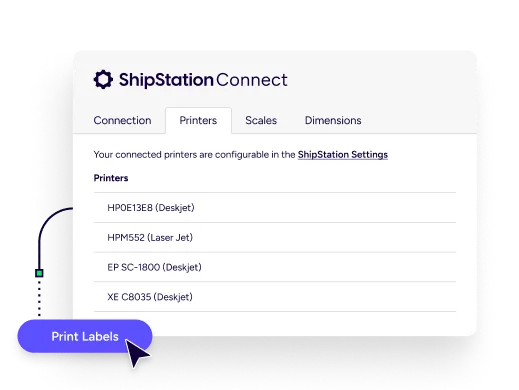
Set up your printer workstation once, then run fulfillment with less friction. Install ShipStation Connect on the computer your printers are attached to—typically via USB. From there, you can share printers and USB scales with other users on your account or disable devices you don’t want selected by mistake. You can also assign custom device names in ShipStation, separate from your operating system names. Clear names help your team move faster.
### ShipStation Connect label printing setup
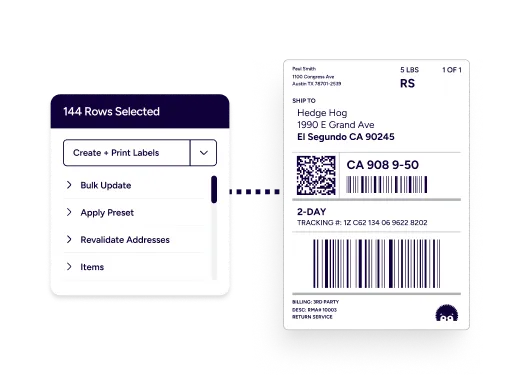
Dial in your ShipStation Connect printing setup so printing becomes automatic—without daily second-guessing. Assign a default printer for each document type, like labels or packing slips, and ShipStation can print without prompting your team every time. Pair that with document options such as label format and print sequence, and you get a printing workflow built for real warehouse speed. It’s a simple step toward fulfillment automation—no IT project required.
[Explore Fulfillment Automation](/fulfillment/automation/)
### Connect local printers to ShipStation
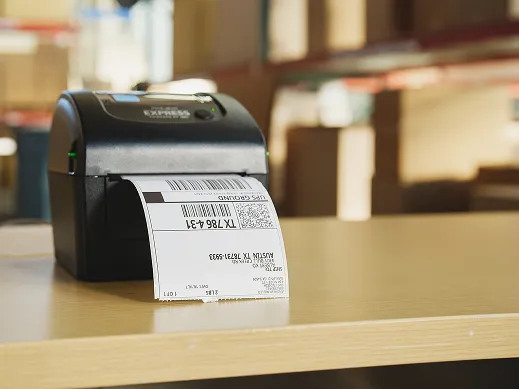
Need to connect local printers to ShipStation for a busy pack line? Start with the basics: install the printer drivers in Windows or macOS and confirm the printer works from that computer before routing jobs through Connect. For best results, use USB-connected printers on the printer workstation. Some wireless or network printer setups may not be supported for Connect printing, and certain models may require a different print method. On macOS, CUPS settings can also affect printer preferences like paper size and print speed.
### Printing shipping labels with ShipStation Connect
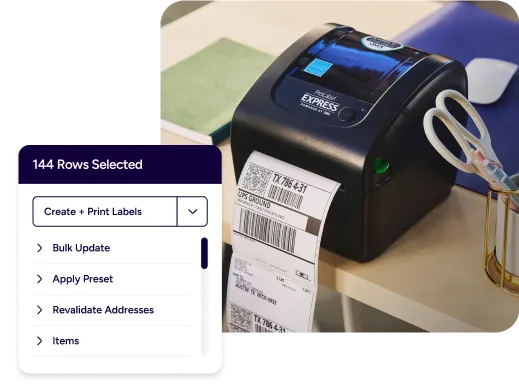
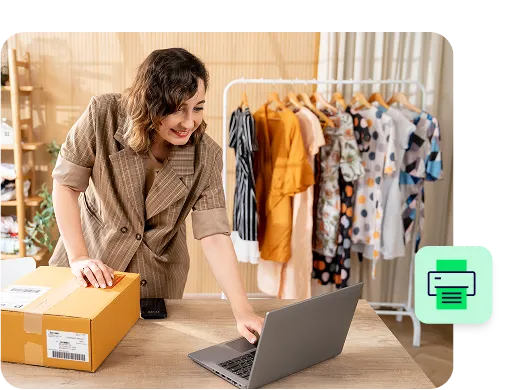
Printing shipping labels with ShipStation Connect is built for daily batching. Create labels in ShipStation, then send them straight to your thermal printer without downloading PDFs. Use ShipStation automation rules to apply carriers, services, packages, and presets, so label creation stays consistent. Add batch label printing and you’ll improve shipping throughput with automation. ShipStation also tracks print status with Smart Document Tracking, so you can see what’s printed per shipment and cut reprint chaos.
[Start Printing Shipping Labels](/fulfillment/shipping/print-labels/) [Create Your Shipping Labels](/fulfillment/shipping/create-shipping-label/)
### ShipStation Connect packing slip printing
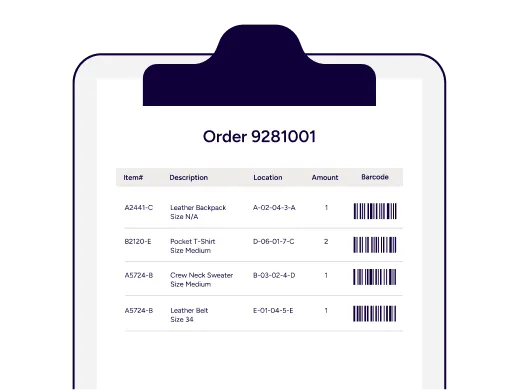
ShipStation Connect packing slip printing keeps the box contents and the paperwork in sync. Print packing slips to a desktop printer while labels go to a thermal printer, all from the same ShipStation screen. You can even choose label formats that place a label and packing slip on the same sheet when it fits your process. This makes it easier to automate printing of packing slips and labels, improve packing station efficiency, and keep the line moving when returns, exchanges, or split shipments add complexity.
[Simplify Returns Management](/fulfillment/returns/)
RELATED CONTENT
Helpful Shipping Resources
--------------------------
Browse additional articles, guides, and insights related to shipping and fulfillment. These resources provide practical advice and best practices to support your day-to-day operations.
##### The Cheapest Way to Ship Packages
Finding the cheapest way to ship a package doesn’t mean sacrificing quality. Affordable shipping rates are available to anyone that knows where to look.
[Read the Blog](/blog/cheapest-way-to-ship/)
##### Calculate Shipping Costs and Start Saving Now
Whether you’re shipping a single order or managing high-volume ecommerce fulfillment, ShipStation’s shipping cost calculator helps you get fast, reliable quotes from top carriers so you can save time and money with every label.
[Use the Shipping Rates Calculator](/fulfillment/shipping/shipping-rates-calculator/)
##### USPS Flat Rate Boxes, Envelopes, and Prices
USPS Flat Rate boxes and envelopes allow you to ship up to 70 lbs with USPS Priority Mail® at one low rate to anywhere in the US. The advantage of Flat Rate is that regardless of how much you fit into the packaging, it’s allowable.
[Read the Blog](/stories/cocktail-courier-ensures-compliant-last-mile-delivery-with-shipstation-dropship-manager/)
Try us free
-----------
What you can look forward to in your 30-day free trial:
-  Get instant access to all of our features
-  Connect to over 400 integrations
-  See how much our rates can save you on shipping









### Create your ShipStation account
First Name *\**
Last Name *\**
Email *\**
Country *\** Select your shipping origin country United States Canada Australia New Zealand United Kingdom France Germany Other
Company *\**
How did you hear about us? Please select… Influencer (Instagram/TikTok) Podcast / Youtube Event / Tradeshow TV Commercial Shopping Cart (Shopify, eBay, etc.) Recommended by Friend Social Media Ad (Facebook, LinkedIn, etc.) Received Mailer Radio / Streaming Audio / SiriusXM Search engine (Google, Bing, etc.) Banner Ad Other (Please specify below)
Phone† *\**
Select your current number of shipments per month *\** Select your current number of shipments per month I only need to ship one package 50 shipments or less, I’m just getting started 51-500 shipments 501-1,000 shipments 1,001-2,000 shipments 2,001-5,000 shipments 5,001-7,500 shipments 7,501+ shipments I don’t plan to ship anything
Offer Code
Password *\**
I consent to receive personalised marketing communications
Back By clicking 'Get Started', you agree to our Terms & Privacy Policy and [ Carriers' Terms ](/carriers-terms-of-service/).
† By providing your phone number, you agree that ShipStation may contact you by call or text, including using AI or automated technology, for onboarding and support. Phone number is optional.
This site is protected by reCAPTCHA and the Google [Privacy Policy](https://policies.google.com/privacy) and [Terms of Service apply.](https://policies.google.com/terms)
No commitment. No credit card needed. By providing a telephone number and submitting this form you are consenting to be contacted by SMS text message. Message and data rates may apply. You can reply STOP to opt-out of further messaging.
Country *\** Select your shipping origin country United States Canada Australia New Zealand United Kingdom France Germany Other
First Name *\**
Last Name *\**
Company *\**
Email *\**
Password *\**
Phone† *\**
Offer Code
Select your current number of shipments per month *\** Select your current number of shipments per month I only need to ship one package 50 shipments or less, I’m just getting started 51-500 shipments 501-1,000 shipments 1,001-2,000 shipments 2,001-5,000 shipments 5,001-7,500 shipments 7,501+ shipments I don’t plan to ship anything
How did you hear about us? Please select… Banner Ad Shopping Cart (Shopify, eBay, etc.) Radio / Streaming Audio / SiriusXM Social Media Ad (Facebook, LinkedIn, etc.) TV Commercial Event / Tradeshow Recommended by Friend Influencer (Instagram/TikTok) Received Mailer Podcast / Youtube Search engine (Google, Bing, etc.) Other (Please specify below)
I consent to receive personalised marketing communications
By clicking 'Get Started', you agree to our Terms & Privacy Policy and [ Carriers' Terms ](/carriers-terms-of-service/).
† By providing your phone number, you agree that ShipStation may contact you by call or text, including using AI or automated technology, for onboarding and support. Phone number is optional.
This site is protected by reCAPTCHA and the Google [Privacy Policy](https://policies.google.com/privacy) and [Terms of Service apply.](https://policies.google.com/terms)
No commitment. No credit card needed. By providing a telephone number and submitting this form you are consenting to be contacted by SMS text message. Message and data rates may apply. You can reply STOP to opt-out of further messaging.
Questions? Contact our sales team at (855)892-2954 or email content\[country\].questions.email. We’re available Monday – Friday: 8:00 AM – 8:00 PM CST.
ShipStation Connect FAQs for label and document printing
--------------------------------------------------------
##### Do I need ShipStation Connect to print from ShipStation?
No. You can still print by previewing in your browser or downloading a PDF. ShipStation Connect is the faster path when you want direct-to-printer routing and fewer clicks during fulfillment.
##### Can ShipStation Connect help optimize warehouse order processing workflows?
Yes. Connect supports faster printing, cleaner station handoffs, and fewer manual steps. When printing stops being a bottleneck, your pick-pack-ship rhythm stays steady.
##### How do I scale shipping operations with connected workstations?
Add more printer workstations as your warehouse grows, then share the right devices with the right users. Keep names consistent inside ShipStation, set defaults per document type, and your process stays familiar even with new stations and new hires.
##### Can I automate fulfillment printing processes inside ShipStation?
Yes. Combine ShipStation Connect with automation rules and default printer settings. That combo helps you standardize labels, packing slips, and other documents, so your team prints the right thing at the right time.
##### Does ShipStation Connect work with scales and dimensioners?
Yes. ShipStation Connect can pull shipment weights from supported USB scales with a click or barcode scan. It can also pull weights and package dimensions from Cubiscan dimensioners, which speeds up rating and reduces entry errors.
##### Does ShipStation still handle rates and carriers if I’m focused on printing?
Yes. ShipStation is still your shipping hub. Compare rates across USPS®, UPS®, FedEx®, DHL Express,GlobalPostTM, and more, import orders from 100+ channels, and keep customers informed with branded tracking pages and notifications. Connect simply makes the printing part faster and more reliable.