Back
Back













































 Technology & Integrations


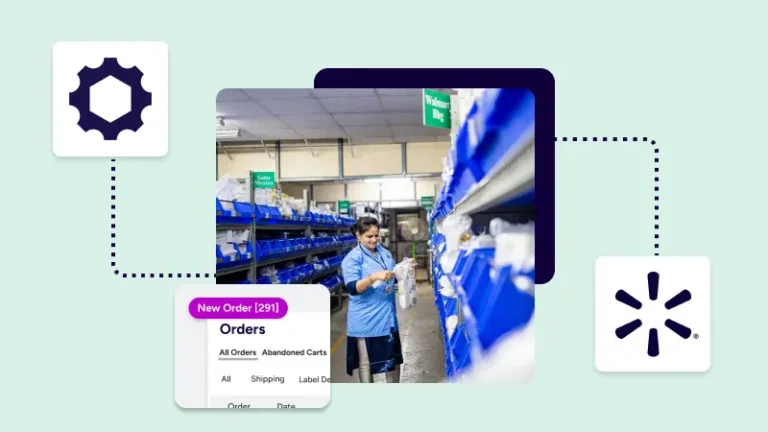
It comes down to three things: one queue for your orders, less manual work, and faster shipping decisions. When Walmart Marketplace orders land in the same workspace as your other channels, you can print labels, compare rates, push tracking, and keep every order moving without tab switching or copy-paste.
Faster order fulfillment starts with visibility. When your Walmart Marketplace orders import into ShipStation, you can manage shipping, tracking, and inventory in a single platform instead of bouncing between tools. That matters when your business is growing, your warehouse is busy, or peak season turns a normal afternoon into a rush.
A single queue also helps you act in real time. You can see new Walmart orders next to orders from Shopify, Amazon, eBay, Etsy, or TikTok Shop, then sort, tag, and ship from one screen. For many Walmart Marketplace sellers, that removes the slowest part of the operation: manual handoffs between systems.
If you already feel buried in tabs, this is the fix. Every order shows up where your team works.
Walmart Marketplace orders can move faster because ShipStation imports them into the same daily workflow your team already uses. You don’t need a separate process for one sales channel and a different process for another. That cuts confusion, speeds picking, and keeps your shipping desk focused on delivery.
Once connected, Walmart orders arrive with the order information your team needs to work. That includes ship-to details and line-item data. ShipStation also imports customer phone number, payment method, discount information, total order weight, and item weight when Walmart sends it.
That level of detail gives you fewer reasons to open another account, search another screen, or guess at product data before printing labels.
Manual shipping is slow because people repeat the same clicks all day. ShipStation speeds that up with automation rules that apply the right actions as orders come in. You can tag orders on import, choose a service by weight or SKU, apply package presets, and route work without touching each order one by one.
Common uses include:
For a busy seller, those rules can remove hours of repetitive work each week. ShipStation also supports up to 15x more labels per hour and up to 100% fewer shipping errors when automation replaces manual entry.
Printing one label at a time slows everything down. Batch printing speeds the pack station because your team can select many orders, update weights in bulk, and print shipping labels in one pass. That means less waiting, fewer extra clicks, and a smoother handoff from pick to pack to ship.
ShipStation supports batch label printing and end-of-day workflows from the same workspace. If your team uses thermal hardware, ShipStation Connect can help connect printers, scales, and scanners without a long setup project. That matters during peak season, when a printer problem can jam the whole line.
The result is simple. Your team spends less time managing the print process and more time getting orders out the door.
Speed matters, but cost matters too. ShipStation helps Walmart Marketplace sellers compare shipping rate options on one screen so they can pick the service that fits the order without leaving the workflow. That makes rate shopping part of the normal shipping process, not extra work at the end.
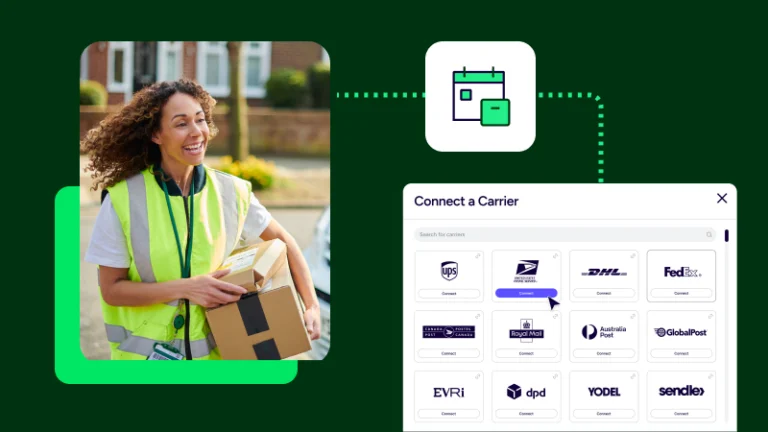
Inside ShipStation, you can compare UPS®, USPS®, FedEx®, and DHL Express rates side by side, use your own carrier accounts, or mix them with available platform rates. Many sellers use both. That gives the business more flexibility when one carrier is better for cost, speed, or address coverage.
ShipStation also supports automated rate shopping and up to 90% off major carriers. When every label gets a quick rate check, lower shipping costs become easier to reach without slowing fulfillment.
Ship with Walmart adds another useful option for US-based sellers. It gives eligible ShipStation merchants access to Walmart-managed FedEx and USPS rates for Walmart orders, directly inside the normal label flow. You don’t need a separate shipping tool to use it, and you don’t need to treat it like a separate operation.
A few details matter:
This is important because it keeps your Walmart shipping rate choices inside the same screen where you already compare carriers, buy labels, and move every order forward.
Fast fulfillment is not only about printing a label. It is also about getting tracking back to Walmart quickly and accurately. ShipStation helps by sending shipment updates automatically for Walmart stores, so tracking information moves back without a manual copy-and-paste step after label creation.
That saves time, but it also helps protect handling windows and delivery performance. When a seller forgets to upload tracking, the problem is not the package. The problem is the missing update. Automatic status updates reduce that risk.
There is one Walmart-specific detail to remember. Customer email notifications for Walmart orders are handled by Walmart, not ShipStation. So the focus here is speed and accuracy in the marketplace update, not a separate branded email flow.
Customer satisfaction is up because they automatically receive tracking rather than waiting for us to manually email them.
Walmart’s Simplified Shipping Settings can make faster fulfillment easier because they give location and service recommendations on eligible orders. Inside ShipStation, those orders show a Simplified Shipping tag, and recommended fields appear in shipment details when Walmart sends that flag.
The recommendation is not a rule. You can still choose another service and print a label. But following Walmart’s suggested location and service can help you deliver on time and maintain a healthy seller score when carrier delays happen.
For a seller, that turns vague policy into clear action. Your team sees the recommendation where they already work. No hunting. No second-guessing. During peak season, that kind of visible guidance can help the whole operation ship Walmart orders faster and with more confidence.
Many Walmart Marketplace sellers don’t sell in just one place. They also run Shopify stores, list on Amazon or eBay, and may pick up orders after a Facebook promotion or a TikTok Shop push. When those channels live in separate systems, speed disappears into admin work.
ShipStation brings more than 200 store and marketplace integrations plus more than 200 carrier integrations into one platform. One account can support a broader order fulfillment process across channels, carrier services, tracking flows, and reporting.
This makes a difference for growing teams. Instead of training staff on one Walmart process, one Amazon process, and one warehouse workaround, you can build one repeatable routine. Customer stories often begin with the same pain point: too much manual work. Faster shipping usually starts when that work gets cut.
Setup is straightforward, but a few details matter. To connect Walmart Marketplace, you need an active seller account plus your Walmart Client ID and Client Secret. ShipStation uses OAuth 2.0 for the store connection, so if you see an import error after a change, reauthenticating the connection can help avoid fulfillment issues.
To add Ship with Walmart as a carrier account, go into account settings, open carrier accounts, choose Add Carrier, and connect Ship with Walmart with the same basic credentials plus an account nickname. After that, the rates appear inside ShipStation for eligible Walmart orders.
This setup keeps store connection and carrier connection separate, which is useful. Your order source handles import. Your carrier account handles label purchase.
As order volume grows, speed depends on more than label printing. You need a workflow your warehouse can follow, hardware that works, and data that shows where time or money is slipping. ShipStation helps with real-time dashboards, shipping analytics, hardware support through ShipStation Connect, and API tools for businesses with custom needs.
If your company has a technical team, ShipStation API and webhooks can connect shipment data to a WMS, ERP, or other internal product systems. If your team works mostly in the UI, you can still manage inventory there, use scan-based workflows, and keep daily shipping moving from one dashboard.
Some sellers need quick setup. Others are looking for deeper control. ShipStation gives both paths room to work without forcing a new tool for every stage of growth.
Here’s the short version: import orders in real time, automate routine work, compare rates in one place, and push tracking back automatically. If your business wants faster order fulfillment without adding more systems, ShipStation gives you one practical workflow for Walmart and beyond. Start a free trial and see how quickly your daily shipping operation can move.