Back

































 Shipping Basics


Nailing the returns process can turn an annoying moment into the reason a customer comes back. ShipStation’s own research found that 72% of shoppers say a store’s return policy influences whether they buy, so return labels matter before the sale and after it. The tricky part is giving people the easy return they expect without spending all your time and margin on it.
Good news: you’ve got options. This guide walks through how to print return labels, which type fits which situation, and how to set things up in ShipStation so most of it runs on its own.
There’s no single right way to get a return label to a customer. The best fit depends on your carrier, your margins, and how often your products come back. Some options are simpler, some cost more, and a few only make sense for certain kinds of businesses. Let’s break down the types of return labels, how each one is billed, and the steps for the platforms you probably sell on.
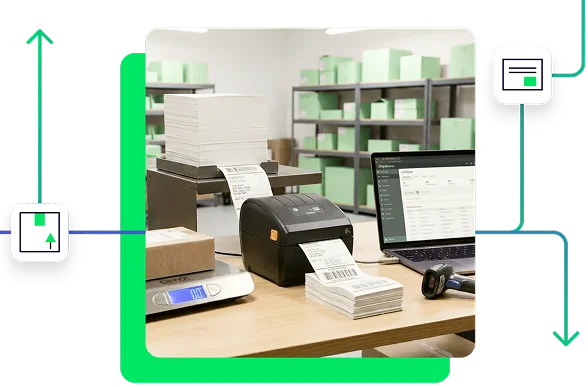
The easiest way to hand a customer a return label is to put it in the box. In ShipStation, you can create the return label at the same moment you create the outbound label, and it uses the same service, package, weight, and dimensions as the shipment going out. That saves you a second round of data entry, and the customer never has to ask for anything.
A few things to know before you rely on it. This option works for domestic USPS, FedEx, UPS, and Canada Post shipments. Insurance doesn’t carry over to the return label, and the return label’s rate isn’t included in the rate you see when you buy the outbound label. If you need insurance on the return, create that label separately in the Rate Calculator. Whether you pay upfront or only when the label is used depends on the carrier, which we’ll cover next.
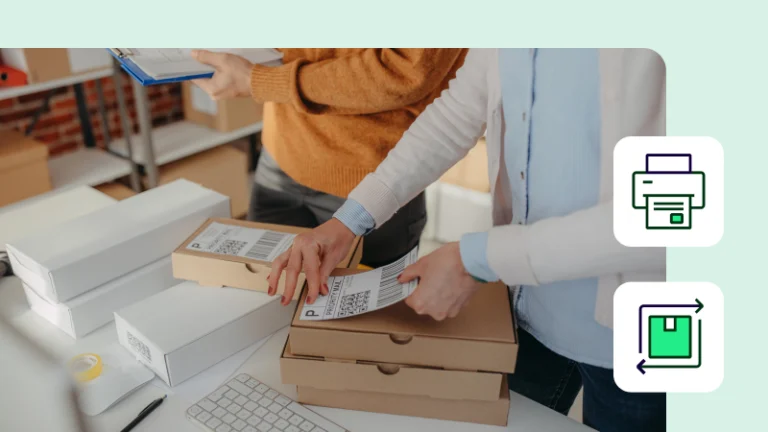
There’s no standard for how return labels get to customers, and merchants and shoppers don’t always agree. Many merchants generate the label themselves and email it, so the customer can print it at home and drop the package at a carrier location. Others have customers create their own label, which is common for partial returns since a return can weigh much less than the original order. In that case, you might reimburse the label cost or add a little extra store credit with the refund. Some merchants simply deduct the cost of the label from the refund.
If you’d rather not play middleman, ShipStation’s branded returns portal lets customers create their own label by entering their order number and ZIP code. No back-and-forth, and your rules decide who pays.
Plenty of shoppers expect free return shipping, and for some it’s the deciding factor between buying and bouncing. Free returns can get expensive, especially if you already cover outbound shipping, but you can protect your margins without taking the perk away.
Start with the most affordable way to ship so every label costs less. Then set rules for who pays, which services customers can choose, and which returns qualify for free shipping, so you’re not handing out free labels in every situation. Finally, nudge customers toward exchanges instead of refunds, which keeps the sale and skips the return trip. A clear return policy ties it all together, and ShipStation’s returns tools let you manage these rules in one place.
Pay-upon-creation labels are charged the moment you create them, whether or not the customer ever uses them. USPS works this way, as do labels from ShipStation Carrier Services and prepaid postage providers like Stamps.com and Endicia. They’re the most common type of return label, and a great fit when you create labels on request: the customer asks, you generate the label, and nearly every label gets used. If one goes unused, void it so you’re not paying for a return that never happened.
Pay-on-use labels flip the equation: you only pay if the carrier scans the label, which is why they’re sometimes called pay-on-scan. UPS and FedEx labels work this way, so you don’t have to void the ones that never get used. That makes them a smart choice for products that come back often, like Try Before You Buy fashion or subscription boxes, where a label in every package is part of the experience.
If you’re shipping with a prepaid carrier, think twice before putting a label in every box, since you’d pay for each one whether it’s used or not. Letting customers request a label through a returns portal is usually the cheaper route there.
Wherever you sell, you can create your returns in ShipStation. You’ll need an active carrier that supports return labels, and keep in mind that ShipStation creates return labels for domestic shipments only. Here’s how it works for some of the most popular platforms.
| Platform | How returns work | Where to start |
|---|---|---|
| Amazon | Customer-initiated. Buyers start the return from their own Amazon account. | Amazon returns process |
| eBay | eBay gives sellers built-in tools to accept and manage returns. Log in to your account to get started. | Handle a return request |
| Etsy | Buy a return label directly on Etsy, or create one in the shipping tool you already use. | Etsy return labels Etsy + ShipStation |
| Wix | Authorize the refund from your Wix dashboard, then create the label in the shipping program you used for the original shipment. | Authorize a refund Create a label in ShipStation |
| Big Cartel | Authorize the refund in your store portal, then create the label in the shipping platform you used for the outbound label. | Refund an order Shipping and return policy guide |
| Shopify | Authorize returns and refunds in Shopify, or create return labels for Shopify orders through ShipStation. | Shopify return labels Shopify Merchant’s Guide |
| WooCommerce | WooCommerce handles refunds, but you’ll create the return label in your shipping platform, such as ShipStation. | WooCommerce refunds ShipStation for WooCommerce |
| BigCommerce | Generate return labels natively from your store portal, let customers request returns, or use a shipping partner like ShipStation. | Processing returns ShipStation for BigCommerce |
ShipStation gives you three ways to create return labels: make one on request and email it to your customer, send one with the outbound shipment, or let customers handle it themselves through your branded returns portal.
For a label on request, open the order and start the return from either Order Details or Shipment Details. Choose your service, create the label, then email it straight to your customer or download it. You can even customize the message that goes out with every return label so it sounds like your brand. If there’s no order attached, use the Rate Browser: build the label just like an outbound one, but select the Create a Return Label option above the address fields.
Want the label in the box? Create the return label when you create the outbound label, and ShipStation uses the same service and package for both.
Common mistake: Assuming a return label will work for every shipment. ShipStation return labels are domestic only, not every carrier or service supports them, and insurance doesn’t carry over from the outbound label.
The outbound shipment and the return often need different services. A big order might go out Ground, while a single item coming back is cheaper with another carrier entirely. A multi-carrier platform like ShipStation lets you choose the best option for each leg instead of being locked in, and everything lives in one place: outbound labels, return labels, and your fulfillment workflows. Whether you’re handling a few returns a week or a few hundred, you print faster and save more.
Beyond labels, ShipStation’s Returns & Exchanges tools cover the rest of the process: RMAs, exchange options, return rules, and reporting on why things come back. We’ll walk through those below.
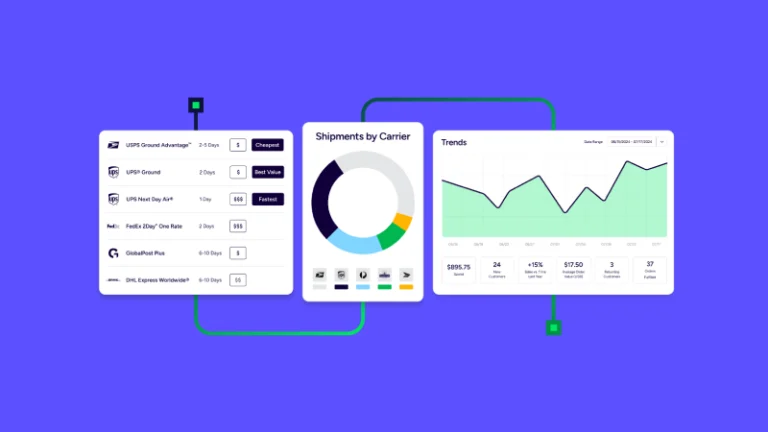
The simplest way to cut return shipping costs is to make every label cheaper. Paying retail post office rates, or sending customers off to print and pay for labels themselves, eats up time and tends to leave people unhappy. ShipStation gives you discounted rates through ShipStation Carrier Services: up to 87% off USPS retail rates, up to 82% off UPS daily rates, and up to 81% off DHL Express international shipping. See the full breakdown of carrier discounts. Lower rates on every label add up fast when returns are part of your business.
As online shopping gets easier, so do shoppers’ expectations for returns. That’s why ShipStation offers a branded returns portal where customers can start a return, select items, and get their label instantly, without ever emailing you. It lives on a URL you control, with your logo, colors, and messaging, and you can customize the emails to match.
Behind the scenes, you stay in control. Set return windows, define which products are returnable, choose approved carriers and packages, and approve returns automatically on delivery or scan. Every return gets a unique RMA number that links the order, return label, reason code, and refund or exchange status. Customers can swap sizes, colors, or products, which keeps the sale instead of refunding it. And with no-box, no-label returns, they can use a QR code at drop-off at any of 16,000+ UPS return locations across the U.S., no printer required.
Whether you create your return label with UPS, USPS, or FedEx, you can track every return shipment alongside your outbound ones in ShipStation, so neither you nor your customers are left wondering where a package is. Because each RMA ties the order, label, and reason code together, you can see what’s coming back, why, and where it stands from one dashboard.
That data pays off. Return reasons are tracked and summarized in the Returned Products report, and custom reasons and subreasons help you spot patterns like sizing confusion or transit damage so you can fix the problem at the source. And whether you want a return label included automatically or created by hand, you can build a workflow that fits your budget.
Returns will always be part of selling online, but they don’t have to be a headache. Choose the right label type for your carrier and products, make it easy for customers to get one, and let ShipStation automate the rest, from discounted labels to branded portals to return tracking. Ready to see it in action? Start your free trial and find out how much simpler return shipping can be.