Back
Back












































 Shipping & Fulfillment




Shipping from multiple warehouses gives you speed, redundancy, and cost advantages, but only if the right orders actually reach the right locations. For growing merchants, the real challenge isn’t whether to use multiple fulfillment points; it’s building a routing strategy that scales without creating operational chaos.
This guide breaks down how multi-warehouse routing works in ShipStation, what to configure first, and where a warehouse management system or API can fit.
ShipStation multi-warehouse routing is the process of sending orders to the right ship-from location based on rules you set. That can mean routing by address, stock, sales channel, or delivery cost. Instead of checking each order by hand, our platform helps you direct fulfillment work where it belongs.
This matters when you already ship from multiple warehouses, a 3PL, a retail back room, or even “the garage” plus a main facility. One dashboard gives you order visibility across channels, carrier options, and ship-from locations.
In plain terms, routing helps you answer three questions fast:
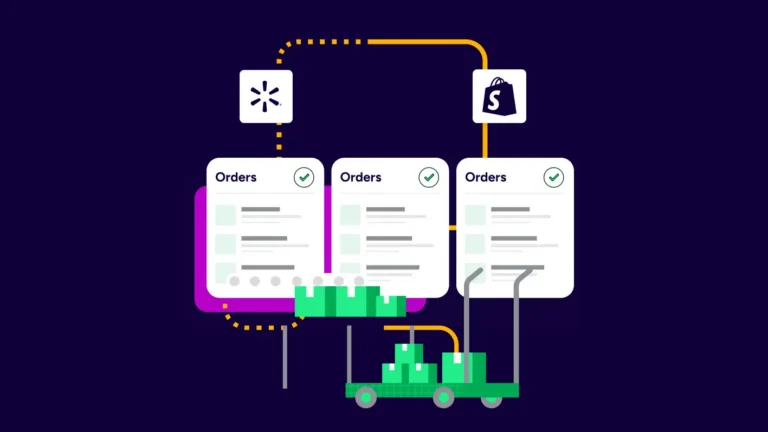
Routing works best when your order data, stock information, and ship-from locations stay up to date in real time. The ShipStation platform can pull orders from stores and marketplaces, then use automation to assign work before your team starts picking, packing, or creating labels.
A simple example makes it clear. A Shopify order comes in for a customer in Texas. If that SKU is stocked in Texas and New Jersey, you can route to the closer warehouse. If the stock is split, you can split the order into separate shipments. If the order came from Amazon, you can tag it on import or split Amazon FBA and FBM orders by rule.
You can also compare live UPS®, USPS®, FedEx®, and DHL Express rates at the rate screen and choose the best fit for each shipment. That keeps orders shipping without extra tab switching.
Start by creating each ship-from location you use. Then connect your sales channels, confirm product data, and build rules based on the conditions that matter most. A good setup removes repeat clicks later.
For most teams, the basic setup looks like this:
Whenever we look at solutions, it’s like: do they work with our tech stack? And if it doesn’t, then it’s just out. That’s the first filter question.
The best warehouse management features for routing are those that eliminate manual decisions. You need clear stock visibility, rules that hold up during rushes, and location control that matches how your team actually ships.
Focus on features like these:
If you handle more complex warehouse operations in ShipStation, inventory sync also matters. Stock updates across channels help prevent oversells and keep routing decisions grounded in real inventory data, not guesswork.
Once routing is set, label work should be fast. ShipStation’s platform lets you print shipping labels from a single screen, run batch jobs, and keep order records tied to the correct warehouse, carrier, and service.
That helps in the daily flow:
The point is simple. Routing should not create extra admin work. It should tell your team what to ship, from where, then move straight into labels, documents, and delivery tracking.
Carrier strategy changes routing more than many teams expect. If one warehouse has different carrier accounts, negotiated rates, or service rules, that can change which location makes the most sense for a shipment.
The ShipStation platform supports the setup that merchants ask about most:
That flexibility helps when one location ships lightweight parcels, another ships heavier orders, and another handles international delivery. You can auto-pick a carrier based on weight, service level, or a rule. You can also see rates in one place instead of bouncing between carrier sites.
Good routing improves the customer experience by reducing delays before the package even leaves the building. When the right warehouse gets the order fast, your team can ship sooner, send cleaner updates, and avoid preventable service issues.
Customers feel the difference in a few places:
This also helps your support team. Better addresses and tracking mean fewer “where is my order” messages. When returns start, you can email a pre-paid label, track the item back to the warehouse, and keep the customer informed without manual follow-up on every case.
Use a warehouse management system when you need deeper floor-level control. Use the ShipStation API when you need custom data flows, custom label logic, or tighter links to your own tools. Many growing teams use both as they scale.
A warehouse management system can help with more detailed picking and packing workflows, inventory controls, or warehouse-specific processes. The ShipStation API can help when you want to pull shipment information into another system, subscribe to webhook events, or build custom shipping actions around your business rules.
You do not need to overbuild on day one. Many merchants start with routing, automation, labels, and carrier accounts inside our platform, then add integrations as order volume, inventory complexity, and fulfillment needs grow.
The best multi-warehouse setups stay simple at first, then add rules only where they solve a real problem. Too many exceptions create confusion. Clear defaults create speed.
A few habits help most teams scale:
This is where our platform works well for a growing business. You can centralize orders across channels, keep fulfillment visible, and build automation around how your team already ships, rather than forcing a whole new process.
ShipStation multi-warehouse routing works best when your locations, inventory, automation, and carrier choices all point to the same goal: getting the right order out of the right place, fast. When you connect your stores, set clear rules, and keep data up to date, fulfillment becomes easier to manage at scale.
Start a free 30-day trial and see how our platform can help you route, print, track, and grow.