Back
Back




















































 Shipping


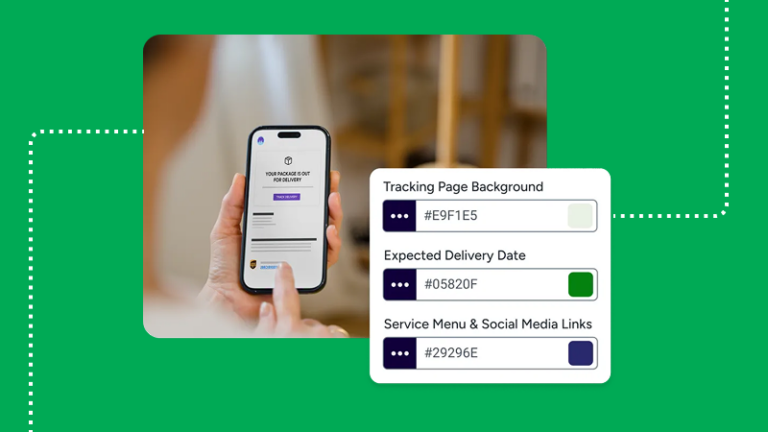
Shipping doesn’t end when a package leaves the warehouse. Customers expect timely updates, but generic carrier notifications often fall short. With customizable email and SMS tracking notifications, businesses can deliver branded, automated shipment updates that keep customers informed, reduce “Where is my order?” inquiries, and create a better post-purchase experience.
Customized email and SMS tracking notifications work best when each message corresponds to a real shipping event and links to a single clear tracking page. With those in place, you can cut confusion, share timely information, and keep your business visible after checkout. Below, we’ll show what to send, when to send it, and how we help you manage the flow inside ShipStation.
Customized email and SMS tracking notifications are event-based updates that tell customers where their order stands, without them having to ask. The best setup uses clear event types, concise copy, and a single branded link for tracking. That gives each customer notification a purpose instead of sending generic noise.
Common event types include:
For email and SMS notifications, timing and availability matter. Some carriers share more real-time tracking detail than others, and ETA data or signature detail may vary by service.
A strong notification template answers the next question before a customer asks it. Keep notification emails short, easy to scan, and useful on mobile. One custom email can best inform customers when the message is direct.
Include these fields in your notification templates:
Before you send anything, verify the email address and phone number data at the source. If you share proof details, note whether a signature, photo, or PNG file is available, and whether that link expires. If messages include account details, add links to the Terms of Service and Privacy Policy in the footer so users know how their information is handled.
To implement these, start with email, then mirror the same logic in SMS if your workflow is integrated. In the ShipStation platform, you can centralize tracking, branded updates, and automation rules, then extend that structure to other tools when needed.
This setup helps with you add new workflows later, manage exceptions, and keep every user on the same process.
To get the most out of these, use customer-facing notices for shipping updates and internal alerts for exceptions. That split keeps customers informed without exposing too much detail. It also helps your team route action faster when something needs attention.
A few best practices matter most:
Done well, these notifications become a support resource, not extra inbox clutter.
ShipStation was the only company to respond to my initial contact for help and was very patient in talking me through the options. So customer service definitely made them stand out.
Customized notifications should feel clear, timely, and branded from the first scan. When you match each message to a shipping event, use smart routing, and keep templates clean, customers get better updates with less manual work.
Start with ShipStation, connect your channels and carriers, and build a notification flow that keeps orders moving and customers informed.