Back
Back











































Etsy
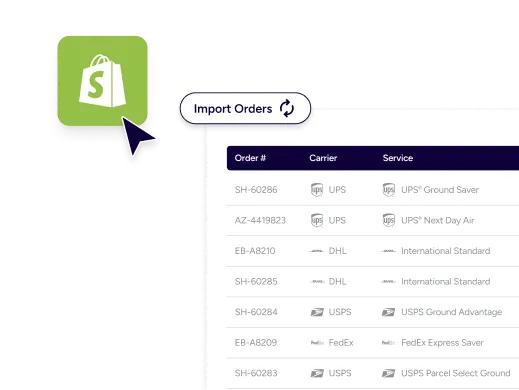
Etsy exists to make the life of the handmade artist and seller a bit more profitable. We’re here to make sure that you don’t lose valuable time and money when shipping on Etsy. By connecting ShipStation with your Etsy store, you can quickly compare shipping options, create and print shipping labels, and streamline order fulfillment.

What are the main benefits of using the Etsy integration for ShipStation?
How do I set up Etsy Shipping for ShipStation?
Follow a few simple steps to integrate your Etsy store with ShipStation and make the most of ShipStation’s automation and order management software.
Step 1
Head over to your ShipStation account
Click on the ‘Selling Channels’ button on the left hand side, then click ‘Connect a Store or Marketplace’

Step 2
Click the 'Connect a Store or Marketplace', search for 'Etsy' and select the 'Etsy' tile.
Enter your Etsy ‘Username’, then click ‘Find My Shops’. This field is case sensitive.

Step 3
Select the store you want to connect from the 'Available Shops' drop-down and click 'Finish'.
At this point, you’ll be redirected to Etsy to confirm access for ShipStation.

Step 4
Click 'Allow Access' on the next page to grant ShipStation access to your Etsy store.

Frequently asked questions
Why integrate with Etsy?
Etsy is the heart of where merchants who work with recycled, handmade, and otherwise “artsy” (see, artsy vs Etsy?) wares go to sell their products. They provide a global marketplace for like-minded individuals to connect over their love for unique items. Etsy prides themselves on empowering creative entrepreneurs to scale and grow their business, while also providing the best experience for consumers, with curated picks and recommendations from their expert teams.
How do I print Etsy shipping labels using ShipStation?
Once an order has been made on your Etsy store it will automatically import into ShipStation. This enables you to now create and print a label for that order. To create and print a label from the ‘Orders Tab’, select the orders you’d like to create and print a label for and click the ‘Create + Print label’ button. Click the ‘Print’ button to open the dropdown and select ‘Label’. The Label option will only be available if there is a label created for a shipment on the selected order.
Which carriers can I ship my Etsy orders with?
We enable you to provide a frictionless shipping experience for your customers. By using ShipStation to integrate with Etsy you can ship with a variety of major carriers.
How does Etsy tracking work with Shipstation?
When an order has been shipped both the tracking number and the carrier name is submitted back to Etsy. You can also use ShipStation’s branded tracking pages to track any Etsy order.
Why is my username not recognised?
This error typically takes place when trying to connect your Etsy account to ShipStation, and it indicates that the username entered is incorrect. Luckily it can be easily resolved. We recommend that you reconfigure your Etsy store and ensure you are using your Etsy username and not login name.