






































Turn X-Cart into a faster, fully automated shipping workflow

Running a growing X-Cart store means shipping can’t slow you down. ShipStation pulls your orders into one dashboard, so you can create labels fast, shop rates, and send tracking back automatically. Batch print labels, set automation rules, and keep customers in the loop with branded tracking. Replace manual shipping steps with a centralized, scalable workflow built for growing ecommerce teams.

Seamless X-Cart shipping integration

Bring your store, carriers, and shipping tasks into one simple workflow. Import orders, automate decisions, and get packages out the door with fewer clicks, fewer errors, and a better delivery experience.

Put every order in one shipping view

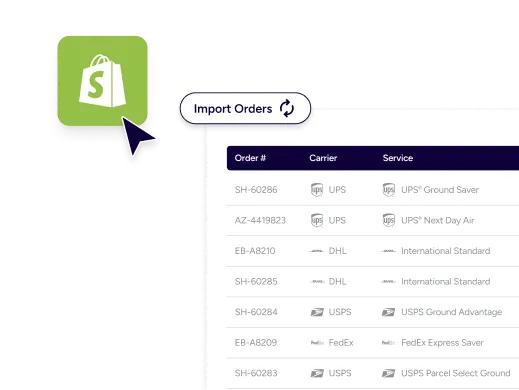
Stop jumping between tabs. ShipStation helps you sync X-Cart orders with shipping platforms and keep key details together, including addresses, items, SKUs, and notes. You’ll see what to pick, what to pack, and how to ship without retyping. It’s a clean UI your team can learn fast.

Save time with rules and batch labels

Your best process shouldn’t live in someone’s head. With X-Cart fulfillment and shipping automation, ShipStation can apply tags, pick a service, set package types, and more. Then you can automate shipping labels for X-Cart orders in bulk. Print once. Pack fast. Move on.

Improve delivery updates and brand trust

Shipping isn’t done when the label prints. ShipStation sends tracking details back to your store, so customers get updates without extra work from you. Add branded tracking pages and notifications that look like your brand. Fewer “Where’s my order?” tickets. More repeat buyers.

Rated #1 by Industry Leaders

We’ve helped 130,000+ businesses manage their shipping smarter. Let us save your team time and money, too.
Google 4.9 rating 67 reviews
Capterra 4.6 rating 897 reviews
G2 4.3 rating 531 reviews

Automate X-Cart order shipping workflows

Turn manual steps into repeatable flows. Connect your store, compare services across carriers, print in batches, manage returns, and keep inventory aligned as your order volume grows.

What is the X-Cart ecommerce platform?

X-Cart is an ecommerce platform built for flexibility. You can run hosted or self-hosted stores and keep room for custom work as you scale. That control is great, but shipping can get complex fast. ShipStation turns that complexity into a structured, automated workflow your team can run efficiently every day.

How does X-Cart connect with my shipping software?

Getting started is straightforward. Add X-Cart as a selling channel in ShipStation, then install and activate the ShipStation module in your X-Cart admin. New store connections require X-Cart version 5.0 or later. Once connected, orders import with Ship To details, and shipment status and tracking can sync back to X-Cart after you create labels.

Multi-carrier shipping for X-Cart stores

Rate shopping shouldn’t mean guesswork. ShipStation supports multi carrier shipping for X-Cart stores, so you can compare options across USPS®, UPS®, FedEx®, and DHL Express® in real time, plus your own negotiated rates when you have them. You can compare carrier rates for X-Cart shipments by speed, cost, and service fit, then pick the best option per order. Want more control? Use presets for package types, signature needs, or insurance requirements. This helps reduce shipping costs without sacrificing delivery speed.

Streamline X-Cart fulfillment with Shipstation

When you’re shipping daily, small delays stack up. ShipStation helps you streamline X-Cart fulfillment with ShipStation tools built for speed: filters, tags, pick lists, scan-to-ship, and batch label printing. Add inventory management to reduce oversells, and use the mobile app when you need to ship on the go. For post-purchase, you can also add a self-serve returns management portal that protects your time and keeps customers confident.

FAQs about ShipStation and X-Cart shipping

It’s more than labels. ShipStation combines order import, rate shopping, automation rules, branded tracking, and returns in one place. You keep X-Cart for selling and use ShipStation for fulfillment speed.
Yes. You can select many orders at once and create labels in bulk. Add automation rules so common choices like carrier, service, and package type apply automatically.
Yes. After you create a label, ShipStation can send the carrier, tracking number, and shipment status back to X-Cart. That helps your customers get timely updates without manual work.
You can ship with major carriers and services, including USPS, UPS, FedEx, and DHL Express. You can also connect other carriers supported in ShipStation. This flexibility makes it easier to match cost and delivery speed to each order.
Yes. ShipStation can import orders from X-Cart and also connect to channels like Amazon, eBay, Etsy, Walmart, Shopify, and more. You’ll work from one shipping dashboard instead of juggling separate tools.
Most teams use automation rules and presets. If you need deeper control, ShipStation API can support custom shipping flows and system connections. It’s a good fit when you have a developer and a specific process to match.