 Back
Back












































USPS® shipping estimate: Calculate real-time rates by weight, zone, and service
Need to estimate USPS shipping without second-guessing your margins? ShipStation pulls USPS rates in real time, so you can quote, choose, and print fast. Compare services, spot savings, and keep delivery promises clear. You can also compare UPS®, FedEx®, and DHL Express® in the same view when USPS isn’t the best option.
Connected to the platforms that power your business


How to estimate USPS shipping cost with less guesswork
Stop swapping tabs. Get a faster, cleaner way to estimate, compare, and confirm postage before you buy a label. ShipStation helps you plan costs, pick the right service, and stay consistent as rates shift.

See accurate estimates before you commit
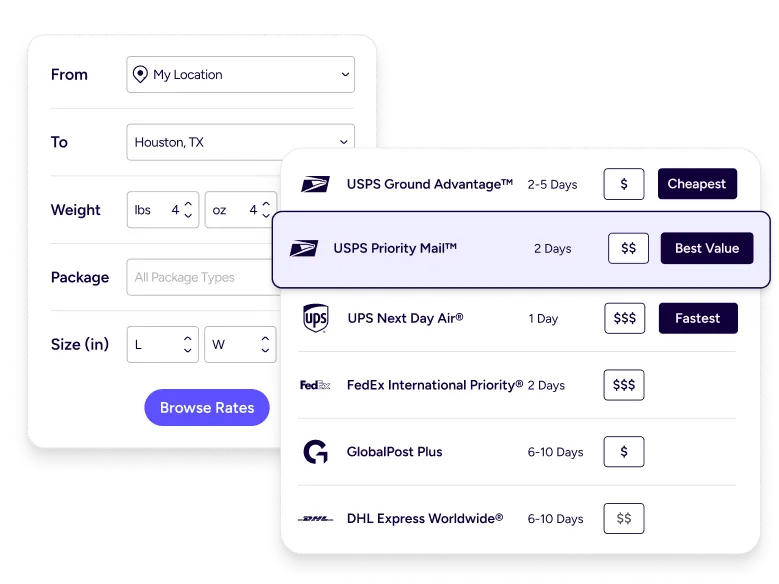
A good estimate starts with clean package data. ShipStation uses your weight, dimensions, and ship-to ZIP to return live USPS Ground Advantage® and Priority Mail® options in one screen. That means fewer surprises at label time. It also helps you tighten ecommerce shipping cost planning, since the quote you see is based on the shipment you’re actually sending.

Compare services and carriers in one place
USPS is only part of the story. With ShipStation, you can compare USPS®, UPS®, and FedEx® rates side by side, including delivery speed and service details. Pick what meets your promise, then move on. No math. No guessing. Just a clear view of your best options, built for day-to-day shipping decisions.

Turn estimating into a repeatable workflow
Manual quoting slows you down. ShipStation helps you reduce shipping cost uncertainty with automation rules, presets, and batch label printing. You can set guardrails for cost and speed, then let the system handle the repeat work. Your team ships faster, even when volume spikes and new staff jumps in.
USPS shipping costs calculated — and then cut
We’ve helped 130,000+ businesses estimate and reduce their USPS shipping costs in real time. Let us help you find better rates on every package, too.


4.9 rating 67 reviews

4.6 rating 897 reviews

4.3 rating 531 reviews
Real-time tools that make USPS estimates usable at scale
How USPS® shipping estimates are calculated
USPS shipping estimates are driven by four core inputs: weight, dimensions, distance, and service level. Rates increase by weight tier, and for larger packages, dimensional weight can apply — meaning a lightweight but bulky box may cost more based on the space it takes up. Pricing also varies by shipping zone, which is determined by the distance between origin and destination ZIP codes.
Service choice matters too, since options like USPS Ground Advantage®, Priority Mail®, and Priority Mail Express® each carry different pricing structures and delivery speeds. USPS updates rates periodically throughout the year, often ahead of peak seasons, so estimates based on outdated tables may not reflect current costs.
Choose the right USPS® service for speed and cost
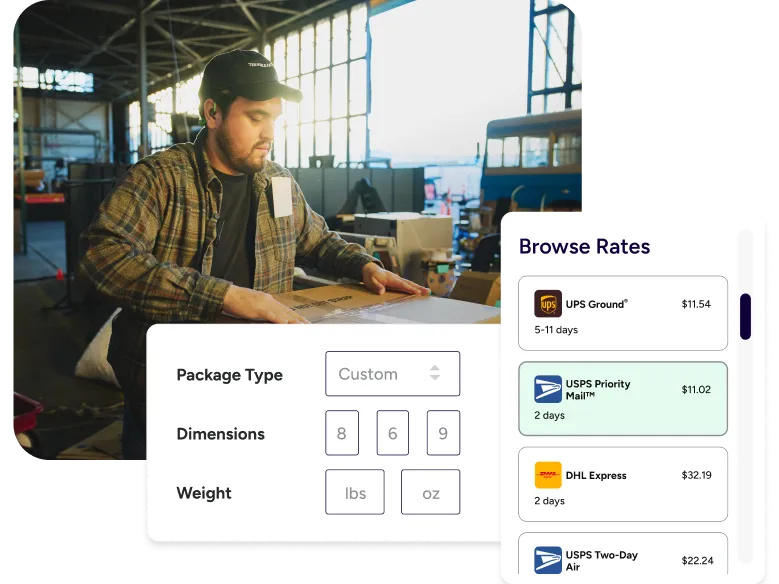
When speed matters, you need a clear view of Priority options. ShipStation works like a built-in USPS Priority Mail® cost estimator inside your label flow. Select your package, confirm weight and dimensions, and review available services. If your box qualifies, ShipStation can also evaluate USPS cubic pricing and apply it automatically when it’s cheaper than a standard Priority rate. That’s a simple way to protect margin on small, heavy orders.
Optimize lightweight shipments without overpaying
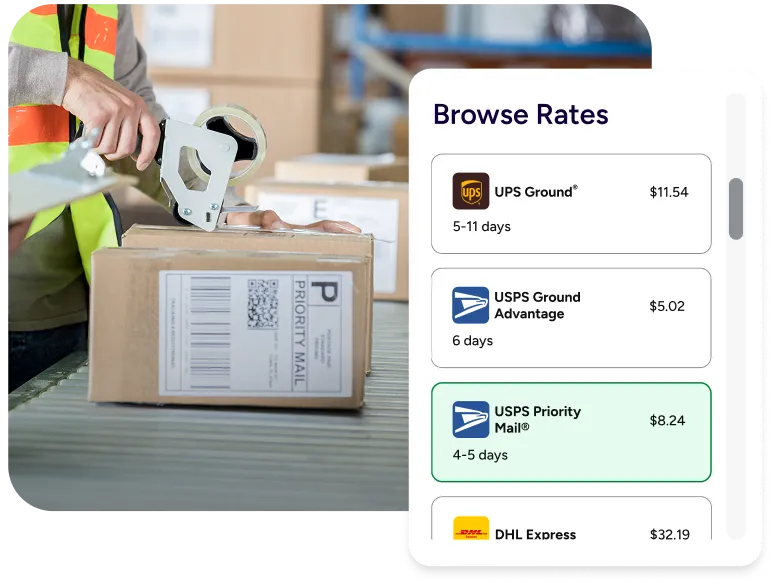
Light shipments should be easy. In ShipStation, First-Class Mail® estimates are quick to pull up when your shipment qualifies. Save common package types, then reuse them for the next batch. You can also store product dimensions to improve estimate accuracy over time. Less rework. Fewer corrections. More consistent costs across Shopify, Amazon, Etsy, and other channels.
Move from manual quoting to automated rate optimization
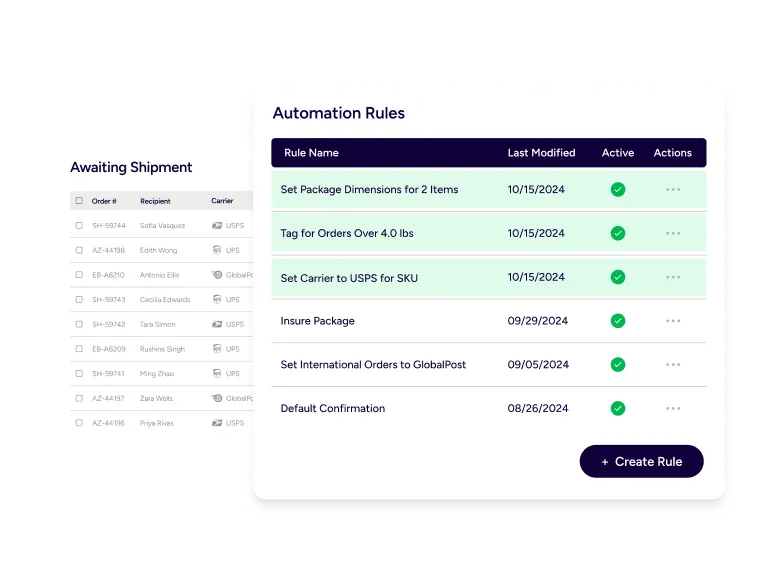
Spreadsheets and single-carrier tools don’t keep up with constant rate changes and daily order mix. That’s the real manual vs automated shipping estimates problem. With ShipStation Rate Shopper, you can set rules that choose the best option based on cost, delivery needs, and your preferences. You can even compare your own negotiated rates to ShipStation’s carrier rates in the same workflow.
RELATED CONTENT
Helpful Shipping Resources
Browse additional articles, guides, and insights related to shipping and fulfillment. These resources provide practical advice and best practices to support your day-to-day operations.

The Cheapest Way to Ship Packages
Finding the cheapest way to ship a package doesn’t mean sacrificing quality. Affordable shipping rates are available to anyone that knows where to look.

Calculate Shipping Costs and Start Saving Now
Whether you’re shipping a single order or managing high-volume ecommerce fulfillment, ShipStation’s shipping cost calculator helps you get fast, reliable quotes from top carriers so you can save time and money with every label.

Freight Optimization: How to Build a Smarter LTL Shipping Strategy
Learn how freight optimization helps reduce shipping costs, improve LTL efficiency, strengthen carrier strategy, and build a smarter supply chain.
Try us free
What you can look forward to in your 30-day free trial:
 Get instant access to all of our features
- Connect to over 400 integrations
- See how much our rates can save you on shipping









Create your ShipStation account
By clicking 'Get Started', you agree to our Terms & Privacy Policy and Carriers' Terms .
FAQ: Estimate shipping USPS for ecommerce orders
What do I need to estimate shipping usps accurately?
You’ll need the ship-from ZIP, destination ZIP, package weight, and box dimensions. Service choice matters too, since each USPS service has different pricing and delivery expectations. The more precise your inputs, the closer your estimate matches your final label cost.
What are the main factors that affect USPS rates?
Distance, weight, dimensions, and service level are the big drivers. Packaging type can also change the result, especially for flat rate versus your own box. Rate updates can happen during the year, so real-time quotes help you stay current.
How do I calculate postage by weight and zone?
Use the shipment’s weight tier and the USPS zone based on origin and destination ZIP codes. ShipStation shows live rates after you enter those details, so you don’t have to look up zones manually. That’s faster for one-off orders and for daily batches.
Is there a built-in USPS Priority Mail cost estimator in ShipStation?
Yes. When you rate a shipment in ShipStation, you can view Priority Mail® options alongside other USPS services. You can then pick the service, print the label, and keep moving. If cubic pricing applies, ShipStation can surface that lower rate automatically for eligible packages.
How can I create a first class package shipping estimate for small items?
Enter accurate weight and dimensions, then select the First-Class Mail® option when it’s available for your shipment. Save the package setup so you can reuse it for future orders. This is especially helpful for multi-channel sellers who ship lots of similar items.
Can I compare usps ups fedex shipping rates without leaving my dashboard?
Yes. ShipStation lets you compare rates across USPS, UPS, and FedEx in one place, so you can choose based on cost and delivery speed. This is useful when USPS isn’t the best option for a specific zone, size, or deadline.
Why are real-time shipping rate calculators better than manual estimates?
Manual quotes break when rates change or when package details vary from order to order. Real-time shipping rate calculators pull current carrier data for the exact shipment you’re sending. That helps you reduce shipping cost uncertainty and improve ecommerce shipping cost planning as you scale.