





































Shopify Shipping That Scales from First Orders to High-Volume Fulfillment

Shopify shipping works best when your tools keep up with your growth. ShipStation is the command center that brings your Shopify shipping, orders, carriers, and automation into one fast workflow. Import orders, compare rates, print labels in batches, and give customers branded tracking and easy returns, all from one login.
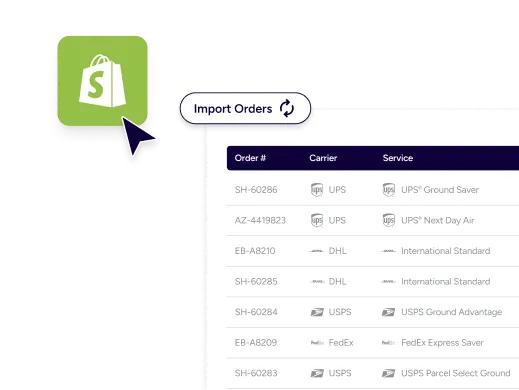
Ship faster, spend less time per order, and keep customers in your brand

ShipStation turns Shopify into a centralized Shopify shipping management platform. You get multi-carrier choices, smart automation, and a polished post-purchase experience, so your team stays quick and your customers stay happy.

One screen for every order, carrier, and channel

No more bouncing between tabs. With ShipStation, you can access 400+ integrations—including 200+ order sources like your website, TikTok Shop, Amazon, Etsy, and Walmart—and find the best shipping rates from 200+ global carriers like UPS®, USPS®, DHL Express, and GlobalPost.

Manage every order, channel, and shipment in one dashboard. Your Shopify orders sync alongside all your other sales channels, inventory signals, and shipment statuses, so everything stays in one place.

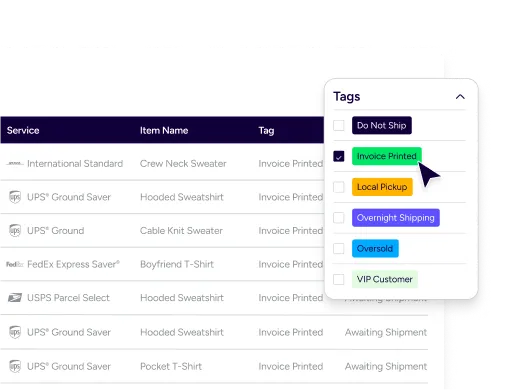
Use filters, tags, and custom views to focus on what matters most. It’s Shopify shipping software built for real workdays—not just simple shipments.

Less busywork, fewer mistakes, more labels per hour

When volume jumps, manual steps pile up fast. ShipStation helps reduce manual order processing tasks with automation rules, presets, and batch label printing. You can automate Shopify label creation workflows, standardize packaging, and minimize retyping. Your team moves faster, even when you’re training new hands.

A post-purchase experience customers remember

Shipping isn’t only cost and speed. It’s trust. ShipStation helps you look polished with branded tracking pages, branded notifications, and a self-service returns and exchanges management portal. That means fewer “Where’s my order?” messages and more chances to turn returns into a revenue driver with exchanges.

Rated #1 by Industry Leaders

We’ve helped 130,000+ businesses manage their shipping smarter. Let us save your team time and money, too.
Google 4.9 rating 67 reviews
Capterra 4.6 rating 897 reviews
G2 4.3 rating 531 reviews

The Shopify shipping workflow upgrade that keeps you in control

From rate shopping to multi-location routing, ShipStation adds the tools Shopify sellers rely on when things get complex. Build repeatable workflows, keep costs in check, and ship with confidence across carriers and channels.

What is Shopify shipping and how it works

Shopify shipping is the set of tools in Shopify that helps you set rates, buy labels, and mark orders fulfilled. It’s a strong start. But as you add SKUs, warehouses, or marketplaces, you need more control. ShipStation plugs into your store and becomes your daily shipping hub, so orders flow in, labels print out, and tracking goes back to Shopify automatically.

Limitations of native Shopify shipping tools

As you scale, you’ll feel the edges: more clicks per order, more exceptions, and more “how do we handle this one?” moments. Native tools can struggle with complex rules, multi-box shipping, and high-volume batching. Reporting can also feel scattered when you sell in more than one place. ShipStation helps you keep the Shopify admin clean while you run fulfillment in a dedicated workspace.

How Shipstation enhances Shopify shipping workflows

ShipStation adds structure to the day. You can search, filter, tag, and batch work in a modern UI that’s easy to learn. You also get powerful automation, a built-in rate shopper to compare rates in seconds, and warehouse-friendly tools like scan-to-ship. It’s built to replace a patchwork of plug-ins that slow your store down and slow your team down.
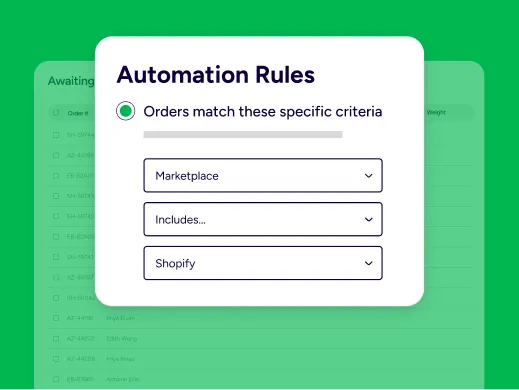
Automate Shopify order fulfillment processes

Set rules once. Let them run all day. With Automation Rules, you can route orders by service level, destination, item, tag, or other order data. You can also use custom fields from Shopify data to guide decisions, so your team isn’t guessing on every order.
Multi-carrier shipping for Shopify stores

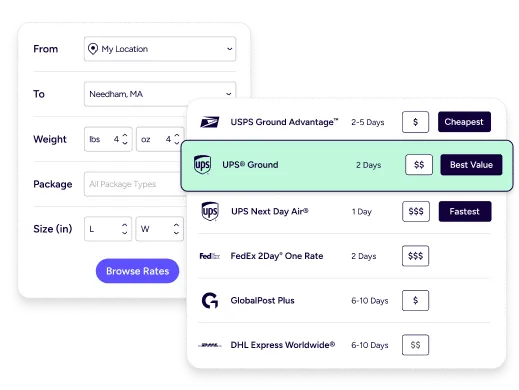
Your customers want options. Your margin does too. ShipStation supports multi-carrier rate comparison across USPS®, UPS®, FedEx®, DHL Express®, GlobalPost™, and more, plus your own carrier accounts. That means you can pick the right service for each package, not force every order into a single carrier habit.
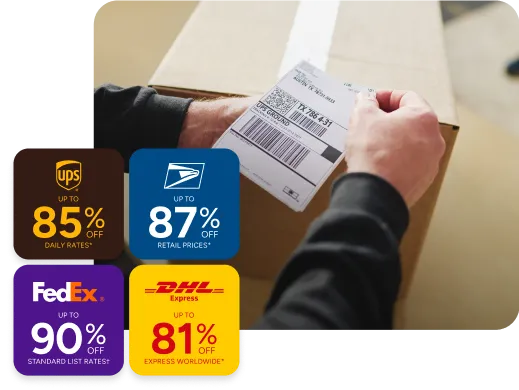
Compare shipping rates inside Shopify workflow

Rate shopping should be simple. ShipStation’s rate tools let you compare carrier rates for Shopify orders right where you print labels. Choose fastest delivery, lowest cost, or the best value for a promised date. Over time, this helps optimize Shopify shipping cost efficiency with less effort and fewer “we overpaid again” surprises.
Scaling Shopify shipping operations efficiently

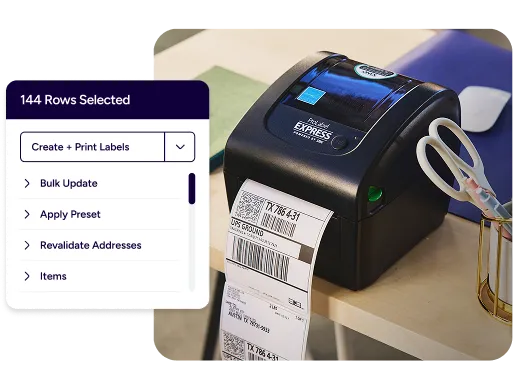
Big sales days are great. Chaos isn’t. ShipStation is built to help you manage high-volume Shopify shipments with batch processing, scanning flows, and reusable presets. You can print pick lists, group orders in smart ways, and keep work moving even when order counts spike. It’s a scalable ecommerce shipping infrastructure that supports growth without a full IT project.

Shopify shipping automation for growing brands

Growing brands need guardrails. ShipStation automation can apply package types, insurance settings, signature options, and shipping rules based on what you sell. It can also help you handle split shipments and multi-package orders when one box won’t cut it.

Connect Shopify orders to fulfillment platforms

Sometimes you ship in-house. Sometimes you outsource. ShipStation helps you connect Shopify orders to fulfillment platforms when you need to spread volume across locations or partners. With multi-fulfillment location support and order routing, you can ship from the best place for speed and cost. If you use Fulfilled by ShipStation, you can also outsource fulfillment while keeping a single workflow.

Streamline Shopify multichannel shipping

Your Shopify store might be your home base, but it’s rarely your only channel. ShipStation helps you streamline Shopify multichannel shipping by pulling orders from marketplaces into the same queue. That keeps your processes consistent, even when sales come from Amazon, eBay, Etsy, Walmart, and more. One workflow. One set of rules. Fewer late nights.

Shopify shipping FAQ for merchants scaling with ShipStation

If your volume is low and your shipments are simple, native Shopify tools can be enough. When you start to batch work, add carriers, or ship from more than one place, ShipStation gives you room to grow. It’s built to scale Shopify fulfillment operations without adding clutter.
ShipStation imports Shopify orders with physical products and keeps shipment updates in sync. When you create a label, tracking can flow back so your store stays current. You can also map extra Shopify data into custom fields to guide your workflow.
Yes. ShipStation is designed for batch processing Shopify orders, including bulk label printing and fast order handling with filters and views. You can group work by shipping service, warehouse location, or any process your team uses. That’s a practical way to streamline Shopify fulfillment workflows.
You can use major carriers and many regional options, plus your own negotiated accounts. ShipStation makes it easier to connect Shopify to global carriers and keep international shipping organized. You can also compare services side by side to match speed and cost for each order.
Yes. Automate Shopify label creation workflows with automation rules, presets, and defaults that apply as orders import. That reduces manual steps and helps your team ship consistently. It also supports more complex needs like multi-package shipments and split shipments.
If you store Harmonized System codes in Shopify, ShipStation can import 6-digit HS codes into customs declarations to support smoother cross-border shipping. If you use Shopify Managed Markets powered by Global-e, you can connect your Global-e details to ShipStation to print labels for those international orders. Be sure to review your customs settings to ensure they align with your shipping requirements.
Some Shopify “automatic discounts” don’t import into ShipStation as line items, so totals can look different during review. ShipStation also lets you control how certain payment states import, like treating “authorized” orders as awaiting payment when needed. That helps you avoid shipping too early and keeps your process clean.