 Back
Back
Automated order fulfillment software for fast, error-free shipping
Automate your processes from click to ship with ShipStation’s automated order fulfillment software. Intelligent rules guide picking, packing, and shipping so orders move faster, errors are minimized, and labor costs are reduced. By applying predictive insights and workflow recommendations, your team spends less time troubleshooting and more time keeping customers happy.

Driving fulfillment for the world’s leading brands










Turn manual fulfillment into smart workflows
Put automation at the core of your order fulfillment process. ShipStation cuts manual data entry and helps you manage inventory levels and shipping labels across all sales channels. Result: faster, more accurate fulfillment.

Spend less time on repetitive tasks
Stop wasting hours picking, packing, and shipping orders one by one. ShipStation automation selects services, assigns warehouses, applies tags or packing slips, and even sets shipment weight and dimensions automatically with SmartFill. SmartFill remembers your repeat settings and learns from previous shipments, so you don’t need to build automation rules or analyze thousands of past orders—your workflow gets faster and more accurate as you go.

Reduce errors and protect your margins
Manual processes create room for mistakes—and unnecessary cost. ShipStation automates rate shopping to find the best available rate on every shipment, while standardising how orders are routed, weighed, insured, and labelled.By keeping fulfillment consistent, you safeguard margins and maintain accuracy even as order volume grows.

Scale across your operations
The more sales channels, warehouses, and integrations you have, the more complex your operations are. Keep inventory management, warehouse routing, and fulfillment provider handoffs in one system. Whether you work with a single warehouse or a large network, you can scale without adding headcount.
See ShipStation automation in action
Explore our interactive tour to see how ShipStation’s automation tools can improve efficiency, reduce errors, and boost your bottom line.
Fulfillment automation features built for real-world operations
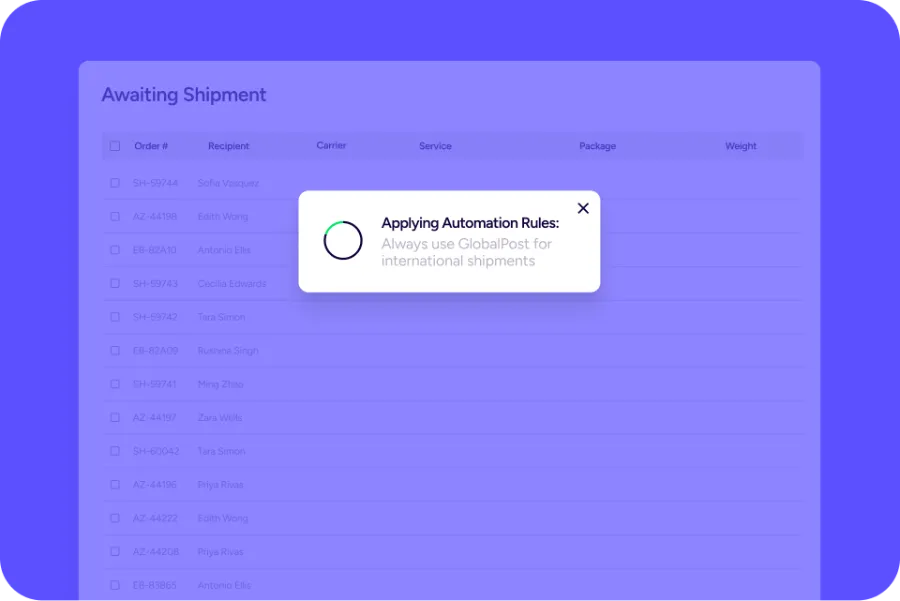
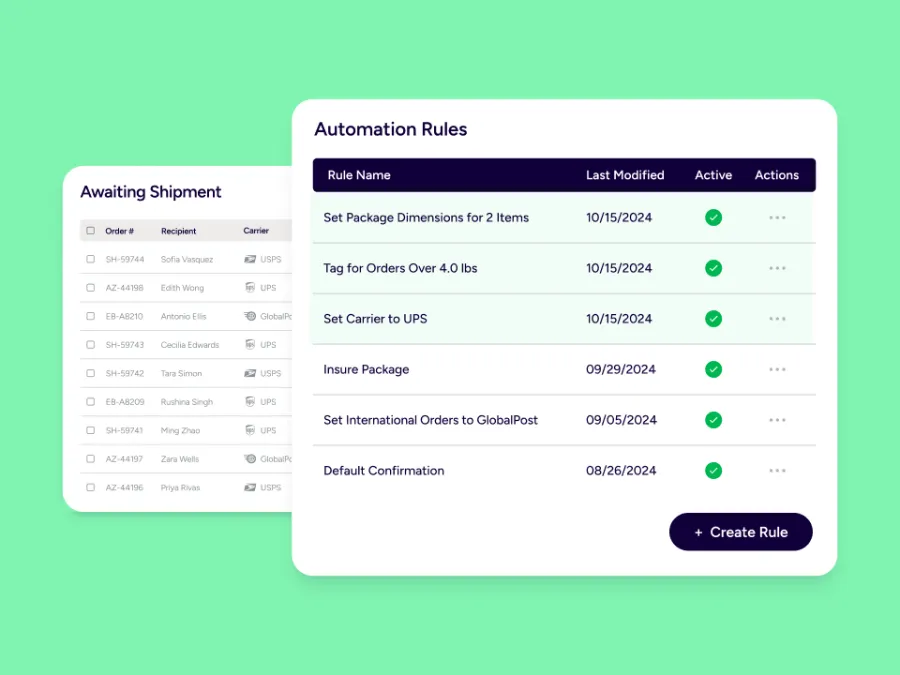
Automation Rules that match your exact workflow
Tackle the tasks that slow your team down with Automation Rules. Trigger actions based on almost any order detail, like destination, order value, item, tag, or sales channel. Automatically:
- Choose the right shipping service and package type
- Set insurance, confirmation, and delivery options
- Add tags, assign orders to users, or apply custom packing slips
Implement automated order logic once, then let ShipStation handle the heavy lifting.
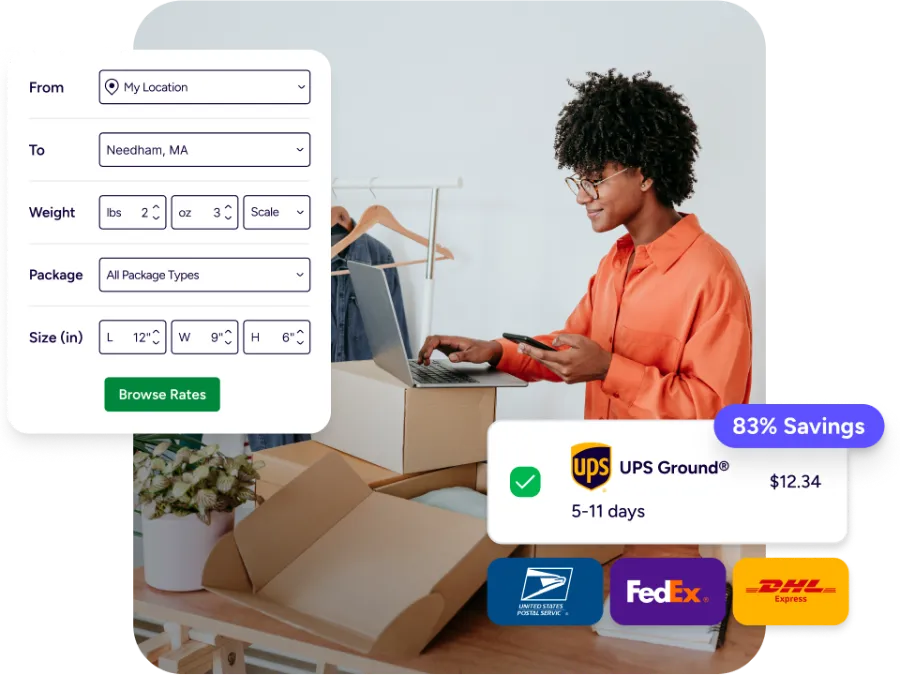
Rate Shopping that automatically gets you the best rates
Automatically compare rates across carriers and services for every shipment, using your rules to balance cost and delivery speed. The right option is selected every time—reducing manual decisions, and keeping shipping costs under control as volume grows.
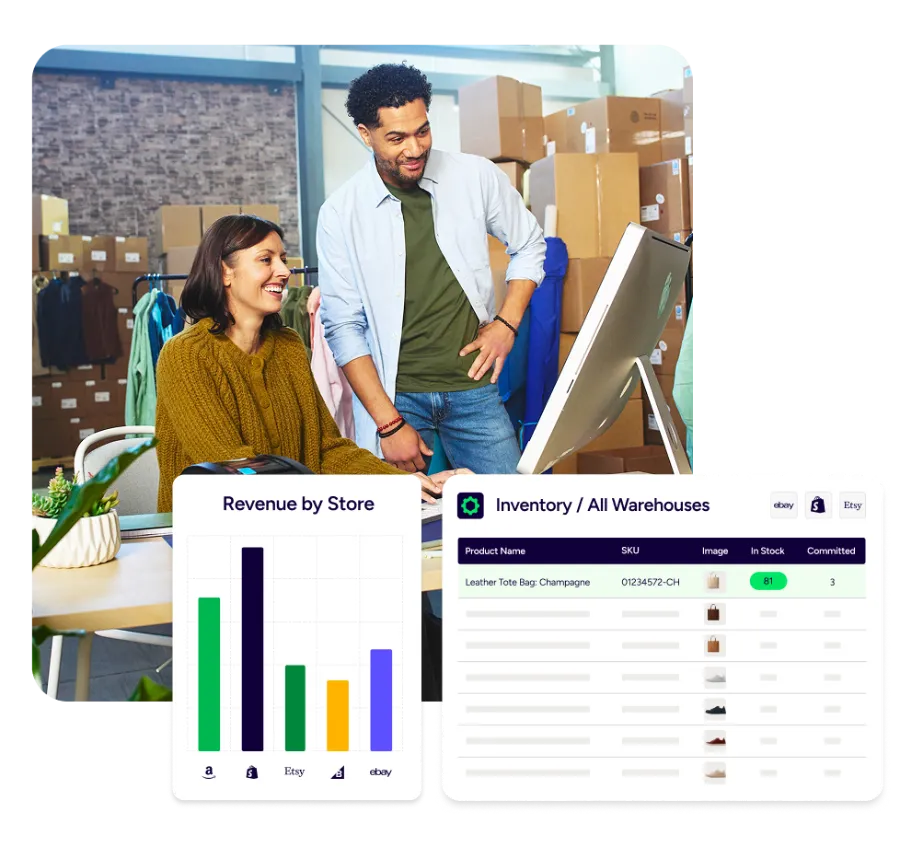
Auto-Routing sends orders to the best warehouse
Determine how to best fulfill customer orders based on where products are stocked. Prioritize speed or the fewest number of shipments to create a more cost-effective operation. Intelligent rules are reflected in every order. No back and forth. Orders get routed and split automatically, so your team doesn’t have to decide where to ship from for every order.
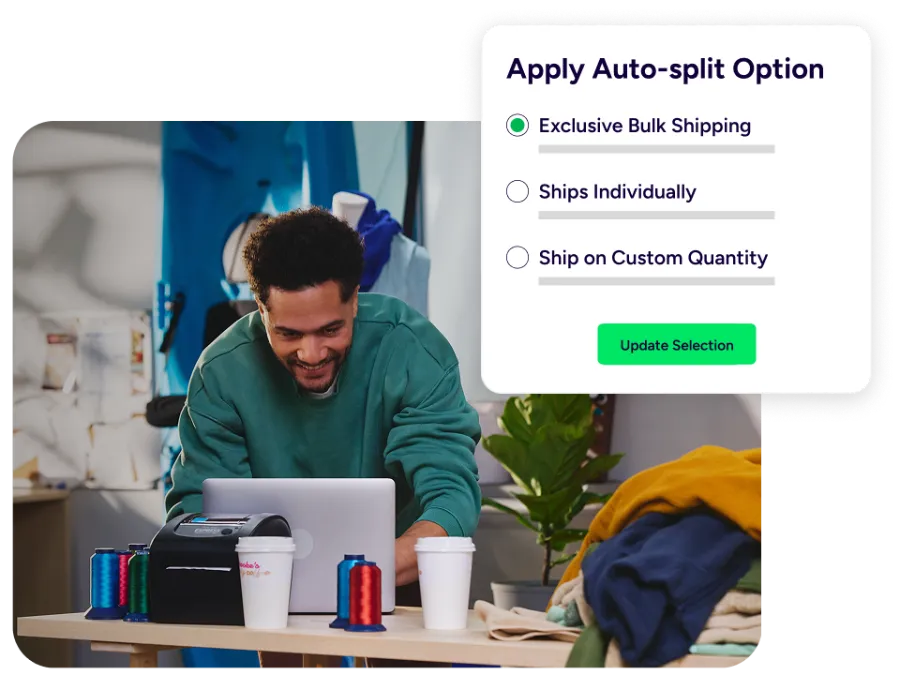
Auto-Split for multi-location and partial shipments
When items in the same order are in different warehouses or must ship separately, Auto-Split automatically creates multiple shipments. Each shipment receives the right service, package, and warehouse assignment. Reduce manual work. Minimize costly errors. Give your customers a seamless experience.
Product Defaults travel with every SKU
Set Product Defaults so shipping details are never a guessing game. Save item weight, dimensions, preferred services, and customs information directly in your product catalog to save time. SmartFill remembers how you ship and automatically applies weight and dimensions based on past shipments, filling in details as orders come in. The result is less manual entry, more accurate rates, and consistent, compliant shipping for every order.
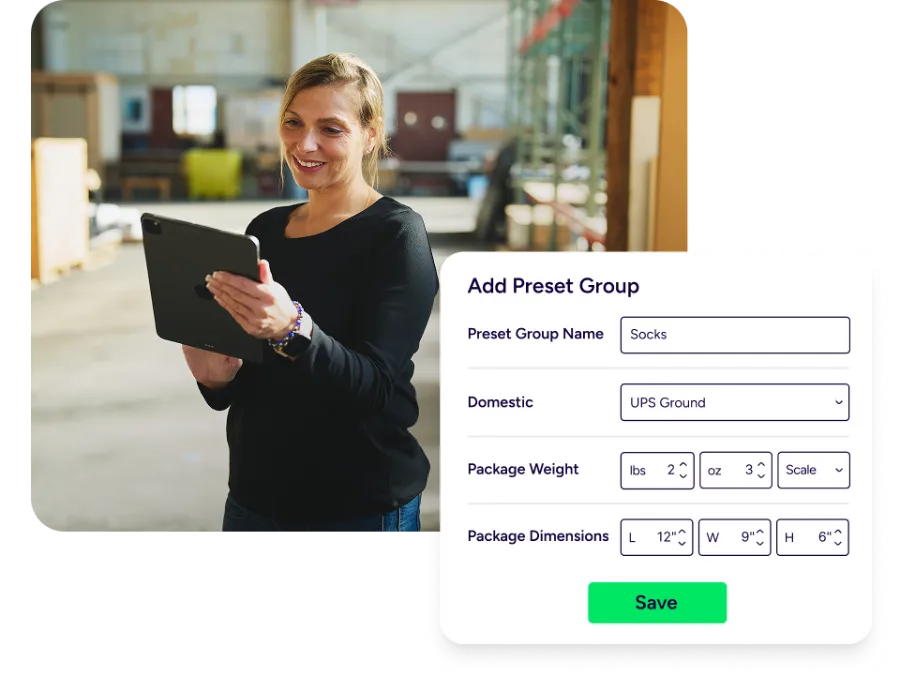
Preset Groups for products you ship the same way
Configure shared shipping details once for similar products. Preset Groups let you apply standard weights, package types, and customs information across multiple SKUs. When those items appear in an order, ShipStation automatically applies the correct settings, saving you time on future orders.
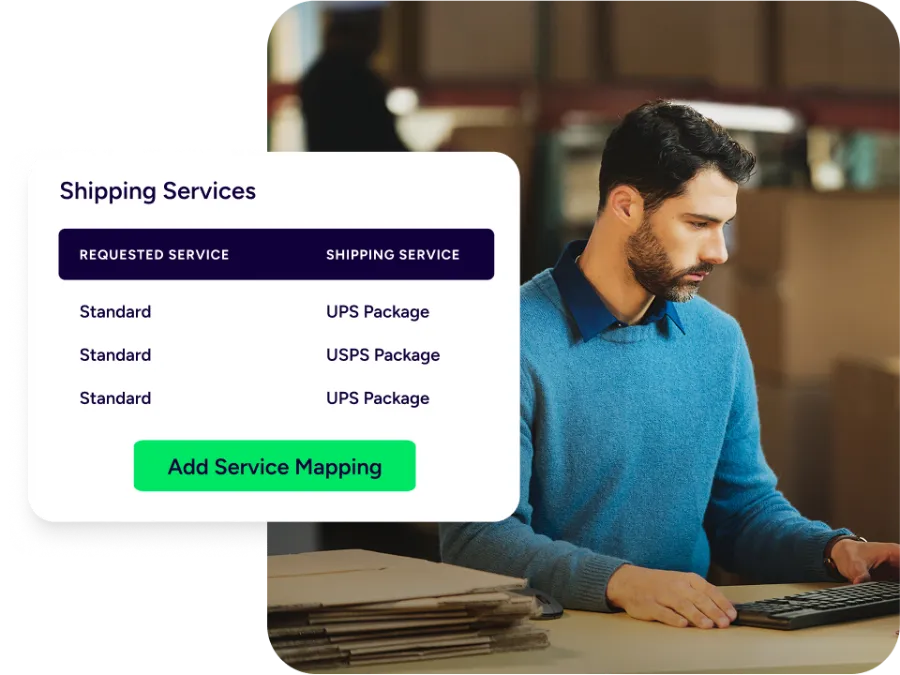
Service Mapping from checkout to shipping label
Bridge the gap between what shoppers see at checkout and what your warehouse uses to ship. Service Mapping lets you connect store shipping options to carrier services. When a customer chooses Standard, Expedited, or Free Shipping, ShipStation automatically selects the matching service and package type so you can always deliver on time. No more guesswork.
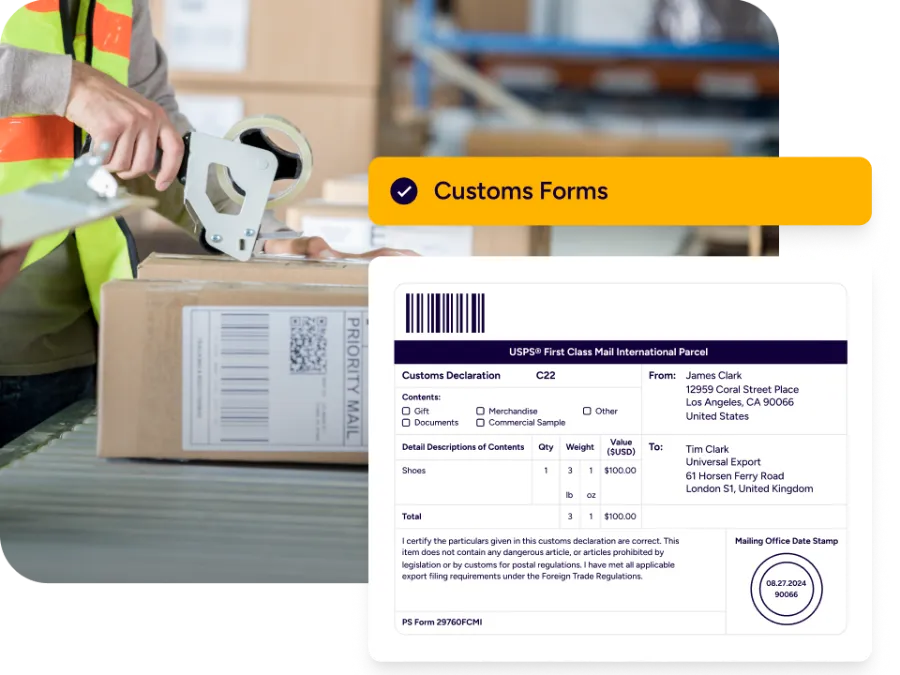
Smart international workflows
Extend automation beyond domestic shipping. Set customs details like content type, non-delivery preferences, and international services using product defaults and rules. Harmonization (HS) codes and declared values are applied automatically, so cross-border orders are ready to ship without extra research. Your team moves faster, avoids compliance mistakes, and supports global growth without adding complexity.
Auto-assign orders to anyone
Route work automatically without manual handoffs. Automation Rules assign orders to the right users, teams, or connected fulfillment partners based on factors like sales channel, destination, or product type. This simplifies 3PL coordination and internal workflows while keeping every order visible and on track from assignment to shipment.
Reprocess automation as needed
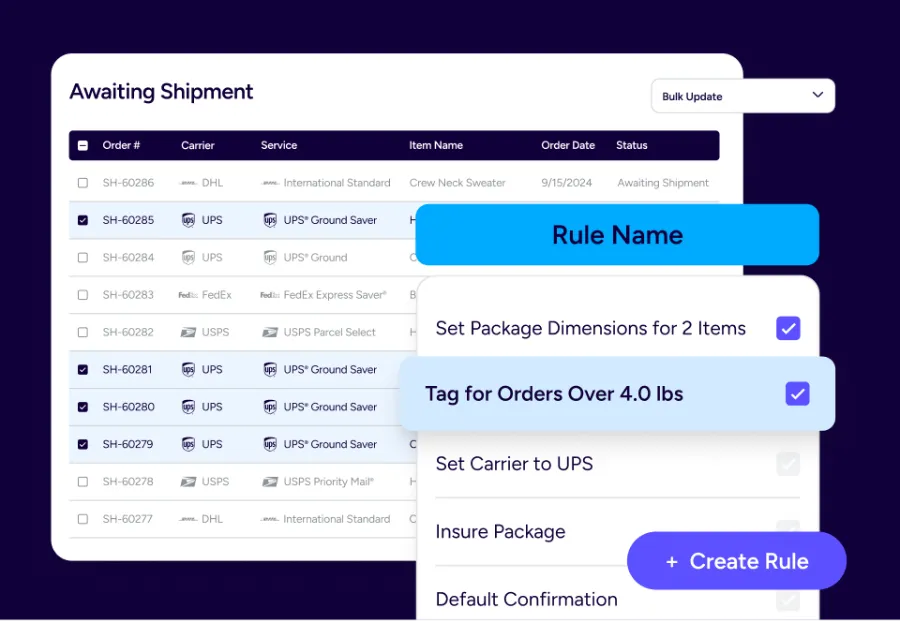
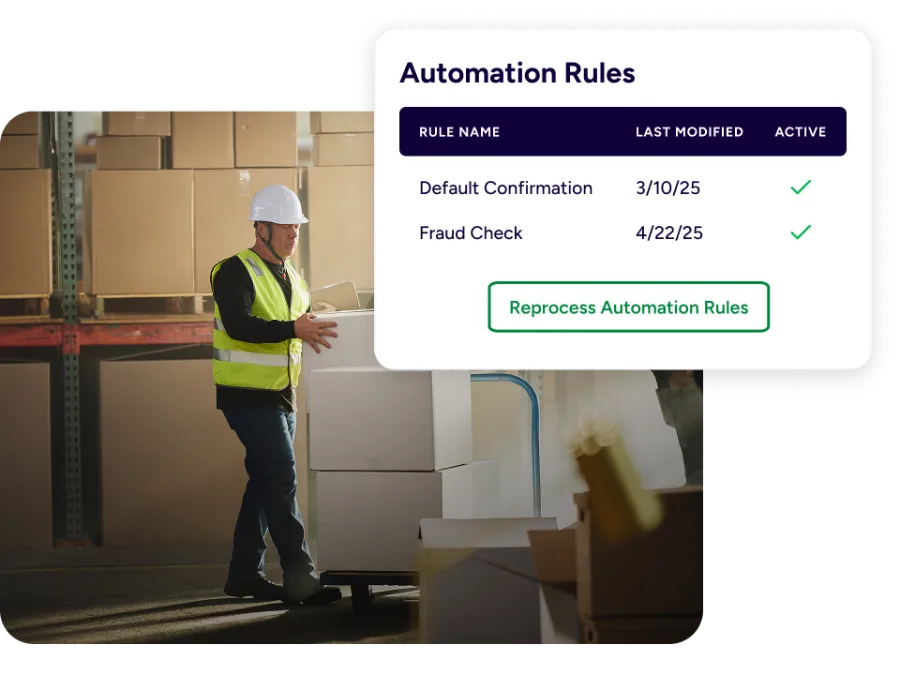
Update your fulfillment strategy without reworking every order. Reprocess Automation Rules lets you reapply updated rules and product defaults to orders that are still awaiting shipment. ShipStation re-runs the relevant automation in bulk, so changes take effect quickly without extra clicks, manual fixes, or added risk.
Connect automation to your tech stack
ShipStation works alongside enterprise resource planning (ERP) systems, inventory tools, and warehouse technology to streamline the entire supply chain. Automated storage and retrieval systems move items inside the warehouse. ShipStation automation takes over from the moment the order imports, through label creation and dispatch. The result is a continuous flow that keeps inventory accurate and orders moving.
Insights balance manual and automated work
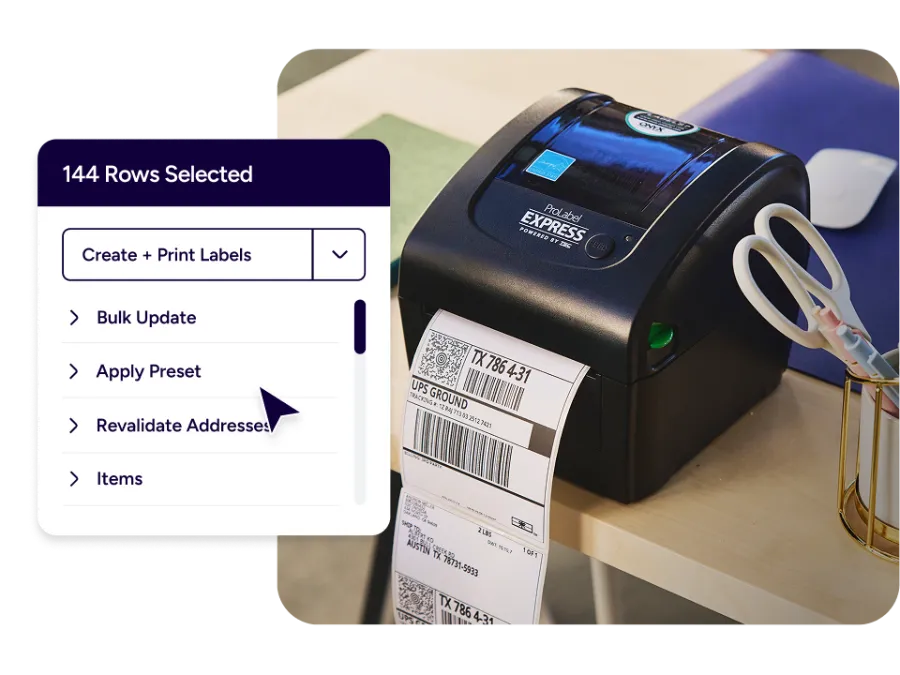
Get visibility into where manual steps slow you down. Performance insights help you spot patterns—orders that require extra handling, rules that could be expanded, or services that create friction. Use that clarity to fine-tune automation with additional rules, presets, or service mappings. Over time, your fulfillment operation becomes more efficient and easier for warehouse and customer service teams to manage together.
RELATED CONTENT
Helpful Shipping Resources
Browse additional articles, guides, and insights related to shipping and fulfillment. These resources provide practical advice and best practices to support your day-to-day operations.

The Cheapest Way to Ship Packages
Finding the cheapest way to ship a package doesn’t mean sacrificing quality. Affordable shipping rates are available to anyone that knows where to look.

Calculate Shipping Costs and Start Saving Now
Whether you’re shipping a single order or managing high-volume ecommerce fulfillment, ShipStation’s shipping cost calculator helps you get fast, reliable quotes from top carriers so you can save time and money with every label.

USPS Flat Rate Boxes, Envelopes, and Prices
USPS Flat Rate boxes and envelopes allow you to ship up to 70 lbs with USPS Priority Mail® at one low rate to anywhere in the US. The advantage of Flat Rate is that regardless of how much you fit into the packaging, it’s allowable.
Try us free
What you can look forward to in your 30-day free trial:
 Get instant access to all of our features
- Connect to over 400 integrations
- See how much our rates can save you on shipping






Create your ShipStation account
Automated order fulfillment software FAQs
What is automated order fulfillment?
Automated order fulfillment uses software to handle repetitive steps in picking, packing, and shipping orders that would otherwise be manual. In ShipStation, this means using rules, routing, product defaults, and service mappings to determine how to ship an order, which warehouse should fulfill it, and which shipping labels to create. The best part is that your team doesn’t have to touch every order.
How does ShipStation automation reduce labor costs and human error?
By replacing manual data entry and decision-making with consistent rules, your team spends less time clicking through orders and more time on high-value work. Automation standardizes order processing across sales channels, reducing errors, mis-shipments, and rework. The result is a more cost effective operation that scales intelligently as order volume grows, without increasing headcount.
Can ShipStation automation work with my existing inventory management and ERP systems?
Yes. ShipStation integrates with a wide range of carts, marketplaces, inventory management tools, and ERPs. Orders flow in from your existing systems, and ShipStation handles shipping-specific tasks automatically.ShipStation Inventory and Warehouse tools reduce complexity to centralize stock tracking, lot management, and warehouse operations, so fewer systems need constant monitoring.
Do I need a dedicated IT team to set up automated order fulfillment?
No. Most workflows can be configured directly inside the ShipStation interface using rules, presets, and mappings. Developers can extend automation by connecting custom systems through ShipStation API, but day-to-day adjustments to your automated order fulfillment software can usually be handled by operations or warehouse managers.
How does automation handle exceptions?
Automation rules help you handle common scenarios, while exceptions are surfaced for review. For example, you can tag orders that contain out-of-stock SKUs, route them to a specific user, or hold them in a dedicated status. This keeps your automated order fulfillment process flowing for in-stock items while making sure edge cases receive the attention they need instead of slipping through unnoticed.
Can automated order fulfillment still support personalized or special handling requests?
Yes. Automation doesn’t mean one size fits all. You can trigger specific workflows when an order contains certain products, tags, or notes, such as adding fragile handling instructions, including marketing inserts, or choosing a specific carrier service. This allows you to deliver a highly personalized experience within a repeatable automated framework that keeps fulfillment running efficiently.
How does automation impact customer experience and support teams?
When orders are processed consistently and shipped on time, customers experience fewer delays, mis-shipments, or missing items. That means fewer “where is my order” contacts and less time spent by support teams fixing fulfillment mistakes. With ShipStation automation running behind the scenes, customer service agents can focus on proactive communication and higher value interactions instead of chasing down basic shipping issues.
What metrics should I track to measure the success of automated order fulfillment?
Key metrics include order processing time, on time ship rate, mis-shipment rate, and support contacts related to shipping or fulfillment errors. You can also monitor labor hours per order and the percentage of orders fully handled by automated workflows. As you fine tune your automated order fulfillment software, you should see processing times decrease, error rates drop, and your team able to handle more volume without adding proportional headcount.