



































GLS Shipping Company Shipping Made Simple in ShipStation

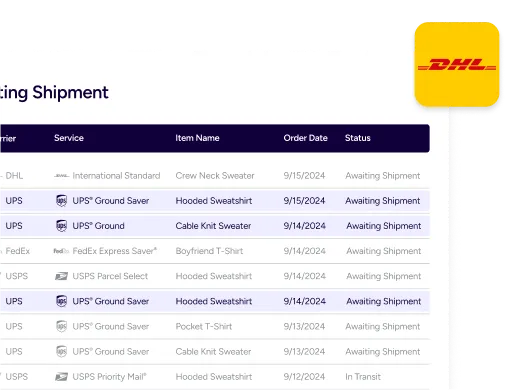
If your GLS shipping company account handles key lanes for your business, you shouldn’t have to jump between portals to finish every order. With our ShipStation GLS integration, you can bring your own GLS account, buy labels, and keep tracking updates in one place. Then compare UPS®, USPS®, FedEx®, DHL Express, GlobalPost™, and GLS shipping rates side-by-side when you need other options.

Run your GLS shipping company workflow from one screen

Pull orders, pick a service, print labels, and send tracking back to your store. Keep GLS strong where it fits, then switch carriers fast when destinations, package needs, or customer promises change.

Keep your GLS rates and account control

Connect your direct GLS account and keep your negotiated GLS shipping rates. Our multi carrier shipping software doesn’t replace your carrier relationship. It puts it on a bigger stage, so your team can rate shop, print, and confirm shipments without re-keying the same details in multiple tools.

Compare every option before you buy a label

Make ecommerce shipping carrier comparison part of your daily flow. You can compare GLS shipping rates against other carrier options for the same order, using the same address, weight, and package details. That helps you optimize shipping costs across carriers without guessing, especially when you’re weighing speed, zone coverage, and customer expectations.

Cut clicks with rules that match how you ship

Build shipping automation workflows that tag orders, apply presets, and pick services based on what matters to you. Set rules by store, SKU, weight, or destination, then let the queue stay clean. You’ll spend less time sorting and more time getting GLS parcel delivery out the door.

Rated #1 by Industry Leaders

We’ve helped 130,000+ businesses manage their shipping smarter. Let us save your team time and money, too.
Google 4.9 rating 67 reviews
Capterra 4.6 rating 897 reviews
G2 4.3 rating 531 reviews

GLS shipping company tools that scale past one portal

Use our centralized shipping management platform to connect your GLS account, run batch labels, and manage tracking across channels. When you need more reach, your rate screen becomes your decision point, not another login.

Connect your GLS account in minutes

Bring Your Own Account (BYOA) is the model. If you already treat GLS as your go-to GLS logistics company for regional coverage, keep that investment and plug it into your day-to-day workflow. In ShipStation, you connect GLS from your carrier settings using your credentials. Requirements vary by country, and some plans may prompt you to enable the Your Carriers Add-On before connecting.

GLS vs other carriers, compared per shipment

The fastest way to choose is to see options side-by-side. When an order is ready, you can compare GLS shipping rates with other carrier rates for that same shipment, then pick the service that matches your promise and budget. This matters when you’re weighing GLS delivery times against a different carrier service level, or when a customer upgrades at checkout and you need a new option right now.

Track GLS shipments and keep customers in the loop

Every label should lead to fewer “where is my order” tickets. ShipStation pushes tracking back to your selling channel, and you can use branded tracking pages and notifications to keep your customer experience consistent. GLS courier tracking starts with the tracking number created on the label, and you can track GLS shipments alongside other carriers in the same workflow. For busy teams, that single view beats searching across tabs.

Support GLS shipping services for domestic and, where available, international

GLS shipping services depend on your GLS program and region. In the U.S., GLS is a regional carrier that offers delivery service to the Western Region, so many merchants use it where that network is strongest. In supported European connections, GLS international shipping services may be available through your GLS account, and international features like customs handling can vary by integration and service.

GLS shipping company FAQ: rates, tracking, and setup

You connect your direct GLS account in ShipStation. That means you keep your GLS relationship and the GLS shipping rates tied to your contract. Our platform simply lets you manage GLS and other carriers from one workflow.
Rate shopping happens at the shipment level, using the order’s address and package details. You can compare GLS shipping rates against other carrier options, then select the service you want before you print. That makes comparing GLS shipping rates a repeatable step, not a one-off task.
Yes. Shipping labels created through the GLS integration include a tracking number that can be used on the carrier’s tracking site, though tracking may not be available for every GLS shipping service. Inside ShipStation, you can track GLS shipments and send tracking back to connected stores.
You’ll need an active GLS account and your GLS login details. For U.S. accounts, that includes a username, password, and account number. Other regions may require different IDs, and you may be prompted to enable the Your Carriers Add-On before you connect.
GLS delivery times depend on the service you select and the carrier’s network for that lane. In ShipStation, you can use service choices, rules, and tracking updates to set expectations and communicate progress. For delivery commitments, always rely on the carrier’s published guidance for the selected service.
GLS can be a strong option for ShipStation merchants who need to ship vape products in the Western U.S. region. To ship vape-related products, you must first be approved by GLS through their approval request process. Once approved, you can run those shipments through the same label and tracking workflow.