 Back
Back












































Order management software built to keep every shipment on track
Manage orders from checkout to delivery from ShipStation’s end-to-end platform. Centralize every sales channel, automate routine tasks, and give your team clear visibility into what needs to ship next for faster fulfillment and fewer errors.
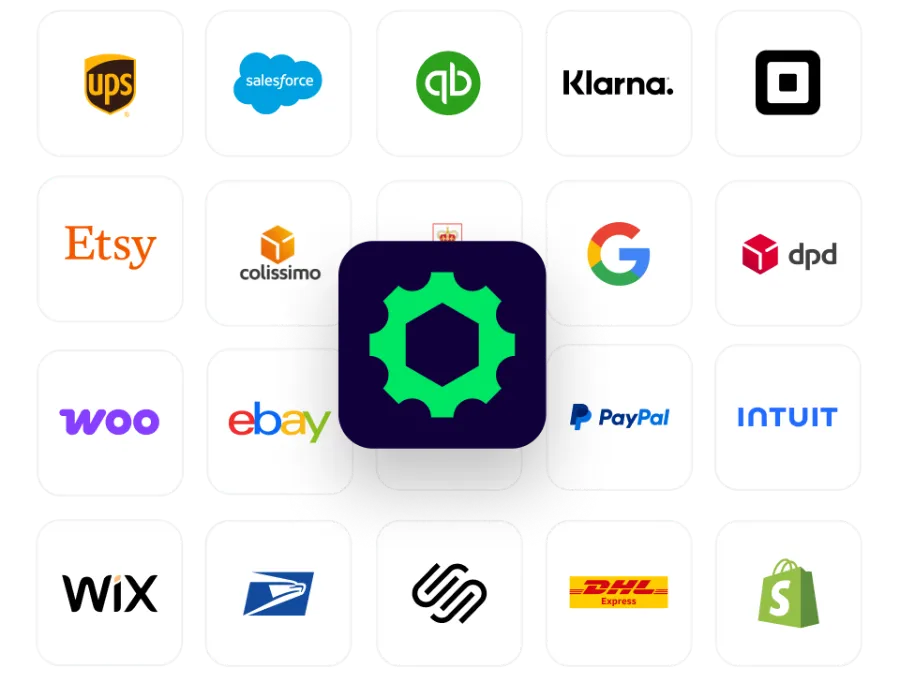
Connected to the platforms that power your business


Turn order management into a faster fulfillment process
Stop juggling disconnected tools and manual workflows. ShipStation organizes your order process in one platform, letting your team pick, pack, and ship efficiently. Route orders seamlessly, automate routine decisions, and keep every sales channel aligned with your fulfillment operations.

Save time on order processing
Eliminate repetitive work that slows your team down. ShipStation compares rates, selects carriers, and configures shipments—even letting you print labels in batches instead of working through orders one by one. Your team spends less time on order entry and more time on business growth. Speed up fulfillment, reduce order errors, and improve the customer experience.

Gain visibility in your supply chain
Track orders from a single location—no need to log into each sales channel. ShipStation lets you filter, sort, and bulk update by tags, products, customers, or order status. With this visibility, you can prioritize work, streamline routing, and catch potential issues before they reach your customers.

Improve fulfillment and keep customers satisfied
Customers expect fast, accurate shipping and real-time order tracking. ShipStation helps ensure orders are fulfilled accurately, special delivery instructions aren’t missed, and packages go out on time—every time. With greater control over fulfillment operations, teams can streamline workflows and deliver a smoother experience for shoppers.
Savings you can see on every label





See ShipStation order management tools in action
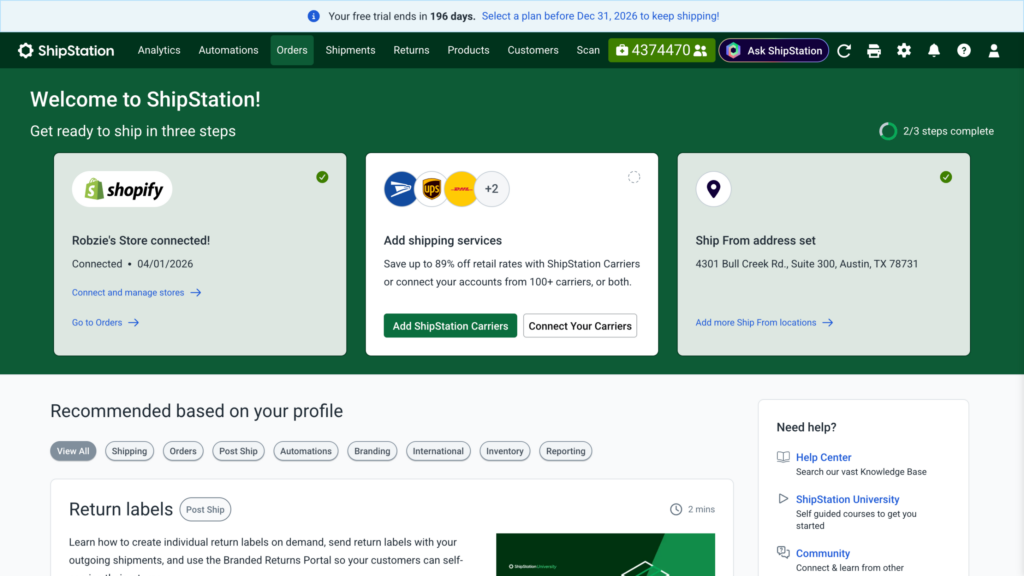
Order Management: Centralize and Process Orders from Multiple Channels
Powerful tools designed for modern fulfillment teams
Import orders from every store, channel, and system
ShipStation centralizes all your orders, no matter where they come from. Connect major marketplaces and stores, import CSV files, or create orders manually. For custom systems, use the ShipStation API to push orders directly into your workflow. Automatic imports ensure new orders appear in your queue without manual refreshes, freeing your team to focus on fulfillment instead of tracking down data.
Centralized order statuses that match your workflow
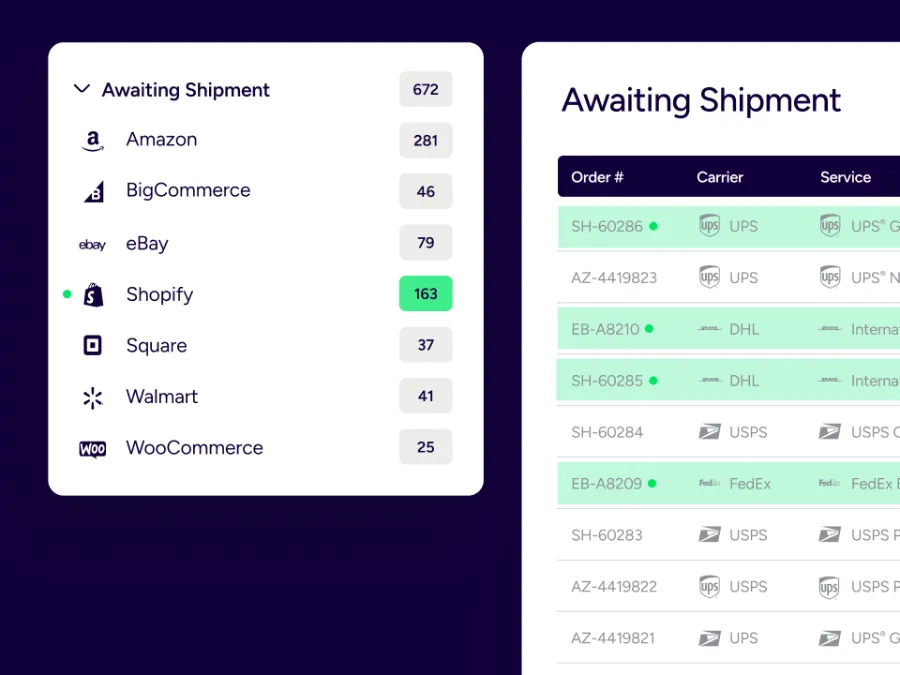
ShipStation standardizes order statuses across all stores, so your team always knows what requires attention. Orders move through stages like Awaiting Payment, On Hold, Awaiting Shipment, Pending Fulfillment, Shipped, and Cancelled—mirroring your warehouse workflow. This shared view keeps order management transparent across multiple channels.
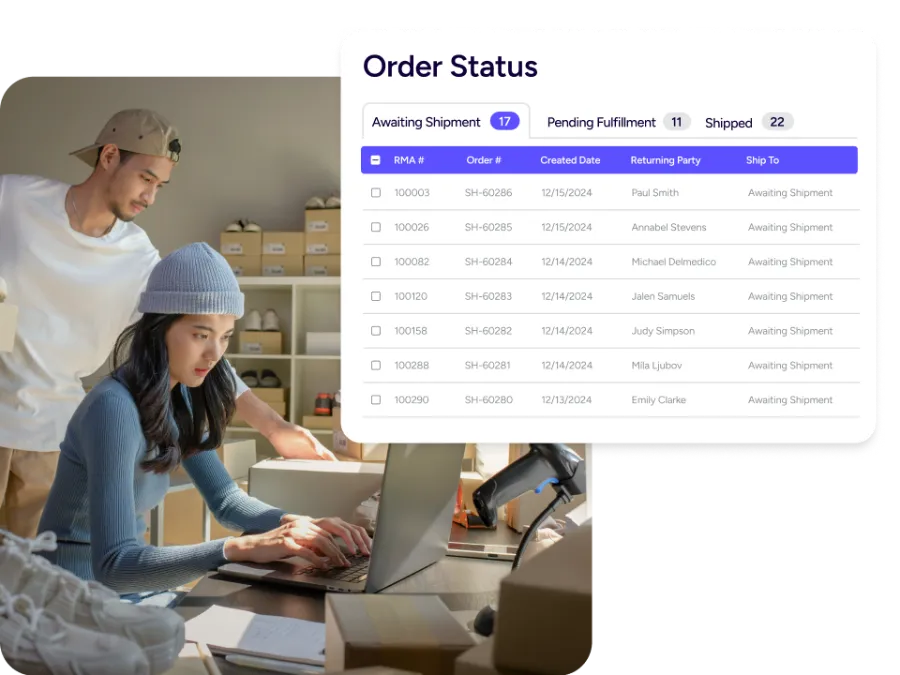
Split and combine orders without losing control
Real-world workflows are rarely one box per order. Use Split Ship to divide an order into multiple shipments when items need to ship separately or from different locations. Combine Shipments when multiple orders can ship together. Each shipment maintains its own records, tags, and notifications, while ShipStation still provides accurate tracking to each selling channel.
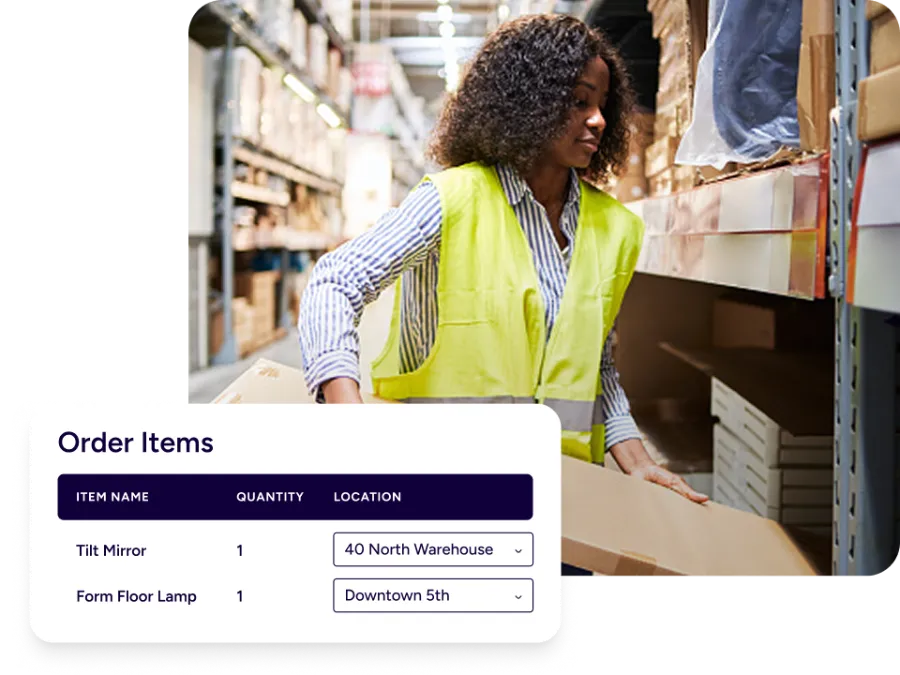
Automate tagging to improve daily work
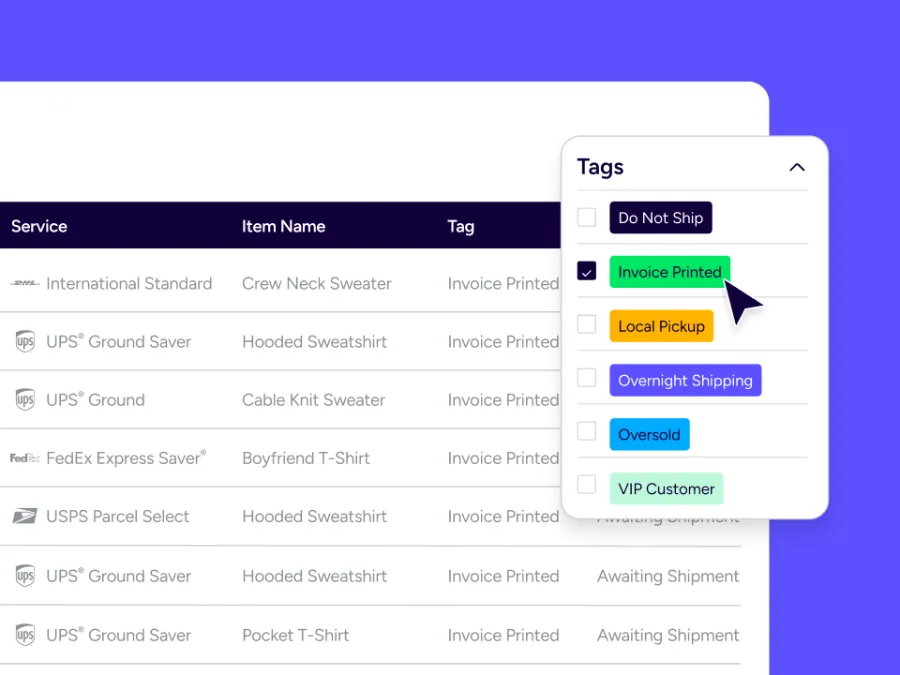
Order Tags add a flexible layer of organization to your order management system. Mark orders as high priority, fragile, backorder, requires insurance, or fraud risk. Then filter, sort, and batch process based on those tags. You can even use tags as criteria in automation rules so certain types of orders get different services, packaging, or routes automatically. Every location fulfills orders efficiently.
Address validation helps prevent failed deliveries
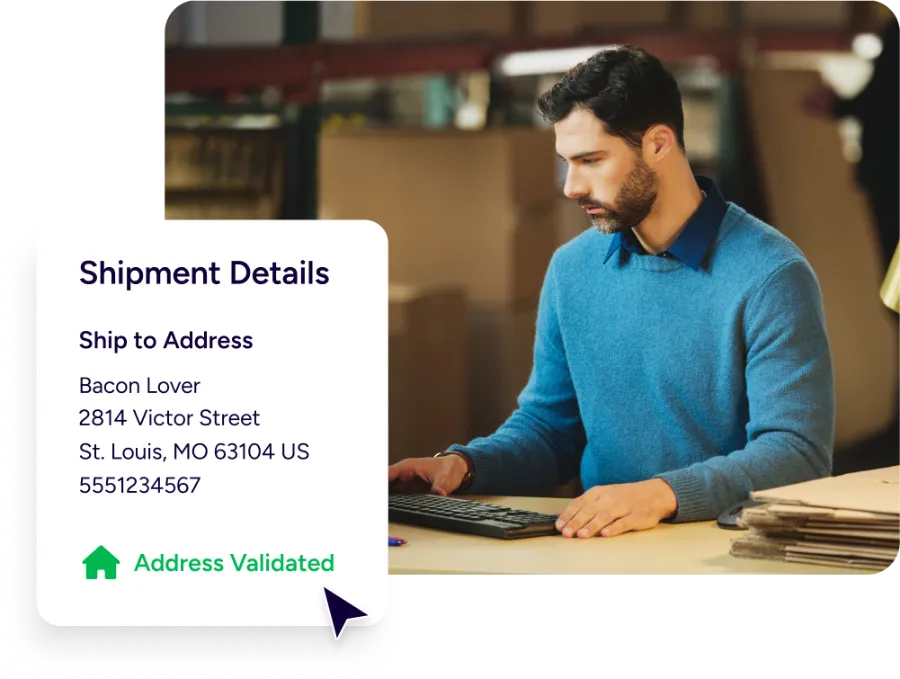
Stop shipments from being delayed by incorrect addresses. ShipStation validates addresses for supported countries and cross-checks them against official databases to ensure every shipment gets delivered on time. Invalid or incomplete addresses are flagged for correction before labels are printed to reduce carrier errors, returns, and costly delays.
Accurate rates at checkout match what you ship
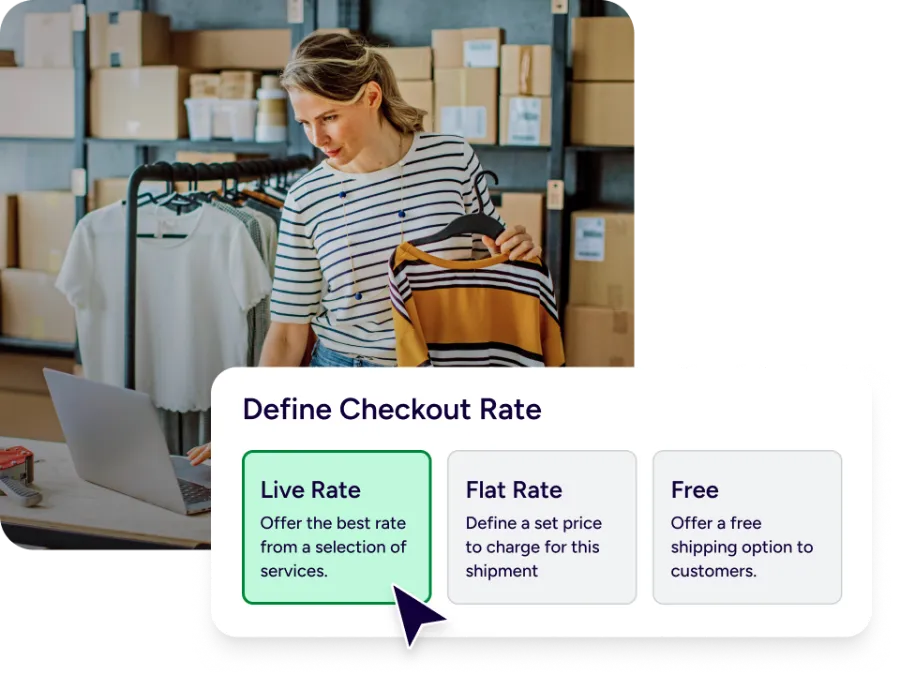
Send accurate shipping options and prices directly to your store’s checkout. With ShipStation, you can configure live, flat, or free rates that are powered by your carrier accounts and tailored to your services. When a customer places an order, ShipStation shows their chosen service as the requested option so your warehouse can fulfill orders in line with what customers expect.
Flexible dashboard for every team
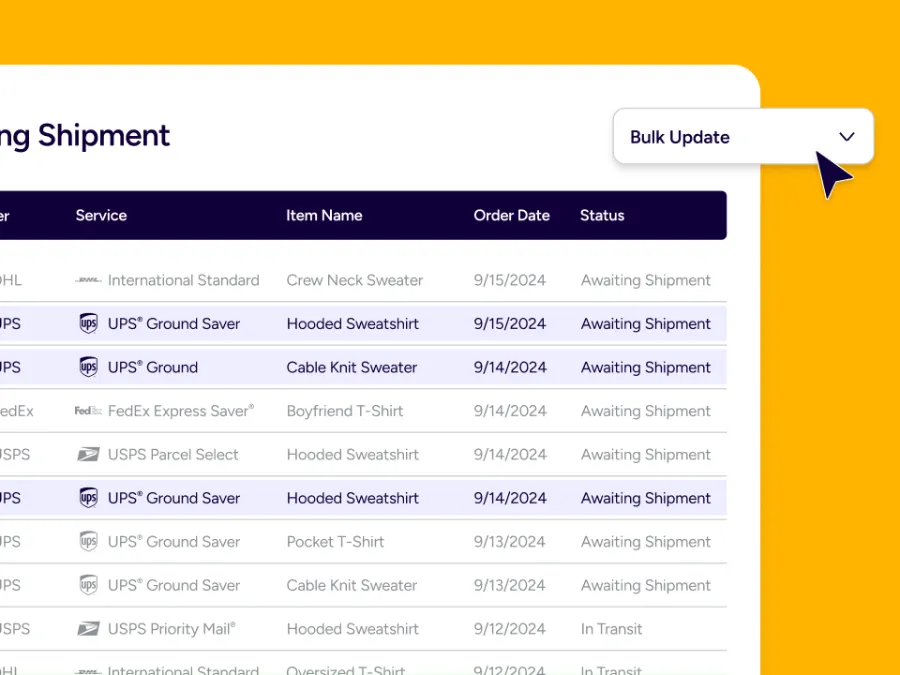
Ensure every team gets their own dashboard. Customize the orders grid with columns, filters, and sorting for operations, customer service, or leadership. Quickly bulk-update orders to correct addresses, adjust shipping services, or apply tags. This flexibility makes ShipStation a true order management solution for the entire organization.
Order alerts instantly detect and surface issues
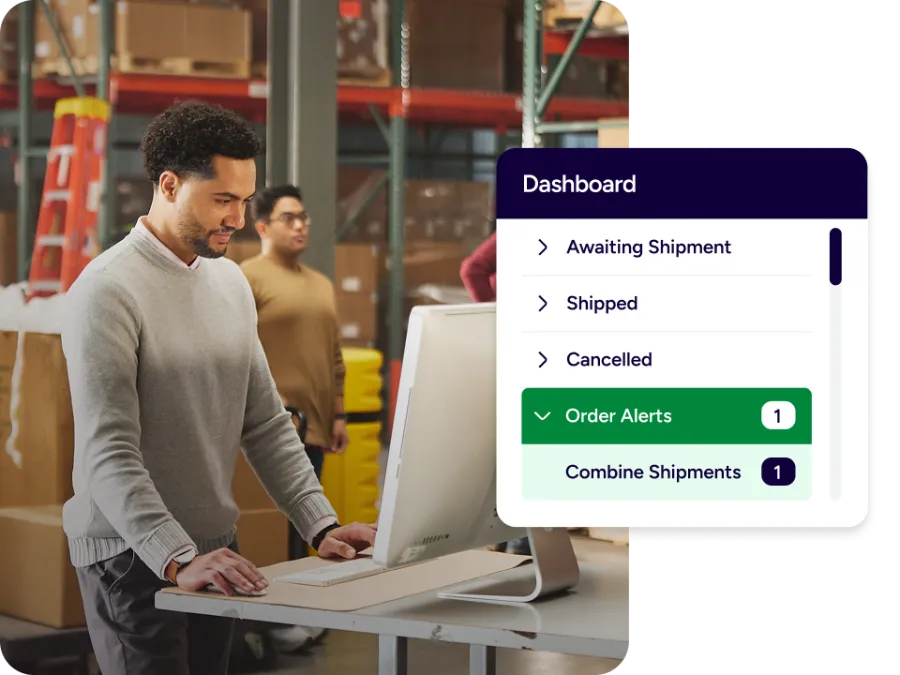
Spot exceptions early—and act fast. ShipStation order alerts flag opportunities such as combining shipments, low inventory, new product records, or custom automation triggers. You can also create personalized alerts based on your automation rules. So specific scenarios automatically provide clear guidance for your team and help reduce risk while improving efficiency.
Automation routes orders and reduces manual work
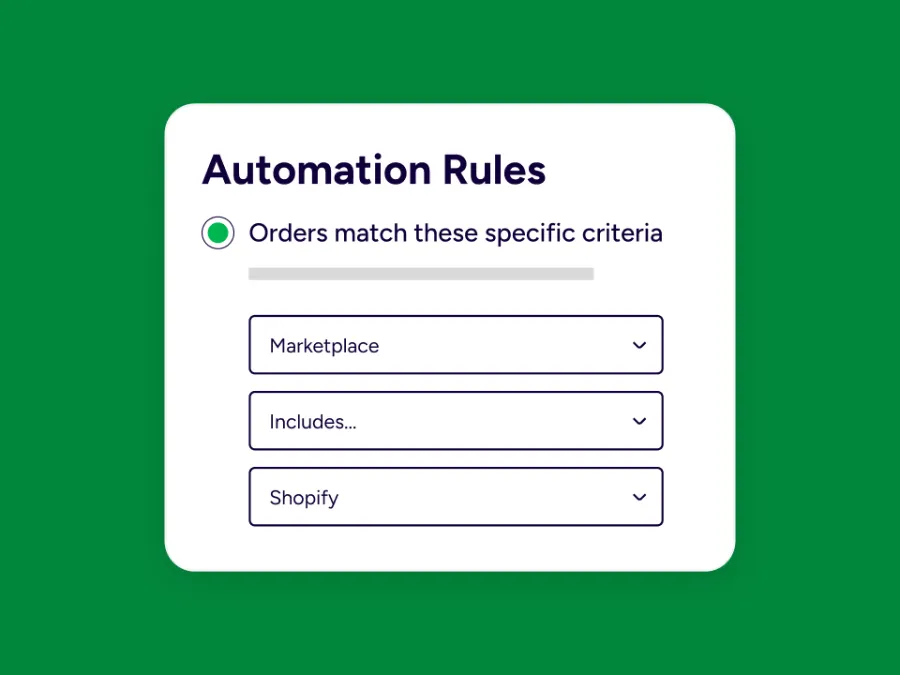
Put your order workflow on autopilot. Use rules to send orders to specific warehouses, tag them by product or customer, choose carriers and services, or hold orders for review. Easily enforce policies at scale, automate manual processes, and build consistent fulfillment across all channels.
RELATED CONTENT
Helpful Shipping Resources
Browse additional articles, guides, and insights related to shipping and fulfillment. These resources provide practical advice and best practices to support your day-to-day operations.

The Cheapest Way to Ship Packages
Finding the cheapest way to ship a package doesn’t mean sacrificing quality. Affordable shipping rates are available to anyone that knows where to look.

Calculate Shipping Costs and Start Saving Now
Whether you’re shipping a single order or managing high-volume ecommerce fulfillment, ShipStation’s shipping cost calculator helps you get fast, reliable quotes from top carriers so you can save time and money with every label.
Freight Optimization: How to Build a Smarter LTL Shipping Strategy
Learn how freight optimization helps reduce shipping costs, improve LTL efficiency, strengthen carrier strategy, and build a smarter supply chain.
Try us free
What you can look forward to in your 30-day free trial:
 Get instant access to all of our features
- Connect to over 400 integrations
- See how much our rates can save you on shipping









Create your ShipStation account
Order management software FAQs
What is order management software?
Order management software (OMS) serves as the central hub for tracking and managing orders from purchase to delivery. ShipStation simplifies this process for shipping and fulfillment by combining order imports, automation, and label creation in a single, streamlined solution.
How does ShipStation support the entire order fulfillment process?
ShipStation supports each step of the order fulfillment process. Orders import from your sales channels, move through standardized statuses like Awaiting Shipment, and can be split or combined as needed. Automation rules and tags help you route orders and configure shipments, and once labels are created, orders move to Shipped with tracking sent back to your stores for a complete loop.
Can ShipStation replace my existing order management system?
Yes. ShipStation can serve as the primary order management solution by centralizing sales channels and shipping operations for small business to large enterprises. Larger teams with a dedicated OMS can still use ShipStation. Whether as a shipping-focused layer, handling rate shopping, label creation, or warehouse workflows.
How does ShipStation help my customer service team?
Customer service agents get fast, accurate answers with ShipStation. They can search by customer name, order number, or tracking number to see order status, tags, notes, and shipment details in a single view. Features like address validation, split-and-combine shipments, and order alerts help resolve issues quickly and keep customers satisfied.
What sales channels does ShipStation support for order management?
ShipStation connects to a wide range of carts, marketplaces, and custom stores. Orders feed into a single grid regardless of where they originated, which simplifies order processing across multiple sales channels. You can import via CSV or API when you work with platforms that are not directly integrated, so ShipStation can still sit at the center of your sales processes.
How does ShipStation handle manual processes and exceptions?
Not every workflow can be fully automated. ShipStation allows you to manually adjust orders, put them On Hold, correct addresses, and override services when needed. Automation rules and alerts help highlight potential issues, but your team always has the ability to step in, make changes, and ensure that complex or high-value orders are handled with extra care.
Can ShipStation help with inventory management and routing?
ShipStation integrates imports partner data or using internal tools, then lets you apply that information to routing decisions and automation rules. Combined with split and combine options to route orders to the right warehouse or fulfillment partner and keep your order management process aligned with your broader supply chain.
How does order management work when customers expect fast shipping and transparency?
Customers expect clear delivery options at checkout and accurate tracking after their order has shipped. ShipStation’s Checkout Rates feature helps you display realistic services and prices based on your carriers, while address validation and automation reduce errors once the order is in your system. Together, these tools help you meet modern expectations for speed, accuracy, and communication throughout the order management process.
Is ShipStation order management software a fit for growing brands
Yes. ShipStation is designed for businesses that are ready to scale their order volume, sales channels, and fulfillment complexity without adding manual work at the same pace. As you grow, you can add more stores, carriers, automation rules, and users. Your order management system evolves with your business instead of holding it back.