Back
Back








































 Feature Spotlight





Intelligence should do more than answer questions. It should help you ship faster, with fewer clicks. That’s the idea behind Ask ShipStation, a built-in AI assistant designed for real work in your shipping software. In this post, you’ll see how it guides setup, builds automation rules from plain language, and helps your team move from “where do I click?” to “done.”
You already know ShipStation can scale with you. More stores. More carriers. More workflows. That power is great, until you’re hunting through menus to find one setting.
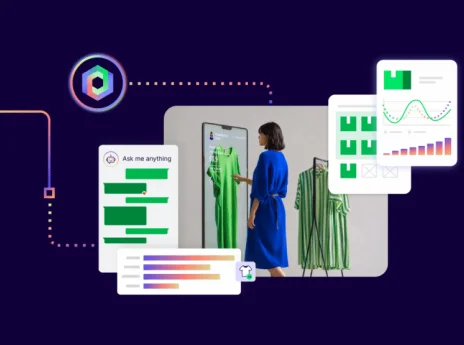
Ask ShipStation brings ShipStation Intelligence into one chat window in your account. You can ask a question and get clear steps. You can describe what you want to automate and review a rule that’s ready to save. You can even get help updating templates. It’s an AI assistant built for fulfillment teams, not just for reading articles.
Most ecommerce teams don’t get stuck on shipping labels. They get stuck on setup. They’re connecting channels, mapping services, fixing exceptions, and training new staff. That’s where shipping automation pays off.
Ask ShipStation helps you turn intent into action. You type what you need. It responds with a guided workflow and the right next step inside ShipStation. That means less tab hopping, fewer “ask the expert” moments, and more consistent output across your team, even when volume spikes.
Here’s what that unlocks:
Automation rules are one of the most powerful parts of ShipStation automation. They can assign carriers and services, apply presets, split shipments, set tags, and more. But building them used to mean knowing the rule builder well.
With the Natural Language Automation Builder, you can write the rule like you’d explain it to a coworker. Ask ShipStation turns that request into a draft automation rule and pre-fills the rule builder. You review it first. Nothing saves without your approval.
Try prompts like these:
You keep control. You just skip the setup grind.
Sometimes you don’t need a new rule. You just need the fastest path to a task. Ask ShipStation is built for that too.
Use it like always-on ShipStation help, but without the scavenger hunt. Ask things like “How do I void a label?” or “Where do I find my API key?” and it responds with direct steps. It also guides you to the right place in the product, so you can act right away.
And when it can’t complete a request, it’s clear about that. It gives the closest available guidance and can connect you to a support agent when needed. No dead ends. No made-up answers.
Rate shopping is where Intelligence can really shine. When you ship across USPS®, UPS®, FedEx®, and DHL Express®, every order can become a mini decision tree. Delivery speed. Cost. Package type. Destination. Customer promise.
ShipStation already gives you multi-carrier rate comparison, plus tools to help you standardize choices. Ask ShipStation adds a simpler way to get oriented. You can ask what to check, where to adjust settings, and which reports to review when costs creep up. That’s ecommerce shipping AI used the right way: helping you decide faster, using the tools you already have.
Pair that with batch label printing and automation rules, and your daily flow gets a lot smoother.
Shipping is not just the label. It’s the moment your customer starts watching the shipment.
Ask ShipStation can help with template and code generation for things like packing slips and email templates. Tell it what you want to change, then review the updated code and preview before you publish. Simple. Controlled. Fast.
This works well alongside customer-facing tools you may already use:
You spend less time formatting. You spend more time delivering a post-purchase experience that keeps buyers coming back.
In many accounts, Ask ShipStation is available right inside the same chat entry point you already use. Open ShipStation, look for Ask ShipStation in the in-app chat window, and start typing. That’s it.
If you don’t see it yet, new feature access can vary by account and rollout timing. Check your Settings and look for Labs in the left column nav. You will be able to activate Ask ShipStation and Natural Language Rule Generator from Labs until it gets fully rolled out.
One more tip: ShipStation also supports Natural Language Processing in the mobile app for entering addresses on manual orders. If you want to use voice input there, you’ll need to allow microphone access on your device.
You don’t need a big project plan to get value. Start small. Then build.
A simple way to roll it out:
Use the same approach for rate questions, template tweaks, and returns workflows. ShipStation AI works best when it supports your real process, not a fantasy process.
ShipStation Intelligence is about momentum. Ask ShipStation helps you move from question to outcome in one place, whether you’re building automation rules, cleaning up a workflow, or finding the right setting fast. If your operation is growing and your shipping software feels bigger every month, this is your shortcut. Open your account, try Ask ShipStation, and turn today’s “how do I…?” into a repeatable win.
Ask ShipStation is a ShipStation AI assistant that works inside your account. It’s designed to guide tasks and help you take action, not just answer general questions. It can also draft automation rules and help with templates, with your review required before anything is saved.
Yes. You can describe what you want in plain language, and the Natural Language Automation Builder will generate a draft rule. You’ll see the conditions in the rule builder and confirm before it’s saved. Automation rules are not created without your approval.
No. It’s a faster front door to help. Ask ShipStation can summarize steps, guide you through a workflow, and point you to the right area in the app. When a request needs more support, it can route you to an agent.
Ask ShipStation can guide you to settings and draft changes, but you stay in control. You review generated rules and templates before they go live. Carrier accounts, labels, and other critical settings still require your confirmation through normal ShipStation controls.
Multi-channel selling adds complexity fast. Ask ShipStation helps you standardize decisions with ShipStation automation, reduce repetitive work with guided workflow setup, and keep your team moving in one system. That means fewer manual steps, fewer training gaps, and a cleaner pick-pack-ship rhythm.