Back








































Marketplaces
Integrate Alibaba With Your Shipping Software
Unlock a stronger wholesale fulfillment engine for your business. Pair the Alibaba B2B marketplace with ShipStation to import orders, compare carrier options, automate label workflows, manage cross-border shipping, and keep Alibaba updated with shipment data after every shipment.
Key integration features
- Import Alibaba orders automatically
- Compare carriers from one dashboard
- Send tracking back to Alibaba
- Use batch printing for speed
- Scale domestic and global shipping
About
Alibaba.com is a global business-to-business marketplace and trade site that connects buyers, suppliers, manufacturers, exporters, importers, and wholesalers. It's known for helping businesses source, sell, and manage trade across local and cross-border markets.
When you sell through the Alibaba B2B marketplace, the hard part doesn't end when an order comes in. Your team still has to process it, choose the right carrier, create labels, keep shipment records clean, and move every package out the door without slowing down growth. ShipStation gives Alibaba sellers one powerful shipping workspace for that daily work.
ShipStation imports your Alibaba orders and brings over useful order details like requested service, internal notes, buyer notes, item images, item options, and order and item weight. That gives your team better order context during picking, packing, and shipping. After you ship, ShipStation sends Alibaba the shipment data it needs, including status updates, tracking number, carrier, service, carrier fee, notes to buyer, and item information. The result is less manual work, tighter control, and smoother fulfillment as wholesale volume grows.
Why Alibaba users choose ShipStation

See the full order

Sync shipment records back

Send proof of shipment

Scale global B2B fulfillment
Move beyond basic shipping tools with ShipStation

Order Management

Inventory Management

Rate Comparison

Fulfillment Automation

Buy and Print Labels

Returns and Exchanges
STEP 1
Log in to your ShipStation account in a new browser tab or window, then open Account Settings. Before you start, make sure you have an active Alibaba account and are ready to choose an authorization timeframe.
STEP 2
In Account Settings, select Selling Channels, then choose Store Setup from the sidebar. Click Connect a Store or Marketplace to open the list of available selling channel connections.
STEP 3
Select the Alibaba tile. In the pop-up window, click the link shown in the first step, choose your Authorization time preference, click Authorize, and then return to ShipStation.
STEP 4
Click Connect to finish. After the connection is complete, the store’s Settings page opens, where you can adjust branding and customer notifications, or click Save to close.
Find the best rate for every shipment
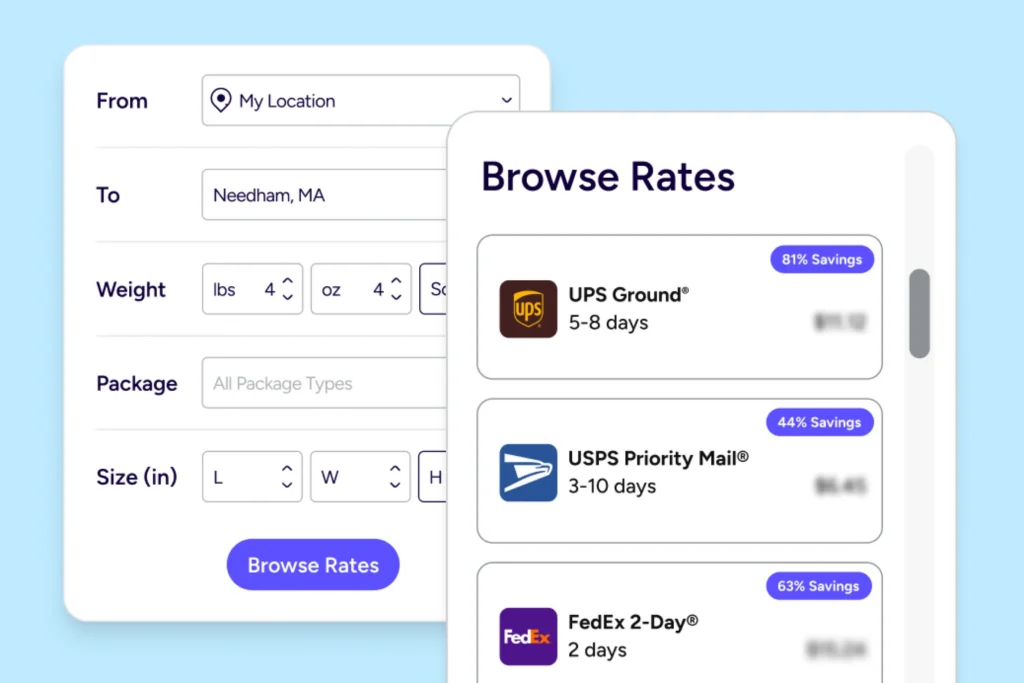
Compare rates, delivery speeds, and services side-by-side for every order that comes in from Shopify, and let ShipStation pick the best option—with up to 90% discounted rates across 200+ carriers.
ShipStation AI
Next-gen shipping intelligence
- SmartFill
- Automated Order Creation
- Universal AI Connect (MCP)
- Batch Label Processing
- Auto-PRO Retrieval
- Dynamic Spot-Pricing Engine
- Packing Recommendations
- 24/7 Always-On
Sign up for a free trial. No credit card required.
FAQ
Alibaba and ShipStation FAQ for setup, orders, tracking, and wholesale shipping
What is Alibaba, and how does its B2B marketplace work?
Alibaba.com is a business-to-business marketplace built for companies that buy and sell with other businesses. It’s designed around wholesale trade, supplier relationships, larger order volumes, and cross-border commerce rather than typical consumer checkout behavior. For sellers, that means the Alibaba B2B marketplace can open new wholesale demand. ShipStation takes over the next step by helping your team process, ship, and track those orders in one place.
Does Alibaba support wholesale selling?
Yes. Wholesale selling sits at the center of the Alibaba marketplace model. Businesses use Alibaba.com to connect with buyers, suppliers, importers, exporters, manufacturers, and wholesalers, which makes it a strong fit for brands that want to grow beyond direct-to-consumer shipping alone. Once those orders come in, ShipStation helps you run fulfillment with more structure and less manual work.
Is B2B the same as wholesale?
No. B2B means business-to-business selling, while wholesale is one common type of B2B transaction. In practice, many Alibaba sellers use the platform for wholesale orders, bulk buying, repeat business accounts, or supplier-driven trade relationships. ShipStation fits that workflow well because it helps your team handle more complex orders without bouncing between disconnected shipping tools.
Is Alibaba designed for protected B2B transactions?
Yes. Alibaba.com offers services focused on order protection, secure payments, delivery safeguards, and after-sales protections. That helps create confidence on the transaction side. ShipStation strengthens the fulfillment side by sending proof of shipment before every shipment notification and syncing key shipping data back to Alibaba after an order ships.
What's the difference between Alibaba and AliExpress for fulfillment?
The simplest way to look at it is this: Alibaba is built around B2B trade, while AliExpress is more consumer-oriented. Alibaba sellers often deal with wholesale workflows, larger quantities, supplier terms, and business buyers, which usually makes shipping operations more layered. That’s where ShipStation fits well. It gives Alibaba sellers one place to manage order flow, labels, carrier choice, and shipment updates as complexity grows.
How does ShipStation help fulfill Alibaba orders?
ShipStation turns Alibaba order fulfillment into a cleaner, faster workflow. Instead of managing shipping in scattered steps, your team can work from one shipping hub that keeps order details and shipment actions connected.
- Import Alibaba orders into ShipStation
- Review requested service and buyer notes
- Use item images, options, and weights during packing
- Compare carrier services and create labels
- Send shipment data back to Alibaba after shipping
That setup gives your team more control without adding extra admin.
Does ShipStation send tracking back to Alibaba after shipping?
Yes. After you ship an Alibaba order, ShipStation sends shipment details back to Alibaba automatically. That shipment notification includes the tracking number, carrier, service, carrier fee, item information, status update, and any Notes to Buyer stored on the order in ShipStation. That keeps your marketplace record current without forcing your team to update each order by hand.
What order details does ShipStation import from Alibaba?
ShipStation imports several useful order fields that help your team ship with fewer questions and fewer manual checks. For Alibaba orders, ShipStation supports these imported details:
- Requested service
- Internal notes
- Notes from buyer
- Order weight
- Item weight
- Item images
- Item options
Orders also need a Ship To address to import successfully. That requirement matters, especially when your team is moving through wholesale orders quickly.
Can ShipStation support international shipping for Alibaba sellers?
Yes. Alibaba is built for trade across borders, and ShipStation gives sellers the shipping reach to match. ShipStation connects you to 200+ global carriers, supports shipping to over 195 countries, and gives you one dashboard for domestic and international fulfillment. That means you can grow into global B2B shipping without building a patchwork process around each carrier.
How do I connect Alibaba to ShipStation?
Start with the official store connection flow inside ShipStation. You’ll need an active Alibaba account, and you’ll need to set an authorization timeframe during setup.
- Log in to ShipStation and open Account Settings
- Go to Selling Channels > Store Setup
- Click Connect a Store or Marketplace
- Select the Alibaba tile
- Click the link in the pop-up, choose your Authorization time preference, and click Authorize
- Return to ShipStation and click Connect
After that, the store’s Settings page opens so you can adjust branding and customer notifications, or save and close.
Do Alibaba orders need anything specific before they import into ShipStation?
Yes. Alibaba orders must include a Ship To address before they’ll import into ShipStation. That’s an important detail for teams handling business orders, since missing address data can interrupt the fulfillment flow before label creation even starts. **Tip:** Check address completeness upstream in your Alibaba order process so your team doesn’t have to stop and fix missing ship-to details later.
How long does Alibaba authorization last in ShipStation?
You choose the authorization length when you connect the store. ShipStation supports custom authorization periods of one month, three months, and six months for Alibaba. After the existing token expires, you’ll need to reconfigure the connection and choose a new authorization length. That gives you more control over how long the connection stays active.
Related integrations
Acenda
Open the door to bigger marketplace growth. Pair Acenda with ShipStation to turn rising order volume into organized…
Amazon
Porta i tuoi ordini Amazon in un unico flusso di lavoro. Stampa le etichette, confronta i servizi di…
Bandcamp
Turn merch shipping into a smooth encore for your brand. This Bandcamp integration pulls your physical merchandise orders…