Back







































Marketplaces
Integrate Bandcamp With Your Shipping Software
Turn merch shipping into a smooth encore for your brand. This Bandcamp integration pulls your physical merchandise orders into ShipStation, helps you buy labels faster, automate routine work, keep fans updated with tracking, and stay in control as your order volume grows.
Key integration features
- Import shippable merchandise orders
- Sync shipment details automatically
- Send customer shipping emails
- Capture item options clearly
- Map custom order statuses
About
Bandcamp is an online music distribution platform, record store, and community where fans discover music and directly support artists and labels. It serves musicians, labels, and fans, and it is known for music discovery, editorial coverage, and a fan-first buying experience.
Connect Bandcamp to ShipStation, and your merch workflow stops living in scattered tabs. ShipStation imports the physical orders that need shipping, gives your team one place to create labels, and automatically sends shipment details back to Bandcamp after you ship. That means less copy-and-paste, fewer missed updates, and better visibility when vinyl, apparel, posters, and other merch start moving fast.
As volume grows, ShipStation helps you stay efficient with automation rules, batch printing, discounted carrier rates, and branded tracking. You get more control over every outbound order without losing the direct fan connection that makes the Bandcamp integration so valuable.
Why Bandcamp users choose ShipStation

Keep fans informed

Organize merch by location

Protect limited-run shipments

Grow beyond one sales channel
Move beyond basic shipping tools with ShipStation

Order Management

Inventory Management

Rate Comparison

Fulfillment Automation

Buy and Print Labels

Returns and Exchanges
STEP 1
Log in to your Bandcamp account, open Settings, and select the ShipStation tab. If you do not see the ShipStation tab, contact Bandcamp support to enable the integration.
STEP 2
Open a new tab or browser window, log in to ShipStation, and go to Account Settings. From there, select Selling Channels, then Store Setup in the sidebar.
STEP 3
Click Connect a Store or Marketplace, then choose the Bandcamp tile. This opens the connection flow for your Bandcamp integration inside ShipStation.
STEP 4
Copy your Bandcamp username, password, and auto-generated URL into the matching fields in ShipStation, then click Connect. After that, review store settings like branding and customer notifications, then click Save.
Find the best rate for every shipment
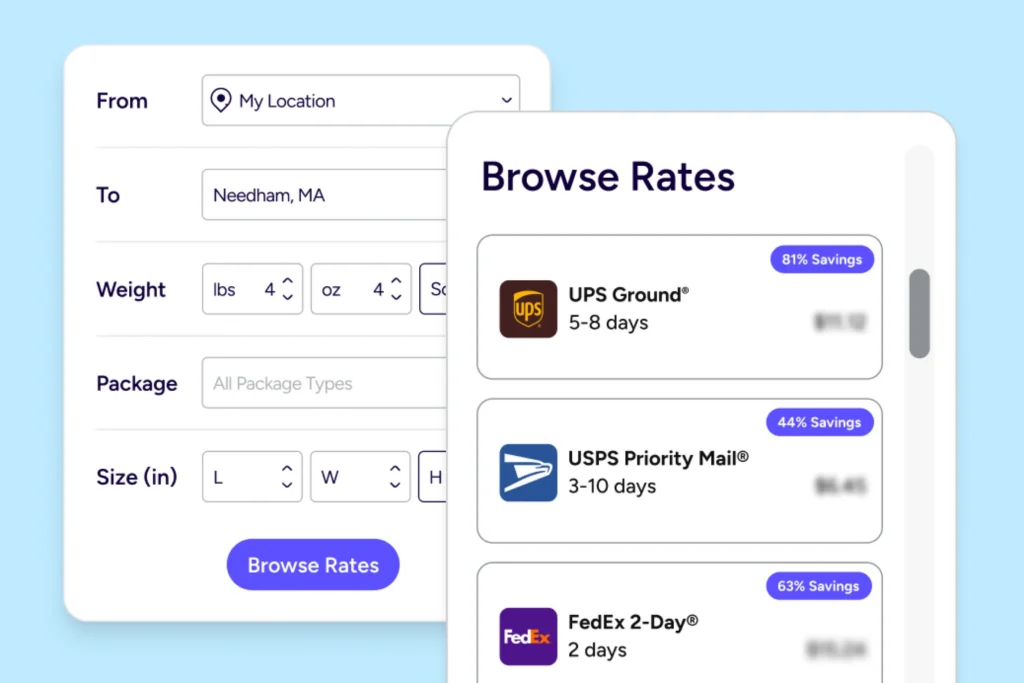
Compare rates, delivery speeds, and services side-by-side for every order that comes in from Shopify, and let ShipStation pick the best option—with up to 90% discounted rates across 200+ carriers.
ShipStation AI
Next-gen shipping intelligence
- SmartFill
- Automated Order Creation
- Universal AI Connect (MCP)
- Batch Label Processing
- Auto-PRO Retrieval
- Dynamic Spot-Pricing Engine
- Packing Recommendations
- 24/7 Always-On
Sign up for a free trial. No credit card required.
FAQ
Bandcamp integration FAQ for setup, orders, labels, and tracking
How do I connect Bandcamp to ShipStation?
Here is the setup flow for the Bandcamp integration:
- Log in to Bandcamp and open Settings
- Select the ShipStation tab
- In ShipStation, go to Account Settings > Selling Channels > Store Setup
- Click Connect a Store or Marketplace, choose Bandcamp, paste your username, password, and auto-generated URL, then click Connect
If the ShipStation tab does not appear in Bandcamp, contact Bandcamp support to enable the integration.
Do Bandcamp digital orders import into ShipStation?
No. ShipStation only imports Bandcamp products that require shipping. Digital orders and other non-shippable products do not come into ShipStation, which keeps your queue focused on physical merchandise.
Does ShipStation send shipment details back to Bandcamp?
Yes. ShipStation automatically notifies your Bandcamp account with each order’s shipment details. That cuts manual update work and helps keep your order records aligned after you ship.
What Bandcamp order data imports into ShipStation?
The Bandcamp integration supports several useful data points for fulfillment. ShipStation imports customer email addresses, customer phone numbers, item options like size or color, and custom statuses. If you use multiple stock locations in Bandcamp, the item warehouse location also appears in Custom Field 1 on the order in ShipStation.
Can I use multiple stock locations with the Bandcamp integration?
Yes. If you have multiple stock locations in Bandcamp, the item warehouse location appears in Custom Field 1 on the order in ShipStation. That gives your team extra context when picking and packing merchandise.
Why is the order date different between Bandcamp and ShipStation?
A time zone mismatch is usually the cause. If the Bandcamp server uses a different time zone than the one set in your store settings in ShipStation, the converted timestamp can shift the order date. Updating the store settings so both time zones match usually fixes it.
Why are late-day Bandcamp orders not importing into ShipStation?
This usually points to the same time zone issue. When the Bandcamp server time does not match the time zone in your store settings in ShipStation, the import process can skip ahead and miss late-day orders. **Tip:** Check the store time zone first if end-of-day imports look incomplete.
Can I add insurance to Bandcamp shipments in ShipStation?
Yes. Before you create the label, choose an option from the Insurance menu. Insurance choices vary by account home country, and adding insurance is especially useful when the shipment value is higher than the default coverage included with the service you selected.
Related integrations
Acenda
Open the door to bigger marketplace growth. Pair Acenda with ShipStation to turn rising order volume into organized…
Alibaba
Unlock a stronger wholesale fulfillment engine for your business. Pair the Alibaba B2B marketplace with ShipStation to import…
Amazon
Porta i tuoi ordini Amazon in un unico flusso di lavoro. Stampa le etichette, confronta i servizi di…