Back
Back








































 Shipping Basics





You might not have heard much about Pinterest in a while. Maybe you figured that its usefulness had been overtaken by Instagram, or Facebook, or other platforms. Well, Pinterest is far from dead. In fact, it may become your favorite secret marketing weapon.
Pinterest is a free, visual platform launched in 2010 and currently has more than 200 million active users.
“People come to Pinterest looking for ideas to discover, save and do. Your Pins help our audience understand what your brand stands for and how it can fit into their lives.” – Pinterest
Users can “pin” images and video (ideas, services, or products) to virtual “boards” on subjects of interest. The boards keep everything organized. Pinners find ideas by searching for keywords and hashtags and by following people whose pins they like.
One of the benefits of Pinterest, for both users and businesses, is that information is often saved, not just viewed in a fleeting social media feed. Even if a Pinterest user doesn’t buy your product now, that same user might buy your product later, when viewing a board.
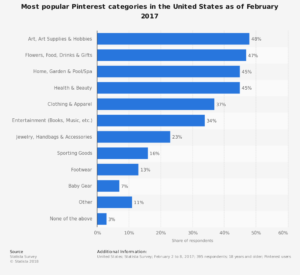
There are four broad categories that are most popular for Pinterest Boards:
Also known as – an ecommerce marketer’s dream!
If you’re still skeptical about how Pinterest can help you sell products online, check out these statistics:
Ready to get started on Pinterest?
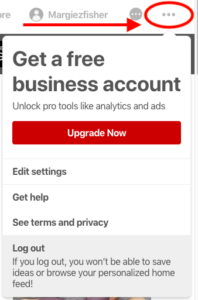
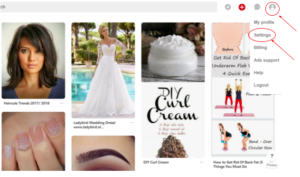
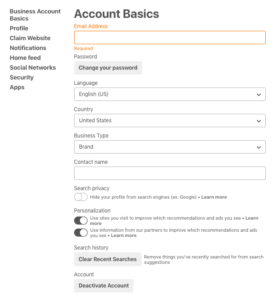
You may already have a Pinterest account. In order to maximize your success on Pinterest, you’ll need to change it to a free Pinterest Business account. Here’s how:
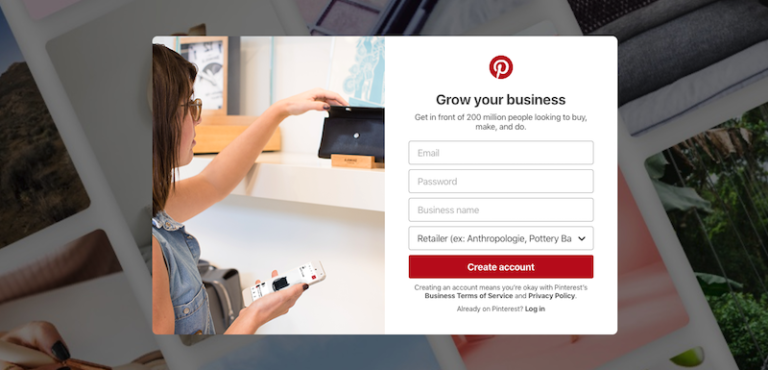
If you don’t have a Pinterest account at all, here’s how to set up:
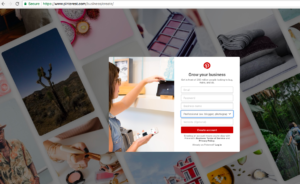
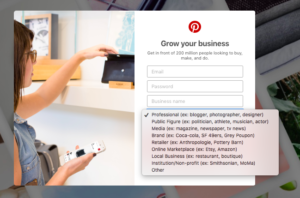
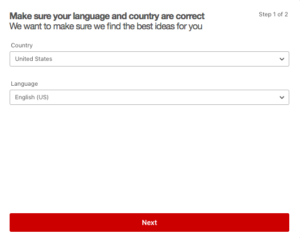
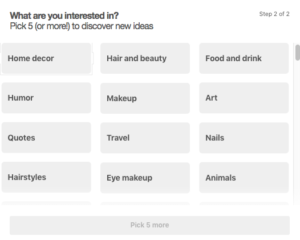
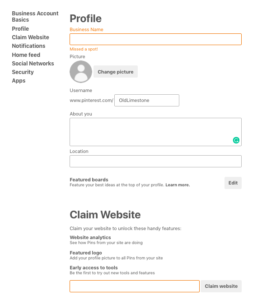
After the Profile section, you will see “Claim Your Website”. You will want to “Claim Your Website” by inputting your website address in that section.
Claiming your website allows you to see what people Pin from your website and adds your logo to any Pins made from your site. Confirming your website will also boost your Pins’ rankings in search results. You (or your website developer) may need to copy and paste text into your website’s index page.
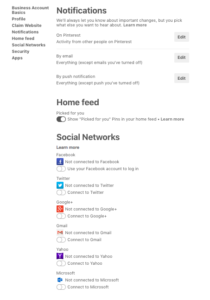
Once your Pinterest Business Account is set up, you’ll want to enable Rich Pins.
“Rich Pins provide more context about an idea because they show extra information directly on a Pin.” – Pinterest
At the time of this writing, there are four types of Rich Pins: app, product, recipe, and article. Most e-commerce marketers use product Rich Pins, and some use recipe Rich Pins.
You’ll need to validate your Rich Pins before they’ll appear on Pinterest. To verify and apply for Rich Pins:
1. Choose any page on your website that you’ve added metadata to. Enter the page’s URL here and click Validate.
2. Select one of three options:
• HTML Tags, if you used Open Graph or Schema.org formats
• oEmbed, if you used oEmbed format
• Shopify, if you have a Shopify site
3. Click Apply now. Your Rich Pins will show up within the hour.
You only need to validate and click apply for one link on your site to enable Rich Pins across your whole domain.
If your page can’t be validated, it means the required metadata wasn’t found on your page. See Pinterest’s Rich Pin documentation for more help.
You’ll want to start searching Pinterest and follow complementary accounts. We’ll be sharing tips on posting, board creation, and more in future posts.