Back
Back











































 Feature Spotlight


Inventory forecasting becomes more difficult quickly once you sell on more than one channel. It also turns into a daily fire drill when you rely on spreadsheets and gut checks. If you’re shipping with ShipStation, you can forecast demand from your real order history, spot reorder risk early, and turn a restock plan into action without slowing down fulfillment. Let’s break down the simple habits and the ShipStation tools that make it easier.
Forecasting only works when your inventory management is steady. That means your SKU data is clean, your on-hand counts are trusted, and your locations make sense. Start there. Then your forecast becomes a plan you can use.
ShipStation Inventory Management helps you track stock at the product level and stay organized as you scale from a spare room to a warehouse. You can also connect your stores so inventory sync can keep stock levels up to date across select channels on a regular cadence. Less guessing. Fewer oversells.
A practical checklist:
Good forecasting is not just “how many sold last month.” It’s timing. It’s vendor delays. It’s the surprise spike when a creator posts your product at midnight.
That’s why your reorder logic should include:
When you build forecasting around reality, you stop paying for rush fixes. You also free up cash that was stuck in the wrong products.
Spreadsheets feel “fine” until they aren’t. One broken formula can ripple through your whole week. One missed inbound date can wipe out your best seller.
Common traps to watch for:
If your team spends hours each week just debating what to buy, that’s a signal. You’re ready for automation.
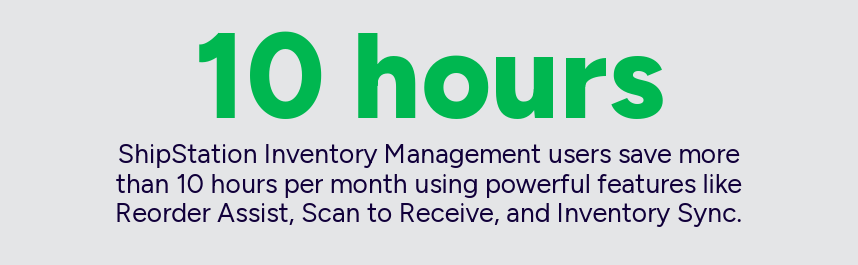
Reorder Assist is ShipStation’s inventory forecasting tool designed for real shipping operators. It uses your ShipStation order history to suggest reorder quantities, so you can move from “I think we need more” to “Here’s what the data says.”
You pick the settings. ShipStation does the math.
Inside Reorder Assist, you can tune your forecast with:
One important detail: Reorder Assist needs at least 30 days of order history to generate a useful forecast. After that, you can review suggested quantities by SKU and make quick, confident calls.
This is what “hands-on, in control” looks like. Fast clicks. Clear numbers. Fewer debates.
A forecast is only helpful if it turns into inventory ordering. ShipStation keeps that handoff simple.
Once Reorder Assist calculates what you need, you can:
Purchase orders in ShipStation help you keep purchasing clean and trackable. You can store supplier details, set expected delivery dates, and keep quantities aligned with the forecast you trusted in the first place. That’s real supplier management, without adding another system for your team to learn.
The payoff shows up in daily work:
Inventory forecasting isn’t separate from fulfillment. It powers it. When the right products are on the shelf, you can move faster at every step.
With ShipStation, that speed stacks up:
And when returns happen, your returns portal can help shoppers self-serve while you protect inventory accuracy. The goal is simple: fewer “where is it?” tickets, fewer canceled orders, and more repeat buyers.
Inventory forecasting works best when it’s built into the tools you already use to ship. With ShipStation Inventory Management, Reorder Assist, and built-in purchase orders, you can plan demand, account for lead times, and restock with confidence. You’ll spend less time in spreadsheets and more time shipping on schedule. Ready to tighten up your workflow? Explore ShipStation inventory tools and start forecasting from real order data.
Inventory forecasting is the process of estimating future demand so you know what to reorder and when. It helps you avoid stockouts that delay shipping and overbuying that ties up cash. For growing brands, it’s a key part of staying fast and reliable.
Reorder Assist uses your ShipStation order history to estimate what each SKU will need over a forecast window you choose. You can factor in lead time and buffer stock, then review suggested reorder quantities. It’s designed to replace manual math with a clear, repeatable process.
Yes. After you review the forecast, you can export the data or create purchase orders directly from Reorder Assist. That keeps inventory ordering connected to the same demand signals you used to plan, which reduces errors and back-and-forth.
Start by entering realistic supplier lead times, including any known delays. Add buffer stock for extra protection, especially on best sellers. When you track purchase orders and expected dates, your supplier management becomes simpler because everyone works from the same plan.