Back
Back











































 Shipping & Fulfillment


A strong returns workflow gives you three clear ways to handle returns: let customers start them, create return labels yourself, or include labels in the box. With the right setup, you keep labels, status, and customer updates in one place. In this guide, we’ll walk through each option, where automation fits, and how to keep returns simple as order volume grows.
A returns workflow is the system for accepting, labeling, tracking, and receiving returned orders without extra back-and-forth. It keeps return steps connected, so your team is not chasing emails, carrier sites, and spreadsheets all day.
With ShipStation’s platform, returns live close to the rest of your shipping work. Your team can manage outbound shipments, return labels, customer updates, and return tracking in one place instead of patching together separate tools. You can let shoppers use a self-serve returns portal, create labels for them, or send a label with the original shipment. The result is less manual work, fewer support questions, and better visibility from request to receipt.
The return process follows a clear path. A shopper asks for a return, a label gets created, the package moves through the carrier network, and your team tracks it back to the warehouse.
A basic workflow usually looks like this:
That flow sounds simple because it should be. Good returns operations do not need drama. They need clear rules, fast label creation, and status updates your team can trust.
Most merchants do best with one of three return methods. You can provide customers with a self-serve portal, manually create return labels for specific cases, or place a return label in the outgoing box.
Each option fits a different kind of operation:
You do not need to use every method at once. Many brands start with one and add another later. The best setup depends on your products, return policy, team size, and the level of control you want shoppers to have.
A self-serve returns portal lets customers initiate returns on their own rather than emailing your team for help. That reduces wait times, keeps requests moving, and gives shoppers a cleaner experience.
ShipStation’s platform supports a branded, self-serve customer return portal. A shopper can start a return, select the item, and move the request forward without requiring a manual reply from your team. That takes pressure off your inbox during busy weeks. It also keeps return activity tied to the order, which makes follow-up easier. If your goal is fewer repetitive support tasks, this is often the fastest win because customers can act the moment they decide to return something.
Manual label creation works best when a return needs review, a special service, or a human decision. It gives your team more control over each shipment.
The process is straightforward. You open the order or shipment record, create the return, review the service, check weight and package details, and authorize the label. That approach helps when the order is unusual, the item is fragile, or the shopper needs special handling. It also works well when your team wants to approve returns on a case-by-case basis. Manual does not mean messy. If the steps are clear, your staff can still move fast while keeping better control over exceptions, partial returns, or one-off customer needs.
Including a return label in the box makes sense when your return pattern is predictable, and you want to remove friction after delivery. The customer already has what they need, so there is no delay.
This method works well for common size swaps, seasonal orders, or product lines with steady return volume. It can also help when your shoppers don’t have easy access to a printer. The tradeoff is control. You are deciding upfront that the order may come back, even if the customer never uses the label. For many brands, that still feels worth it because it shortens the path from “I need to return this” to “It’s already on the way.” Fast starts often lead to faster resolution, too.
Automation rules reduce labor by handling repeat decisions for you. Instead of clicking through the same settings again and again, you set the rule once and let it run.
This is where returns start to feel manageable at scale. You can use automation to apply carrier choices, service levels, package presets, tags, and other routine settings based on the order. Rules help your team move faster by removing low-value decisions from daily work. They also make outcomes more consistent. One agent should not pick one service while another picks a different one for the same kind of return. Good rules fix that. Your team still controls exceptions, but the everyday work gets lighter and more predictable.
You can cut steps by connecting return work to actions your team already takes. When refunds drive part of your process, automation can help the next return step happen without manual follow-up.
The ShipStation platform supports workflows that can trigger return labels automatically when a refund is issued. That removes handoffs between support and shipping. Instead of one person issuing a refund for an order and another person having to remember to create the return label later, the workflow stays connected. Fewer handoffs mean fewer misses. This is especially useful for stores with recurring return patterns, high-ticket volume, or small teams that need every click to count. One rule can do work that your staff used to repeat all week.
Carrier and package presets speed up returns by prefilling the same details for the same item types. Your team does not need to rethink weight, box type, or service every time.
That helps more than it sounds. Returns often slow down because tiny decisions pile up. Which service? Which package? Which weight? Presets answer those questions before they become bottlenecks. You can also set the service class by SKU or automatically apply box dimensions, which is useful when your catalog has repeatable products. For apparel, accessories, or other common return categories, this can save real time across the week. The work feels smoother because the basics are already in place before the label gets created.
You need return visibility from the moment the label is created until the item lands back on your shelf. Good tracking keeps your team from guessing and keeps customers from asking the same question twice.
Returns work better when every request has a clear record tied to the order and shipment. Your team should be able to see when the label was created, whether the package is in transit, and when the item gets back to the warehouse. Return reasons matter too. Over time, those reasons show patterns in fit, damage, listing accuracy, or packing quality. That insight helps you do more than process returns. It helps you reduce future returns. Fast operations are great. Smarter operations are even better.
Branded return communication keeps customers connected to your store instead of sending them into a carrier-only experience. That gives them more confidence and gives your team fewer status emails to answer.
Branded tracking pages and notifications help replace carrier-branded experiences with your own. The same idea matters during returns. When shoppers can follow the return through clean updates, they are less likely to open a support ticket asking what happens next. You stay present after the sale, even when the order comes back. That is good service, but it is also practical. Better communication lowers confusion. Lower confusion means less inbox traffic, fewer manual replies, and a smoother day for your team.
Multi-channel returns get messy when each store has its own process. The fix is to keep orders and return activity visible in a single queue, so your team does not bounce between tabs all day.
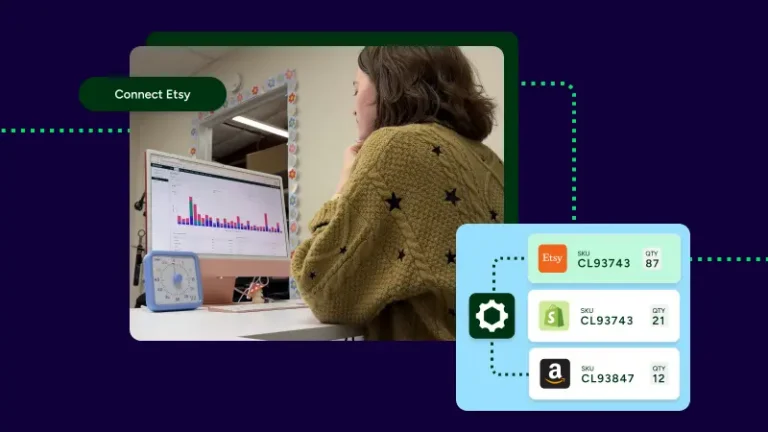
ShipStation integrates with selling channels such as Shopify, Amazon, eBay, Etsy, Walmart, BigCommerce, WooCommerce, Wix, and Squarespace. That’s important for returns because the shopper may buy in one place, contact you in another, and expect quick action everywhere. A connected workflow gives your team one place to find the order and move the return forward. You can also tag orders on import and filter by source channel later, making it easier to spot patterns, apply channel-specific rules, and keep your process consistent as your store mix expands.
Amazon returns can get confusing fast, especially when fulfillment types differ. Clear order tags and rules help your team separate what you control directly from what follows marketplace-specific paths.
ShipStation supports workflows that can tag Amazon orders on import and split FBA and FBM orders by rule, which is valuable when you consider that not every return belongs in the same lane. If your team handles merchant-fulfilled orders, you need fast access to those returns inside the same daily workflow as your other channels. If some orders follow a different fulfillment path, rules help keep them sorted instead of mixed into the wrong queue. Simple separation upfront prevents cleanup later. Your staff should know what to do the moment the return appears.
Returns do not always go back to one building. If you ship from multiple locations, your returns workflow should reflect that from day one.
ShipStation’s platform supports shipping from multiple locations on a single dashboard and tracking inventory by warehouse location. For returns, that helps your team decide where an item should go and how to record it once it arrives. Some brands want returned items back at the closest warehouse. Others want them routed to one inspection point. The right answer depends on how you restock, refurbish, or quarantine products. What matters most is consistency. A return should not land in the wrong place because your system treated every warehouse like the same shelf in the same room.
Returns get harder when another team or partner touches the order. Shared visibility means nobody has to ask, “Who has this package now?” three times in one day.
For fulfillment-heavy teams, the bigger lesson is this: your returns process should follow the order record, not live in side conversations. ShipStation integrates order data, shipment activity, and customer notifications so teams can work from a single source of truth. If you use outside fulfillment support, clear store fields, client views, and automation rules to help keep work separated without losing visibility. The point is not complexity. The point is clarity. When every party can see the same order context, returns move with less delay and fewer handoffs.
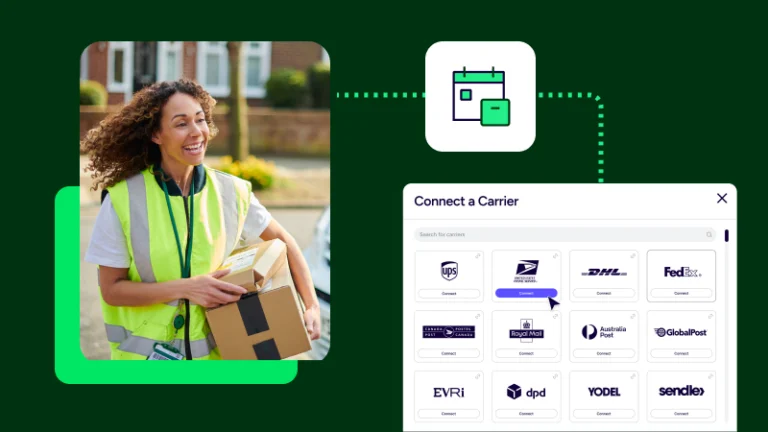
The best return carrier depends on package type, service needs, delivery area, and cost control. You should be able to compare options quickly, rather than defaulting to the same choice every time.
ShipStation lets you compare rates from UPS®, USPS®, FedEx®, and DHL Express side by side. That helps with returns because inbound shipments have their own needs. Some items need low-cost service. Others need tighter tracking or a specific package type. The right choice may change by product, region, or urgency. Rate shopping gives you that flexibility in one screen. For teams that manage many returns a day, even small improvements in choice add up. You are picking based on the shipment in front of you.
Yes. Many merchants want both options, and that is a smart setup for returns. You may want to keep negotiated accounts with one carrier while still using platform-based rates for another.
ShipStation supports the “your account, our account, or both” approach. You can connect your existing UPS or FedEx account to keep your negotiated rates. Or you can use our discounted USPS rates without a separate Stamps.com® account. Many teams use both side-by-side and rate-shop across all their accounts. That’s useful in returns because policies, product mix, and volume change. You should not need a new process every time your carrier strategy shifts. One workflow should still hold.
A strong launch starts with rules, not guesswork. Before you enable returns, decide what customers can return, how labels are created, where items go, and who owns each step.
A clean setup checklist usually includes:
Set this up early, then test it with a few real orders. Small tests catch big headaches. The goal is not perfection on day one but confidence that your team knows what happens next.
Most return problems come from unclear rules, not bad intent. Teams lose time when every return starts from scratch, labels get created by memory, or warehouse staff cannot tell what happens after receipt.
Watch for these common mistakes:
None of those issues seems significant on their own. Together, they create delays, repeat work, and support tickets. A better workflow is less about adding steps and more about removing unnecessary ones.
The best returns workflow feels lighter for your team and clearer for your customers. Improvement should remove work, not add another dashboard or another approval layer.
Start with one friction point. Maybe labels take too long. Maybe customers ask for updates too often. Maybe warehouse teams do not know which location should receive the item. Fix that first. Then add the next layer, like tags, presets, or a self-serve portal. We see the best results when merchants build returns in stages and keep each change tied to a real daily problem. That approach keeps adoption high. It also helps your team trust the process because every new rule solves something they already feel.
Manual returns are fine when volume is low, and exceptions are common. Once returns start repeating, though, manual work becomes the bottleneck.
A few signs usually tell the story:
That’s when a true workflow starts to pay off. You do not need a giant rebuild. Often, the first shift is to simply add a self-serve portal, apply a few automation rules, and centralize tracking. A small structure goes a long way once returns stop being occasional and become daily.
A good returns process should be easy to follow, track, and scale. The ShipStation returns workflow helps you manage self-serve returns, manual labels, in-box labels, automation rules, and carrier choices in one place. If you want fewer manual steps and clearer visibility, start a free 30-day trial, and we’ll help you set up a workflow that fits your store.