Back
Back










































 Shipping Basics





And we’re back with the second part of panes. Last time, I showed you around the Orders panes. This time, amigos, we’ll see the Products tab’s panes.
Where the Orders tab had 3 options for the 2 panes, the Products tab has 2 for 2: Recent Orders and Sales History. Recent Orders will list orders that contain the selected products (with columns and rows, a bit like a condensed version of the Orders tab). You can open up specific orders by clicking on the order number itself, bringing you to the Order Details pop-up you know and love so well.
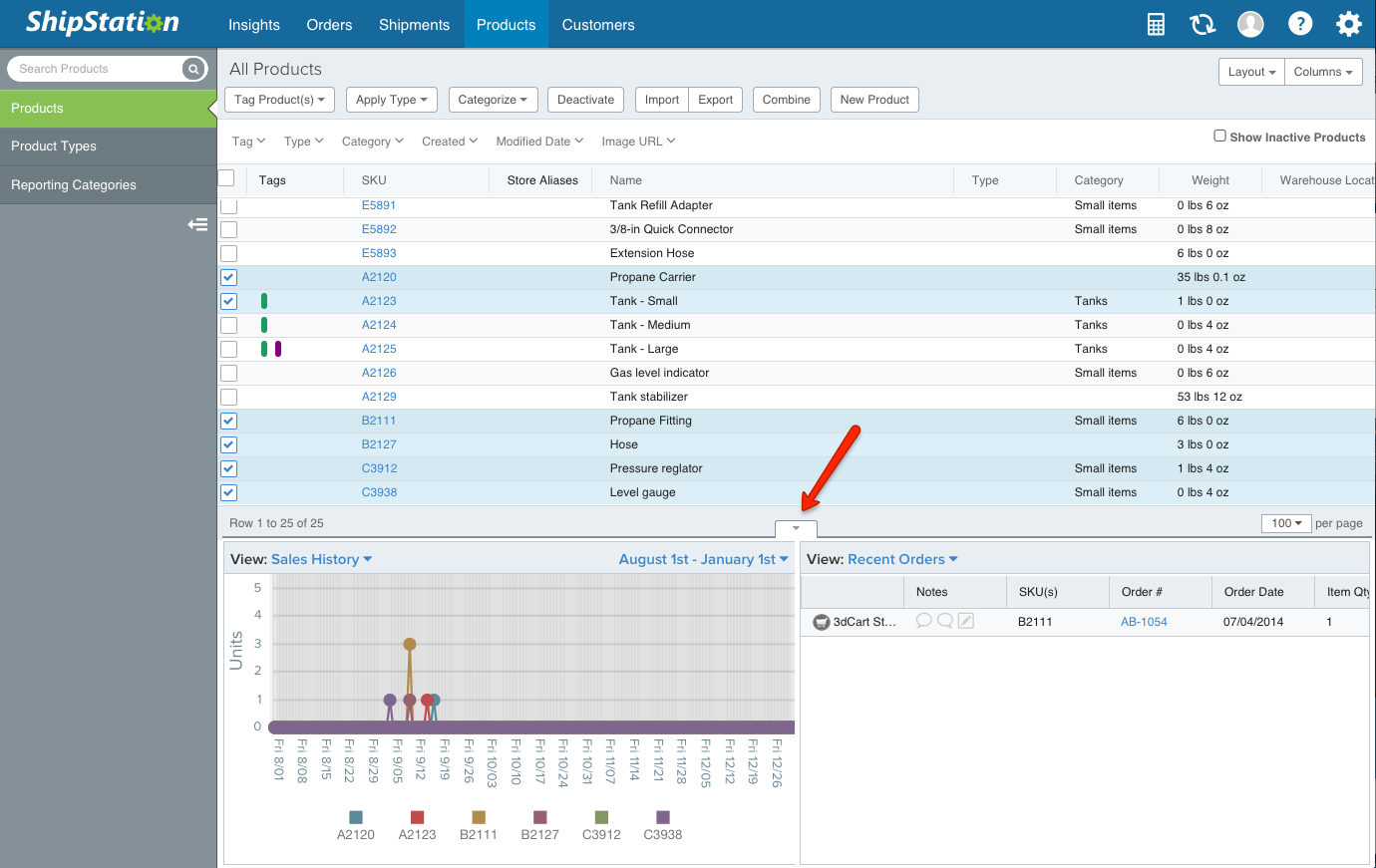
Sales History provides you with a mini-graph, showing you date along the bottom (x-axis) and quantity up the side (y-axis). You can change the date, but its default is to the last 7 days. It’ll display up to 6 different products at once, with the SKU listed along the bottom, color-coded.
Recent Orders will show you orders containing the selected products from the last 60 days. You can access the order details by clicking on the blue order number and you can make changes as needed; you can do everything but create the label from within the order details here.