Back
Back








































 Shipping Basics





Using ShipStation with multiple Shopify stores puts your orders, labels, and tracking in one place. As order volume grows, managing multiple Shopify stores can lead to more tab-switching, duplicate work, and a higher risk of fulfillment mistakes. ShipStation helps streamline shipping across brands, so your team can work faster while keeping each store’s workflows and branding separate. That matters when one team ships for two or more brands.
We’ll show you how to connect each store, keep branding separate, use automation rules, and compare rates without bouncing between accounts all day.
Yes. ShipStation lets you connect each Shopify store as its own selling channel, then manage all orders in a single dashboard. You keep store-level settings, filters, and workflows, but your team works from one queue. That cuts tab-switching, helps you print faster, and makes daily shipping easier to control as volume grows.
You connect each store one at a time. In ShipStation, go to Account Settings, then Selling Channels, then Store Setup. Click Connect a Store or Marketplace, choose Shopify, enter your store URL, and approve access in Shopify. Repeat that flow for every store you want linked.
Before you move on, review key settings for each store:
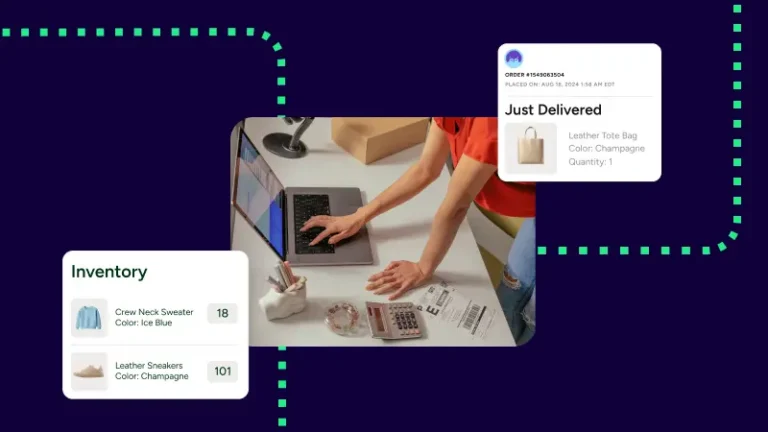
Once connected, your Shopify stores appear side by side in one account.
Keep stores separate in settings, not in spreadsheets. You can edit store details so each brand can use its own logo, return address, and customer-facing documents. You can also map Shopify tags or other order data to custom fields, making filtering and rule-building easier later.
A clean multi-store setup usually includes:
That gives you one workflow without making every store look the same.
Automation rules keep multi-store shipping from turning into manual sorting. Instead of checking every order yourself, you can tag orders on import, set service by SKU, apply package presets, or route orders to the right location. If you also sell on Amazon, rules can help separate Amazon FBA and Amazon FBM workflows or flag orders that need to be split.
Useful rules include:
Less clicking. Fewer mix-ups.
Whenever we look at solutions, it’s like: do they work with our tech stack? And if it doesn’t, then it’s just out. That’s the first filter question.
When orders live in a single dashboard, rate shopping becomes easier. The platform lets you compare UPS®, USPS®, FedEx®, and DHL Express rates side by side, connect your own carrier accounts, or use our discounted USPS rates. No separate Stamps.com® account is needed for those USPS options.
If your brands ship from different places, you can add multiple ship-from locations and name them however you want. Then use rules to route orders to the closest warehouse, a shared stock room, or another shipping location that fits your setup.
Using ShipStation with multiple Shopify stores works best when each store is connected cleanly, branded correctly, and backed by automation rules. That gives you one place to print, track, and manage returns without losing control of each brand. Start a free trial, connect your stores, and see how much easier daily shipping can feel.