Back
Back










































 Technology & Integrations


Yes. ShipStation can fulfill TikTok Shop orders for eligible sellers, and it supports more than one fulfillment path inside the same workflow. When order volume jumps fast and manual work stacks up even faster, having more than one fulfillment path in the same workflow makes the difference. This guide breaks down how TikTok Shop and ShipStation work together, which order types import, how label printing works, and what sellers should watch before they automate every order.
ShipStation can pull TikTok Shop orders into one dashboard so sellers can handle daily order fulfillment without bouncing between tabs. For US- and UK-based accounts, ShipStation supports both Seller Fulfilled orders and TikTok Shipping orders. It also imports Collections by TikTok (CBT) orders.
That setup gives sellers a simpler way to manage logistics across channels. You can keep TikTok Shop orders next to Shopify, Amazon, eBay, Etsy, or other store accounts, then work from one queue instead of checking each platform by hand.
Here’s the big picture:
ShipStation imports TikTok Shop orders automatically once the connection is live. By default, all TikTok order types come in through one unified import. That helps sellers keep order management tight, especially when they’re shipping across channels and need updates real time.
There are a few basics each order needs before import works cleanly:
If a business only wants one TikTok order type imported, support can help adjust that setup. For most sellers, though, unified import is the faster option because every order lands in the same workflow from the start.
Connecting TikTok Shop is simple. Sellers add TikTok Shop as a store inside account settings, sign in with seller credentials, then finish setup through the TikTok flow. After that, ShipStation configures the connection so orders can start importing automatically.
Open account settings, go to store setup, and choose the option to connect a new store or marketplace. Select TikTok Shop.
Use the TikTok Shop username and password to authorize the connection. The store app will walk the seller through the last part of setup.
After the connection is complete, the store settings page opens. That’s where sellers can review branding and customer notification options, then save.
For new users, both Seller Fulfilled and TikTok Shipping are set up automatically in the background.
The biggest difference is control. With Seller Fulfilled orders, sellers choose their own carrier, service, and shipping labels. With TikTok Shipping orders, TikTok controls the label flow, so ShipStation manages the order but does not give the seller the same editing freedom.
Here’s the practical split:
| Seller Fulfilled | TikTok Shipping |
|---|---|
|
|
That distinction matters. If a seller wants full rate shopping and carrier choice, Seller Fulfilled gives more control. If TikTok provides the label, the workflow is faster but more locked down.
ShipStation helps sellers print shipping labels faster by putting TikTok Shop orders into the same label printing flow they already use for other sales channels. That means less clicking, cleaner batch work, and better warehouse operations during busy days.
For sellers using their own carrier accounts, ShipStation can compare UPS®, USPS®, FedEx®, and DHL Express rates side by side. This makes rate shopping easier when the order is Seller Fulfilled and the seller wants the best option for cost or speed.
Useful daily moves include:
If a team uses thermal printers, scanners, or scales, ShipStation Connect helps bring that hardware into the same packing flow.
TikTok Shop rarely stays isolated for long. Many sellers also run Shopify stores, Amazon listings, or marketplace accounts at the same time. ShipStation helps keep those streams together so order management stays clear when demand spikes or product launches hit.
That matters for multi-channel fulfillment because one business may be handling:
Instead of checking each store one by one, sellers can work from one queue, filter by source, and keep tracking updates moving. That’s especially useful when TikTok demand surges after a live event or viral post. The faster the store can move from import to label printing, the easier it is to protect service levels.
ShipStation functions as a home base for us. We really don’t have to live on those other dashboards.
ShipStation supports automation for shipping workflows, and that can save real time when TikTok Shop order volume climbs. Sellers can tag orders, apply presets, assign services, and route work automatically instead of repeating the same clicks all day.
Good use cases include:
One note matters here. Not every TikTok order type gives the same flexibility. Seller Fulfilled orders allow more carrier and service control, while TikTok Shipping orders follow TikTok’s label rules. Sellers should build automation around that reality so rules support the workflow instead of fighting it.
ShipStation sends key shipment details back to TikTok Shop, including status updates, tracking number, carrier, and service. That helps sellers keep buyers informed without copying data by hand. Fewer manual updates usually means fewer avoidable support tickets.
Sellers can also use customer email and tracking features to keep the post-purchase experience clean. When buyers know where a package is, the store gets fewer “where is my order” messages and the brand feels more reliable.
A few details are worth knowing:
For fast-moving sellers, that flow keeps both fulfillment and communication tighter.
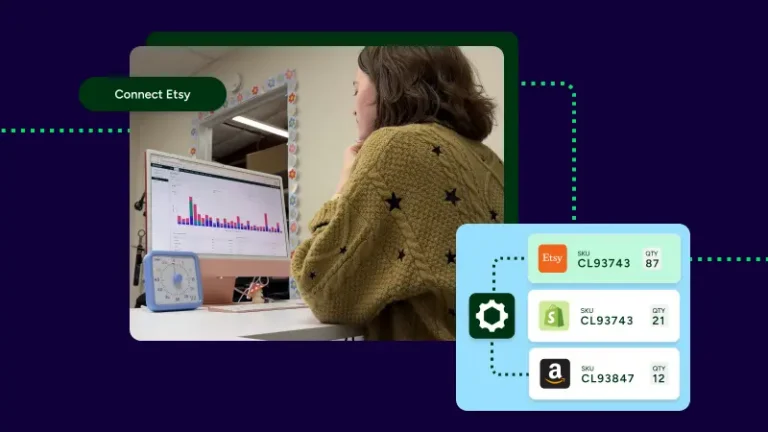
ShipStation can support broader warehouse operations around TikTok Shop, not only label printing. Sellers that manage inventory inside the ShipStation interface can sync stock across platforms, reduce manual updates, and cut the risk of oversells when the same item sells in more than one place.
Inventory sync is useful for businesses running TikTok Shop next to Shopify or Amazon. It’s even more useful when one product takes off across channels at once.
There’s also a specific Amazon workflow worth noting. For eligible Amazon Multi-Channel Fulfillment orders, ShipStation can send the Amazon Fulfillment Tracking Number to TikTok Shop US before a shipping label is created. That gives buyers tracking earlier in the process.
One technical boundary matters too:
Most TikTok Shop fulfillment issues come down to setup, order data, or connection health. Sellers can avoid a lot of friction by checking core requirements early, then watching for simple maintenance tasks as the store grows.
Keep these tips in mind:
Those steps are small, but they matter. A clean connection makes automation more dependable, keeps batch work moving, and gives the business a steadier daily shipping rhythm.
ShipStation gives TikTok Shop sellers a practical way to manage order fulfillment, label printing, tracking, and multi-channel order management from one place. The key is knowing which orders give full carrier control and which follow TikTok Shipping rules. If TikTok Shop is becoming a bigger part of the business, connect the store, test the workflow, and start building automation that fits how the team ships today.