Back
Back













































 Shipping Basics


Temu’s ShipStation integration connects your marketplace orders to a single shipping workspace, so you can import orders, create labels, push tracking updates, and manage fulfillment without bouncing between tools. With the Temu ShipStation integration, sellers can manage Temu orders alongside orders from channels like Amazon, Shopify, and eBay. This guide explains how the connection works, what data moves, and what to review before setup.
Temu’s ShipStation integration is a direct marketplace connection inside the ShipStation platform. It brings Temu orders into your shipping dashboard so you can process orders, buy labels, update shipment status, and keep fulfillment work in one place instead of splitting it across tabs.
That matters when order volumes climb. A single order might look simple. A full day of sales is different. You need order details, carrier choices, tracking, returns, and reporting to stay connected. ShipStation helps bring those moving parts into a single workflow.
For many sellers, the real value is control. You can manage Temu orders next to other commerce channels, apply automation, and keep your shipping process organized as your business grows.
The connection works by syncing order and fulfillment data between Temu and ShipStation in real time or near real time, depending on the event. When new orders arrive, they can appear in ShipStation so your team can review them, assign shipping settings, and move them into fulfillment fast.
After you create a label, ShipStation can send tracking and shipment updates back to the marketplace. That reduces manual entry and lowers the chance that someone forgets to post tracking details after packing an order.
For daily operations, that means fewer handoffs. Your team can watch orders move from import to label creation to dispatch within a single queue. You spend less time checking whether data is carried over and more time getting the product out the door.
A good marketplace integration should move more than order numbers. It should include the details your shipping team needs to make a decision without having to reopen the marketplace record each time.
With a Temu connection, sellers typically want to see information such as:
That kind of data transfer supports efficient order processing. It also helps when you need to create rules, review exceptions, or confirm that the right service and package settings were applied before a label prints.
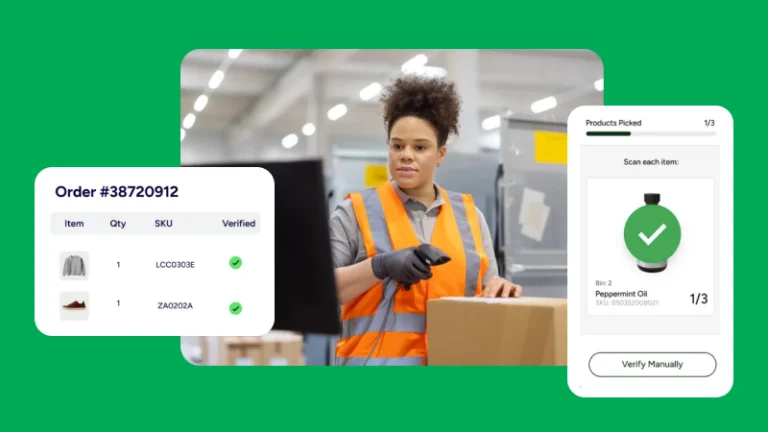
Once orders land in ShipStation, the fulfillment flow is straightforward. You review incoming orders, confirm package and service settings, compare rates, print labels, and send the shipment out. ShipStation is built to keep those steps connected, so you do not need a different screen for every task.
A typical order fulfillment workflow looks like this:
This flow becomes even more useful when sales spike. Instead of handling every order as a one-off task, you can create repeatable steps for faster order processing.
ShipStation is especially useful when you move past occasional sales and start shipping every day. Higher-order volumes expose slow steps quickly. Manual copying, single-order label creation, and constant tab switching eat up time that your team could spend packing and shipping.
The ShipStation platform helps by centralizing orders and reducing repetitive clicks. You can batch print labels, group similar shipments, and use automation rules to apply carrier, service, package, or tag settings when orders import. That makes each efficient order easier to produce at scale.
The platform is designed for businesses shipping from dozens to thousands of orders per month. If your company is growing, the goal is simple: keep fulfillment moving without adding chaos, extra tools, or more manual cleanup later.
Inventory management matters because shipping speed means little if stock data is wrong. If Temu sales move faster than expected, you need current counts, so your team does not oversell, delay orders, or create avoidable customer issues.
Within ShipStation, inventory management can support visibility across products, warehouses, and selling channels. That helps teams connect fulfillment with what is actually on the shelf. If you sell in more than one place, that shared view becomes more important every week.
Strong inventory workflows also support returns and reporting. When a returned product comes back, your team needs to know whether to restock it, inspect it, or adjust counts. Clear stock data helps protect the whole shipping process, not only the moment a label prints.
Customers want clear updates after checkout. ShipStation helps keep that part of the experience organized by pushing shipment tracking back after label creation and supporting branded notifications and tracking pages for many workflows.
That means a customer does not need to wonder whether an order has been shipped. Tracking data can be sent back to the selling channel, while your team keeps shipment-tracking records in ShipStation for support, follow-up, and reporting. Fewer missing updates usually means fewer “where is my order” contacts.
Returns matter too. If your business handles exchanges or return labels, it helps to manage those steps close to the original order record. That keeps the post-purchase experience cleaner for the customer and easier for your operations team to report on.
Carrier flexibility is one of the biggest reasons sellers use ShipStation. You can compare services, create labels from a single screen, and manage multiple shipping accounts in a single dashboard instead of splitting fulfillment by carrier.
For many merchants, that includes carriers such as UPS®, USPS®, FedEx®, DHL Express, and, in supported regions, Royal Mail. ShipStation also lets many businesses connect existing carrier accounts and keep their negotiated rates visible alongside other available options.
That setup helps in two ways. First, you can pick services that match the order. Second, you can avoid building your entire shipping process around a single carrier. If your business ships across regions, product types, or service levels, that flexibility can make daily order processing much easier.
One of the clearest benefits of the Temu ShipStation integration is centralization. Temu does not need to become a separate fulfillment island. Orders can sit beside Amazon, Shopify, eBay, Etsy, Walmart, or other connected channels in the same account.
That matters for teams that sell in more than one place. You may have one warehouse, one pack station, and one shipping team, but sales are coming from several storefronts. ShipStation helps consolidate those inputs into a single queue, so your business can work from a shared process.
It also improves visibility. Instead of checking each marketplace individually, your team can filter, sort, tag, and report on orders from a single dashboard. That helps when you need to add staff, train seasonal packers, or review fulfillment data across channels.
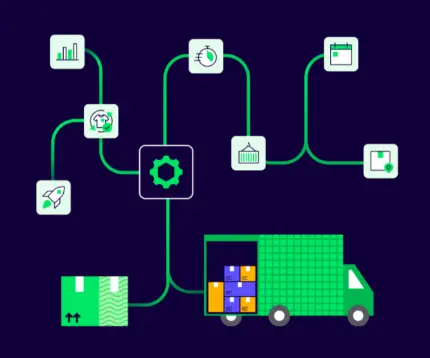
Automation is where the integration starts to feel less like a connector and more like an operating system for shipping. Once orders are imported, rules can help assign services, tag orders, apply package presets, or route work based on the order details that came in.
Useful automation examples include:
The result is less manual work. Your team does not need to make the same choice for the same product repeatedly. That saves time, reduces mistakes, and helps maintain consistent order fulfillment when daily sales swing up or down.
Shipping is easier to improve when you can see what is happening. ShipStation includes analytics and reporting tools that help teams review shipping costs, carrier performance, delivery times, and operational trends without first exporting everything to separate spreadsheets.
That makes reports useful for more than finance. Operations teams can look for slow points in order processing. Customer support can review shipment tracking trends. Leadership can connect sales growth with fulfillment load and decide when to add labor, rules, or hardware.
Good data also helps when you review channel mix. If Temu sales start rising faster than your other marketplace sales, reports can help you spot that shift early. Then your business can adjust processes, carrier usage, or warehouse priorities before delays begin to affect customers.
Before you create the connection, check the basics first. Make sure your ShipStation account is active, your team knows which carriers it plans to use, and your internal workflow for products, packaging, and returns is already defined.
If you expect to use API access later, account setup matters even more. New accounts must complete email verification before generating API keys. That is important for developers, operations teams, or companies that want to connect ShipStation with outside systems for broader data flows.
It also helps to map ownership early. Decide who will maintain marketplace credentials, who will review imported order details, and who will monitor exceptions. A smooth launch usually comes from a clear setup, not from fixing process gaps after the first shipment wave hits.
Not every Temu seller needs the ShipStation API. Many businesses can do everything they need to do within the main interface. Still, API access matters for teams that want deeper connections with warehouse systems, reporting tools, or custom order workflows.
If your company wants to create orders, add customers, query shipping data, or connect to external systems, ShipStation offers APIs for those use cases. Plan support for API access can vary, so it is smart to confirm what your account includes before your team starts building.
For most merchants, the right question is simple: do you need a direct user workflow, a custom system workflow, or both? If the answer is both, ShipStation can support day-to-day shipping while also fitting into a broader commerce data setup.
The best plan depends on how your business ships, not only on how many orders you have today. Think about carrier needs, user access, automation depth, reporting requirements, and whether you need inventory tools or API access as part of the setup.
A few questions help narrow that down:
If you are not sure yet, a free trial is the easiest place to start. It lets your team test the shipping process, confirm product and order details, and see how Temu fits into your broader fulfillment workflow.
Every marketplace integration has rules. Before you go live, confirm how the Temu connection handles status updates, split shipments, returns, and reauthorization. Some marketplace setups also have limits on how often certain order data can be queried or refreshed.
That sounds technical, but it is practical. If your team ships one order in one box, most of it may never matter. If you split orders, reroute inventory, or process large sales spikes, those details can affect how smooth your workflow feels on a busy day.
This is also the right time to test exceptions. Create sample orders. Print labels. Review the tracking postback. Check how customer details appear. Make sure your rules fire correctly. A short test run now can prevent a long cleanup later.
The Temu ShipStation integration is a strong fit for sellers who want one place to manage marketplace fulfillment. It makes sense for businesses that ship daily, sell on multiple channels, and need faster order processing without having to build a custom shipping stack first.
It is especially helpful for teams dealing with growing order volumes, limited warehouse staff, or a mix of carriers and selling channels. If your current process depends on copying order details by hand, posting tracking manually, or jumping between tools all day, the gains are easy to see.
The goal is not complexity. The goal is control. When orders, labels, tracking, automation, and reports work together, your shipping process gets easier to manage as sales keep moving.
Temu’s ShipStation integration pulls orders, labels, tracking, customer updates, and reporting into a single workflow, making daily fulfillment easier to manage as sales grow. If you want to test how it fits your business, start a free trial and see how ShipStation can help you create a cleaner shipping process for Temu and every other channel you sell on.