 Back














































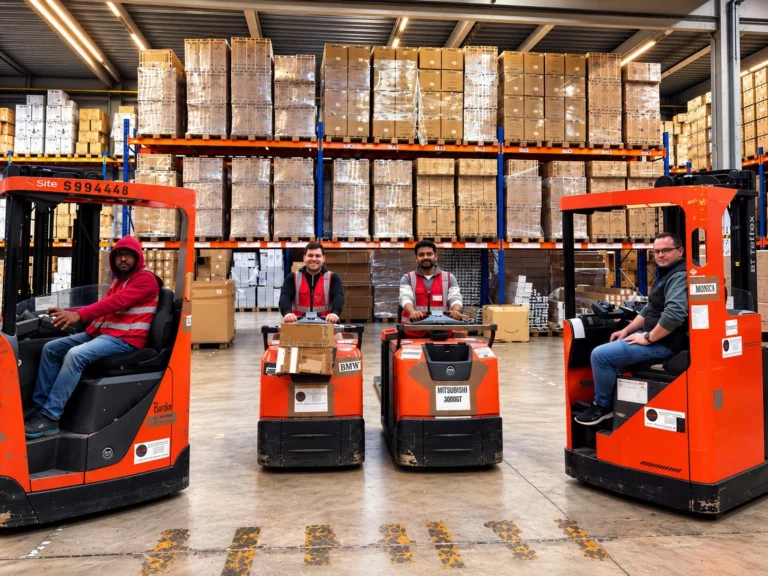
Duronic: How a UK Brand Put Its EU Warehouse in Charge
"It does make it nice to know that the warehouse can look after themselves."
Read Story
Stop guessing package size. With cubiscan connected to ShipStation, you can pull in weight and dimensions and use them right away for labels, rate shopping, and workflow rules. Get dimensional data once, then let ShipStation help you choose better services, reduce errors, and keep orders moving from scan to ship.

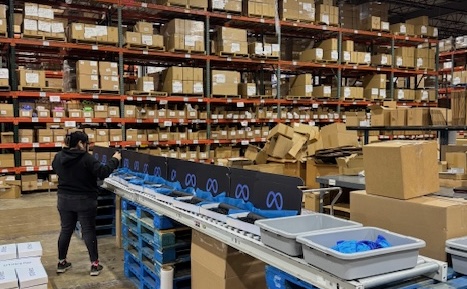
Warehouse teams don’t have time for manual measuring. Use warehouse dimensioning tools with ShipStation to capture clean dimensions, trigger shipping dimension automation, and keep every shipment billed with the right details.

Dimensional weight can change the cheapest service fast. ShipStation compares rates across carriers using the package details you capture, so your team can make the call in seconds. You get carrier rate comparison using dimensional data across USPS®, UPS®, FedEx®, and DHL Express® without jumping between portals.






ShipStation supports popular Cubiscan models, including the Cubiscan 110, 125, 150, and 225. To connect, you’ll use ShipStation Connect, our desktop helper that links local devices to your ShipStation account. This shipstation integration for warehouse tools keeps setup simple, so a growing operation can move from bench shipping to a real pack line without a heavy IT project.
ShipStation Connect
Get Connected to your devices!
Zebra ZD421
Thermal Label Printer · 4″ x 6″
Connecting…ConnectedOffice Laser Printer
8.5″ x 11″
Connecting…ConnectedUSB Shipping Scale
2.38 lb
Connecting…ConnectedAccess your devices from any computer, anywhere.
Printing Setup
Print To · saved for this machine
Document Type
Print To
Label
4″ x 6″ (w/ Packing Slip)
Always Prompt
Zebra ZD421
Packing Slip
Prints with the label
Always Prompt
Included w/Labels
End Of Day Form
8.5″ x 11″
Always Prompt
Office Laser Printer
Customs Form
8.5″ x 11″
Always Prompt
Office Laser Printer
Many carriers price shipments based on dimensional weight, not just what a package weighs on the scale. ShipStation uses the dimensions you capture to calculate dimensional weight before you buy a label. That helps you compare carrier rates more accurately, avoid unexpected adjustment fees, and choose a shipping option that won’t cost more later.

Shipping Calculator
Ship From

Ship To
Package Weight
Package Dimensions

Zip Code

Zip Code

lbs


2

oz


3
Scale

L

12″
W

9″
H

6″

Get Rates
Every warehouse has its own rhythm. ShipStation lets you bring in dimensions from your Cubiscan device in a few practical ways:
This flexibility keeps the line moving, even during peak days, shift changes, or training.
Workflow
Scan to Verify & Print
Order Number or Tote Id
SO-10482
Order #SO-10482
Bacon Lover · Austin, TX 78701
VerifyingVerifiedItem
Scanned
Leather Sneaker
LS-204
1 / 1
Crew Neck Sweater
CN-118
2 / 2
Leather Tote Bag
LT-310
1 / 1
Items verified
4 of 4
From
Needham, MA 02494
USPS GROUND ADVANTAGE
3 LBS
Ship To
BACON LOVER
2814 VICTOR ST
AUSTIN TX 78701
Tracking #
9400SAMPLE0000000002
1 of 1
Order #SO-10482
Testimonials

ShipStation pulls in orders from 200+ selling channels and ecommerce platforms, then applies the same dimension-driven logic to all of them. Sell on Shopify, Amazon, Walmart, Etsy, and your own site? No problem. Once dimensions are in, you can compare services across carriers and pick the best fit for cost, speed, and destination. It’s a simple way to optimize shipping costs with accurate dimensions across every channel you sell on.
 My Location


 oz4Scale
W9″H6″


 USPS Ground Advantage™2-5 Days$Cheapest
 UPS Next Day Air®1 Day$$$Fastest
 FedEx 2Day® One Rate2 Days$$$
 GlobalPost Plus6-10 Days$
 DHL Express Worldwide®6-10 Days$$UPS® Ground2 Days$$Best Value
Dimensions are only useful if you act on them. ShipStation automation rules can apply services, package types, and other shipment settings based on what you ship and how big it is. Then you can batch label printing for hundreds of orders at once. Less clicking. Fewer mistakes. More packages out the door before carrier pickup.
Awaiting Shipment
Order #
Recipient
Carrier
SH-59744
Sofia Vasquez

USPS
AZ-44198
Edith Wong

UPS
EB-A8210
Antonio Ellis
GlobalPost
SH-59743
Cecilia Edwards
UPS
SH-59742
Tara Simon
USPS
EB-A8209
Rushina Singh
UPS
SH-59741
Ming Zhao
UPS
AZ-44197
Zara Wells
GlobalPost
AZ-44196
Priya Rivas
USPS
Automation Rules
Rule Name
Last Modified
Active
Actions
Set Package Dimensions for 2 Items
10/15/2024


Tag for Orders Over 4.0 lbs
10/15/2024
Set Carrier to UPS
10/15/2024
Insure Package
09/29/2024
Set International Orders to GlobalPost
09/05/2024
Default Confirmation
08/26/2024
Create Rule
After the label prints, the work isn’t done. ShipStation helps you keep the post-purchase experience strong with branded tracking pages and notifications. You can also offer a returns management portal, so customers can self-serve returns without flooding your inbox. Need to keep shipping moving away from the desk? Use the mobile app to keep tabs on shipments and stay responsive.

Show Store Logo
Custom Colors
#003311
#99E0FF
#8D9196
Show Social Media Links
Show Service Menu
Custom Notification Emails


Estimated Delivery
Friday, July 12
Your shipment is on its way.

Current Location:
Winston-Salem, NC
Destination:
Kernersville, NC
Tracking Number:

1Z54F8A0123456789
Shipment Progress
Most Recent
July 9 – 7:00 AM ET
Departed UPS location Winston-Salem, NC
July 9 – 5:22 AM ET
Arrived at UPS location Winston-Salem, NC
July 9 – 3:59 AM ET
Left UPS origin facility Durham, NC
July 9 – 3:18 AM ET
Arrived at UPS location Durham, NC
July 8 – 11:30 PM ET
Shipment information sent to UPS
July 8 – 5:45 PM ET
Picked up Durham, NC
