Back
Back












































How Shipping Automation Helps Meat Church Handle 2,000 Orders a Day at Peak Season
"The simplicity of ShipStation was a big attraction to us from day one."
Read Story
ShipStation Connect keeps printing simple when your order volume climbs. With Shipstation Connect, your labels, packing slips, and other docs can print straight from ShipStation to the right workstation without downloading files. Cut clicks. Cut mix-ups. Keep every packing station moving so you ship on time, every day.
Connected to the platforms that power your business


Keep printing right in the flow of fulfillment. Route documents to the right device, apply smart defaults, and keep your team moving in one streamlined workflow. It’s warehouse shipping automation built for real operations—without the steep learning curve.

Connect your warehouse printers to ShipStation and leave the “wrong printer” problem behind. With ShipStation Connect, print jobs can be sent from any computer on your network to the workstations running Connect. Your team stays focused on pick, pack, and ship, while you keep centralized control over how and where labels get printed.

Manual downloads slow you down. They also invite errors. ShipStation Connect helps reduce manual shipping document handling by routing print jobs directly to your devices. You can also set a default printer per document type, so ShipStation skips the printer selection step. It’s a practical way to automate shipping document printing workflows and protect your daily throughput.

Today it’s one packing table. Next month it’s five. ShipStation Connect grows with your warehouse. Add workstations, share printers and scales across users, and keep device names consistent inside ShipStation. The result is a scalable shipping setup your team can pick up quickly—even during peak season.
We’ve helped 130,000+ businesses print labels locally and speed up warehouse workflows with ShipStation Connect. Let us make printing the easiest part of your fulfillment, too.


4.9 rating 67 reviews

4.6 rating 897 reviews

4.3 rating 531 reviews
ShipStation Connect is the lightweight desktop app that passes print jobs from your ShipStation account to printers connected to a printer workstation. Think of it as the missing link that lets you connect shipping software to local printers without extra steps. You don’t have to use it to print from ShipStation, but it’s often the easiest way to keep documents moving when volume rises and your team is working in batches.

Set up your printer workstation once, then run fulfillment with less friction. Install ShipStation Connect on the computer your printers are attached to—typically via USB. From there, you can share printers and USB scales with other users on your account or disable devices you don’t want selected by mistake. You can also assign custom device names in ShipStation, separate from your operating system names. Clear names help your team move faster.
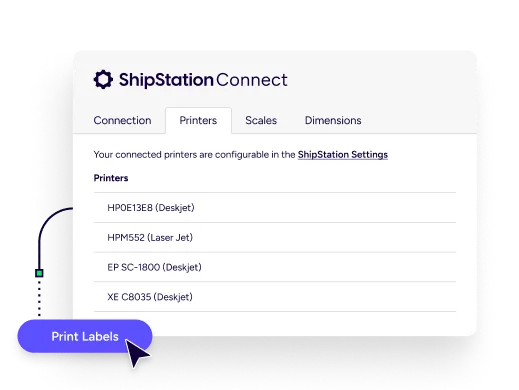
Dial in your ShipStation Connect printing setup so printing becomes automatic—without daily second-guessing. Assign a default printer for each document type, like labels or packing slips, and ShipStation can print without prompting your team every time. Pair that with document options such as label format and print sequence, and you get a printing workflow built for real warehouse speed. It’s a simple step toward fulfillment automation—no IT project required.
Testimonials



Need to connect local printers to ShipStation for a busy pack line? Start with the basics: install the printer drivers in Windows or macOS and confirm the printer works from that computer before routing jobs through Connect. For best results, use USB-connected printers on the printer workstation. Some wireless or network printer setups may not be supported for Connect printing, and certain models may require a different print method. On macOS, CUPS settings can also affect printer preferences like paper size and print speed.

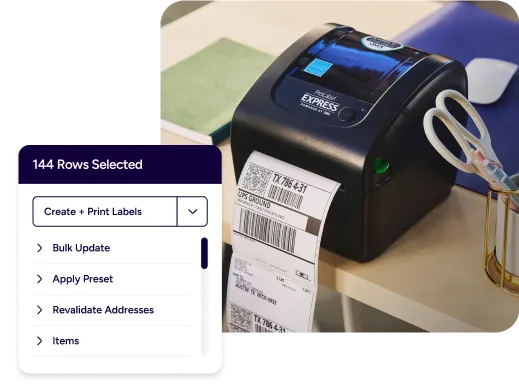
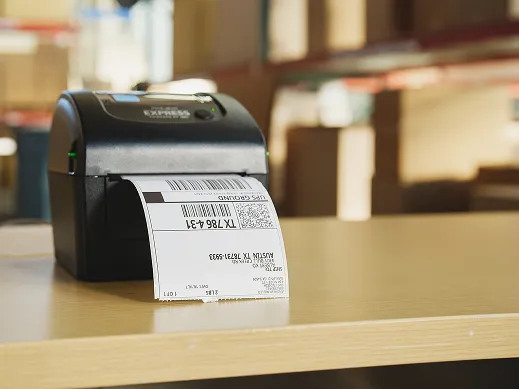
Printing shipping labels with ShipStation Connect is built for daily batching. Create labels in ShipStation, then send them straight to your thermal printer without downloading PDFs. Use ShipStation automation rules to apply carriers, services, packages, and presets, so label creation stays consistent. Add batch label printing and you’ll improve shipping throughput with automation. ShipStation also tracks print status with Smart Document Tracking, so you can see what’s printed per shipment and cut reprint chaos.
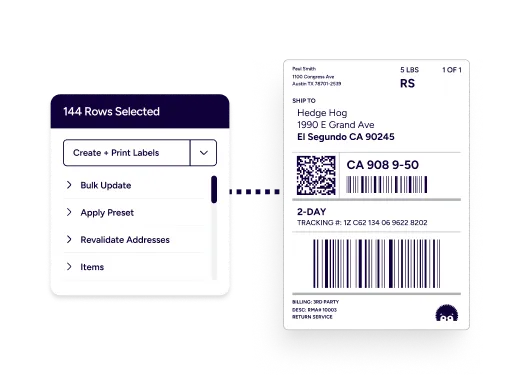
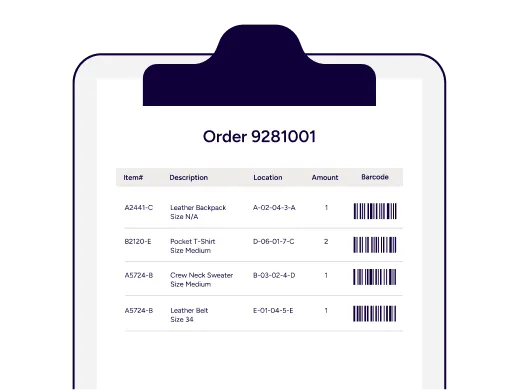
ShipStation Connect packing slip printing keeps the box contents and the paperwork in sync. Print packing slips to a desktop printer while labels go to a thermal printer, all from the same ShipStation screen. You can even choose label formats that place a label and packing slip on the same sheet when it fits your process. This makes it easier to automate printing of packing slips and labels, improve packing station efficiency, and keep the line moving when returns, exchanges, or split shipments add complexity.
RELATED CONTENT
Browse additional articles, guides, and insights related to shipping and fulfillment. These resources provide practical advice and best practices to support your day-to-day operations.

Finding the cheapest way to ship a package doesn’t mean sacrificing quality. Affordable shipping rates are available to anyone that knows where to look.

Whether you’re shipping a single order or managing high-volume ecommerce fulfillment, ShipStation’s shipping cost calculator helps you get fast, reliable quotes from top carriers so you can save time and money with every label.
Learn how freight optimization helps reduce shipping costs, improve LTL efficiency, strengthen carrier strategy, and build a smarter supply chain.
What you can look forward to in your 30-day free trial:
 Get instant access to all of our features Connect to over 400 integrations See how much our rates can save you on shipping