Back
Back












































 Technology & Integrations


ShipStation helps Shopify merchants save on shipping and automate fulfillment through two things: better rate control and less manual work. The platform connects Shopify orders to one shipping workflow, compares carrier options, and applies rules that cut repeat clicks. This guide shows how that setup works, when it matters most, and which shipping features help a growing store move faster.
Shopify merchants usually need more than label creation. They need one place to manage orders, compare a shipping rate before buying it, print shipping labels fast, and keep customers updated without extra work. That matters even more once daily volume rises and manual steps start to pile up.
The platform is built for that middle ground between simple shipping and heavy custom systems. ShipStation centralizes order fulfillment, pulls orders into one queue, and automates decisions that teams often handle by hand. For many ecommerce businesses, that means less copying, less tab switching, and more time spent getting orders out the door.
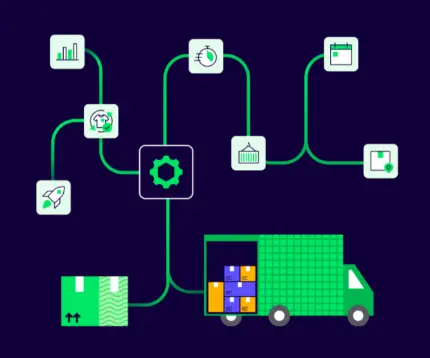
ShipStation connects Shopify to a single fulfillment workflow. Instead of managing shipping inside separate screens, merchants can pull orders, buy labels, send tracking, and manage exceptions from one platform. That makes day-to-day order fulfillment easier to control.
Once Shopify is connected, the platform keeps shipping tasks tied to the order record. Teams can filter, tag, sort, and process orders without rebuilding the same workflow every day. That saves time, but it also reduces small mistakes that grow expensive during busy weeks.
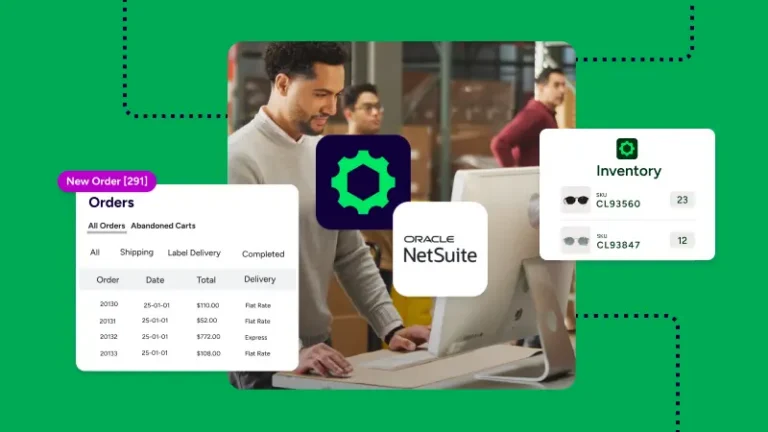
The first win is simple: Shopify orders show up in ShipStation automatically. That means staff can work from one queue instead of jumping between the store, carrier sites, and spreadsheets to see what needs to ship next.
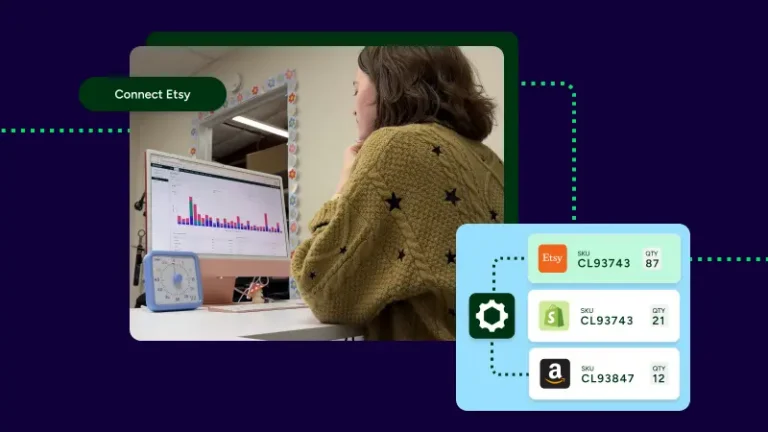
It’s even more important for merchants who sell beyond one store. If a business also sells on Amazon, eBay, Etsy, Walmart, or WooCommerce, those orders can sit beside Shopify orders in the same queue. Teams can filter by store, tag orders on import, and process everything without losing context. When volume grows, that shared view becomes a real advantage.
A good integration should not end at label purchase. ShipStation sends tracking details back to Shopify, which helps keep order status current and reduces manual updates after a package leaves the warehouse.
The post-purchase step matters for the customer experience. When customers receive tracking updates quickly, they feel informed. When support teams can see shipment status in one place, they spend less time answering “where is my order” messages. Branded tracking pages and notifications add another layer by putting the merchant’s brand in front of the customer instead of handing off the experience to the carrier.
Shopify native shipping can work well for early-stage needs. Many merchants start there because it is built into the store and easy to access. The gap usually appears when order volume, channel count, or process complexity rises.
That’s where our platform often becomes useful. ShipStation adds deeper automation, broader carrier choice, batch tools, and a more centralized shipping process. It is not about replacing Shopify’s store tools. It’s about handling fulfillment with more control once shipping becomes a daily operation instead of a side task.
Manual work tends to creep in quietly. One team member checks the store. Another compares rates. Someone else copies weights, picks a service, prints labels, then updates tracking. Each step feels small. Together, they slow everything down.
ShipStation helps remove those repeated actions. Automation rules can assign carrier, service, package type, and tags without manual entry. Rate shopping can compare options automatically. Batch printing can process many labels at once. The result is a shipping process that feels less pieced together and more consistent from order to order.
The pressure changes once a store ships more each month. At that point, the question is no longer “Can the team print a label?” It becomes “Can the team print labels accurately, choose the right service, and keep pace without adding chaos?”
As shipments per month climb, the cost of extra clicks rises too. ShipStation automation rules can reduce clicks per order by up to 80%, and the rate shopper can get orders out the door with 40% fewer clicks. Those gains matter when a warehouse is processing a rush, training seasonal staff, or trying to ship on time across more than one sales channel.
Saving on shipping often starts with better visibility. ShipStation gives Shopify merchants a way to compare services, keep existing negotiated rates in view, and choose the option that fits the shipment instead of guessing. That helps merchants avoid overpaying and move faster at the same time.
The goal isn’t to make shipping complicated. It’s to make the rate decision easier. Instead of checking one carrier at a time, the platform puts options together on one screen and supports automatic selection rules when merchants want even less manual work.
ShipStation merchants compare rates from top carriers like UPS®, USPS®, FedEx®, and DHL Express from one place. That side-by-side view helps a team choose based on cost, speed, or a delivery target without leaving the workflow to open separate carrier tools.
This is useful for both domestic and international shipping. A merchant might want the cheapest service for one order, a faster service for another, or a preset rule for a common package type. ShipStation supports default rate-shopping options such as cheapest, fastest, and best value, and merchants can create custom rules around delivery timing or service type.
Many Shopify merchants ask the same question: can they keep their carrier account? Yes. Our setup is flexible. Merchants can connect an existing UPS or FedEx account, use our discounted rates from top carriers, or use both side by side in the same workflow.
That matters because shipping software should fit the business, not force a reset. If a merchant already has negotiated rates, those can stay in play. If the merchant wants quick access to discounted rates, those are available too. For USPS savings, there is no separate Stamps.com® account required. That makes rate shopping easier to adopt without overhauling the account setup.
Automation is where ShipStation saves the most daily effort for many Shopify merchants. Instead of making the same choices for every order, merchants can set rules once and let the platform apply them automatically as orders import and move through fulfillment.
Those rules are practical, not abstract. They handle decisions teams make every day: which carrier to use, which package preset fits, how to tag a marketplace order, or when to apply a shipping service. That kind of rule-based process cuts busywork and keeps output more consistent.
At the time, brides mostly only had choices at local bridal salons, which are limited and typically high-priced. I wanted to offer high quality accessories in a large variety of colors and styles at affordable prices,
ShipStation can automatically assign shipping settings based on the details already tied to an order. A merchant can set service by SKU, package type by product, or tags by source channel. That means fewer repeated clicks for common orders.
Examples are easy to picture:
These rules help teams move faster without relying on memory or sticky notes.
Automation also helps when fulfillment gets more complex. A merchant shipping from multiple locations can route orders to the nearest warehouse automatically. A team can auto-pick a carrier by package weight. Orders can also be split based on stock or routing logic.
This’s the kind of workflow that matters once a business starts to scale. ShipStation supports shipping from multiple locations in one dashboard, and each location can have its own rules and carrier accounts. That creates a more advanced setup without forcing the team into a hard-to-learn system.
Batch printing is one of the fastest ways to cut manual work. Instead of opening orders one by one, merchants can process many shipments together and print shipping labels in a single run. For teams with a busy afternoon cutoff, that speed matters.
ShipStation is built for this daily pace. It supports bulk actions, grouped workflows, and label creation at volume. That helps a store move from “print a label” to “clear the queue” without changing tools or building workarounds outside the platform.
For high-volume days, the difference between one-by-one printing and batch printing is huge. ShipStation can print 200 labels in one click, which helps keep the line moving when the queue fills up after a sale, a product drop, or a marketplace spike.
That output is not only about speed. It is also about consistency. Staff can bulk-update weights, review exceptions, then print as a batch instead of repeating the same setup over and over. Automation rules support the process, so label creation feels tied to the order data instead of depending on last-minute manual choices.
Printing faster only helps if the rest of the workflow keeps up. ShipStation supports presets, filters, and scan-based tools that help teams pick, pack, and ship with fewer pauses between steps.
For a growing business, that means less friction on the floor. Teams can work from filtered queues, organize orders with tags, and use pick lists to support daily throughput. Merchants that need hardware connections can also use ShipStation Connect for printers, scales, and scanners. All of that supports a smoother shipping process without forcing staff to learn several disconnected systems.
Shipping doesn’t end when the label prints. Customers still want updates, clear tracking, and an easy path if they need a return. ShipStation helps merchants manage that post-purchase experience in the same platform used for fulfillment.
Customer communication affects repeat business. Fast fulfillment is good. Clear follow-up is better. When tracking is timely and branded, the shipping process feels more polished from the customer’s point of view.
ShipStation helps merchants replace carrier-branded tracking with their own branded experience. Merchants can customize tracking pages with a logo and brand colors, then send updates when an order is shipped, in transit, out for delivery, or delivered.
This helps in two ways. Customers feel more informed, and support teams spend less time answering status questions. Instead of hunting down tracking across separate carrier sites, staff and customers can follow the order through a more consistent flow. For many stores, that’s a simple but important upgrade to the overall shipping experience.
Returns can create just as much work as outbound shipping if they live in a separate process. ShipStation keeps returns closer to the main workflow with return labels and a self-serve returns portal.
That setup helps merchants stay organized and helps customers act faster. A team can email a pre-paid return label in one click, and customers can use a branded portal instead of opening a long support thread first. For stores focused on retention, that makes returns feel less like damage control and more like a managed part of the customer experience.
International shipping gets easier when customs, carrier choice, and order data stay in one workflow. ShipStation helps Shopify merchants ship globally without turning every cross-border order into a manual exception.
ShipStation supports delivery to 250 countries and territories across 200+ carriers. That gives merchants broad access without asking them to manage a different process for international orders than the one they already use for domestic shipments.
ShipStation can auto-fill CN22 and CN23 customs forms, which cuts repetitive entry and helps staff move faster. Merchants can also set rules around international services and compare delivery options without leaving the same shipping screen.
That matters for accuracy as much as speed. International shipping often breaks down when teams retype product details, guess at service choice, or handle customs as an afterthought. Keeping those steps inside the same platform lowers friction and helps merchants ship internationally with more confidence.
The right shipping features depend on how a store sells, how many orders it ships, and how much manual work the team is still carrying. Most Shopify merchants do not need every feature on day one. They do need the right few features at the right time.
For many growing stores, these are the most useful starting points:
When those pieces work together, fulfillment becomes easier to manage and easier to scale.
You cannot lower shipping spend if you cannot see it clearly. ShipStation includes analytics dashboards that help merchants track costs, carrier performance, and delivery timing without pulling data from several systems.
That visibility matters for both finance and operations. Merchants can review total shipping expense, compare what customers paid for shipping against what carriers charged, and spot patterns by store, service, carrier, or warehouse. The Shipping Cost dashboard supports filters across dimensions such as label create date, order date, carrier, shipping service, package, store, and warehouse. Over time, that helps a business choose a better shipping rate, recover margin, and make smarter process changes.
The best plan and account setup should match current volume while leaving room to grow. For Shopify merchants, that usually means thinking about shipments per month, carrier mix, sales channels, warehouse needs, and how much automation the team wants from day one.
A strong setup should answer a few practical questions fast:
ShipStation is built to be easy to start and easy to scale, so merchants can begin with core shipping needs and add more advanced workflows as volume grows.
Getting started should be simple. ShipStation offers a guided path that helps merchants connect the store, set basic rules, test label workflows, and begin shipping without a long rollout.
A practical setup usually looks like this:
ShipStation offers a free 30-day trial with no credit card needed, plus dedicated implementation support to help merchants get the first integration, automation rule, and printer setup in place. That lowers risk for a business that wants to move quickly but still wants help.
How ShipStation helps Shopify merchants save on shipping and automate fulfillment is not complicated: compare rates faster, remove repeated steps, and keep orders moving from one platform. If your store is shipping more every month or adding new channels, ShipStation can help you simplify the process, control costs, and scale with less manual work. Start a free trial and see how the workflow fits your store.