Back
Back











































 Shipping Basics


Instagram is a place of discovery, influence, and connection. With more than 200 million accounts visiting one or more business profiles daily, Instagram makes it easier than ever for shoppers to explore and purchase the products they love.
Online stores all over the world can showcase their products with shoppable Instagram posts. With the tap of a finger, users can access product details such as pricing and availability directly through your feed.
This is BIG news for your ecommerce store.
Tagging your products is now as simple as tagging a person. If you’re a small business, it’s time to optimize your Instagram feed by taking advantage of the shopping on Instagram feature.
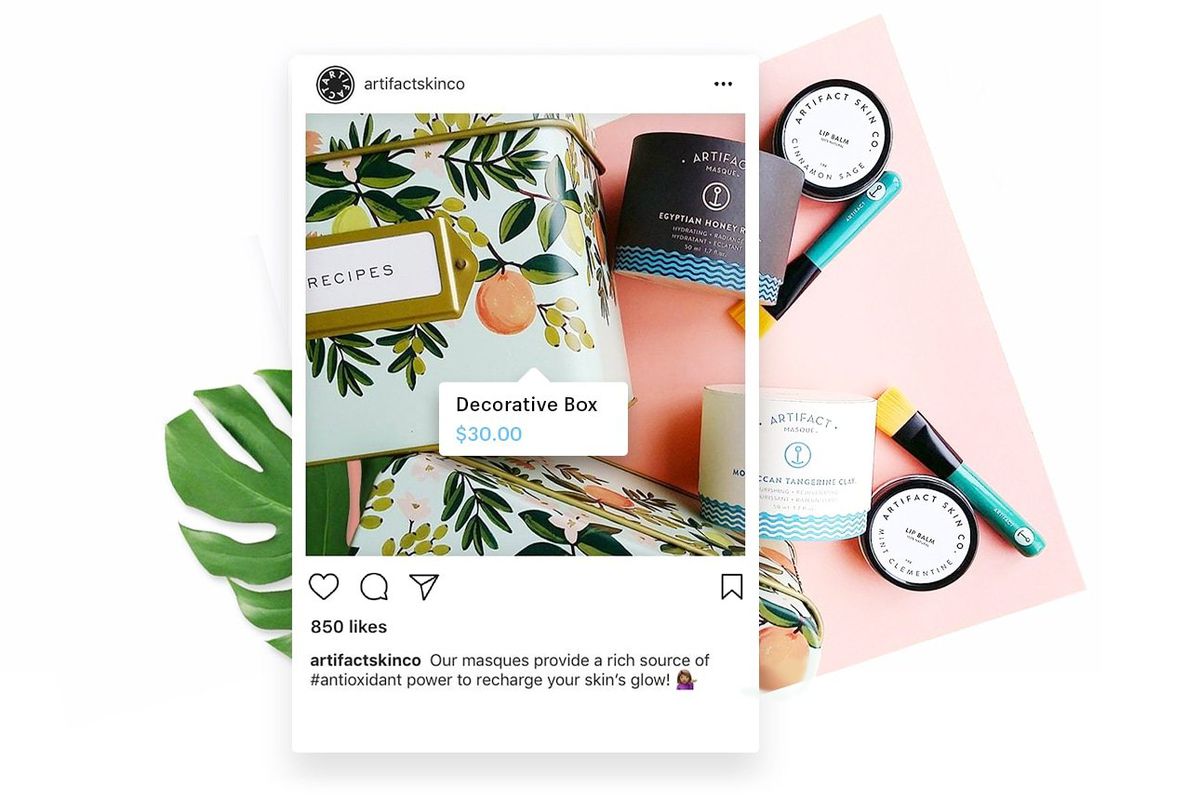
With consumer demands increasing, shoppers are looking for convenience when it comes to purchasing the products they want. In the past, online stores have been limited in their product marketing options on Instagram. Instagram stories have long been the primary means of driving traffic to business profiles, with the swipe-up feature leading people directly to a specific product URL.
However, unless you’re fortunate enough to have an Instagram verification badge or a follower count above 10K, the swipe-up feature isn’t an option for you. This makes driving traffic from your Instagram stories to your products practically impossible.
But don’t fret! The new shoppable Instagram posts feature doesn’t require you to have a large account to access it. So even if you’re a small shop, you can now make your products shoppable directly from your posts. Instagram verification or a large following is not needed.
Turn your profile into a “one-tap shop” for consumers. Ready to enable your feed? Read on to learn how.
First your Instagram account must be a business profile. If it isn’t already, check out our blog sharing 3 Big Reasons to Switch to an Instagram Business Account Now. We walk you through step-by-step instructions on how to make the switch.
Before moving forward, make sure your products comply with Facebook’s merchant agreement and commerce policies, and that you’re located in a country that is eligible for the shoppable Instagram posts feature.
When Instagram first released this feature in March, it was only available in nine countries. Since then, Instagram has expanded accessibility to 40+ countries.
In order to sell on Instagram, your profile must be connected to a Facebook catalog. A catalog features a list of all the products you sell on your online store.
If you already have this set up, you can jump on ahead and meet me at step 4. If not, stick around and let me walk you through the process.
First you need to enable a shop section on your Facebook page. To add this you need to switch to the Shopping template. To make the switch, follow these steps:

Once switching to the shopping template, you’ll notice a new Shop tab on your Facebook page. When you click on the tab you’ll be greeted by your new shop.

To let shoppers know all that you have to offer, you’ll want to add products to your store. Click on this tab to begin importing all of your products.
And there you have it! After you’ve added all of your products, your Facebook catalog is complete.
Once you’ve covered steps 1-3, it’s time to be patient. Waiting for your account to be reviewed and approved by Instagram can take anywhere from a couple of hours to a few days. When your account has been approved, you’ll see a notification on Instagram that says “Start Tagging Products on Instagram.”
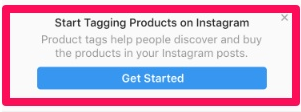
After you receive this alert, you’ll need to complete the process by updating your settings on Instagram. Here’s how:
Ta-da! Done. Now it’s time to start uploading.
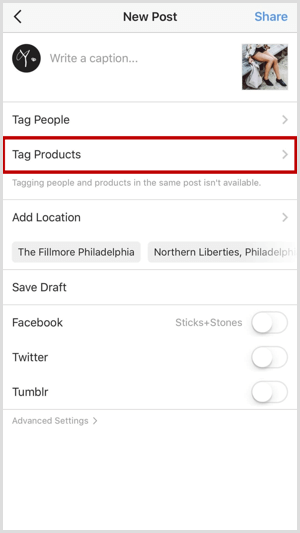
Upload your product image just as you would for any other post. Tap tag products and search through your Facebook catalog to find the product you want to feature. Once your products are tagged and your caption is polished, you’re ready to share your shoppable Instagram posts.
Take it a step further by scrolling through your Instagram profile and selecting old posts you’d like to tag your products in. After you’ve chosen a photo, press the three dots on the top right corner of the post. Tap Edit and Tag Your Products. It’s really that easy.
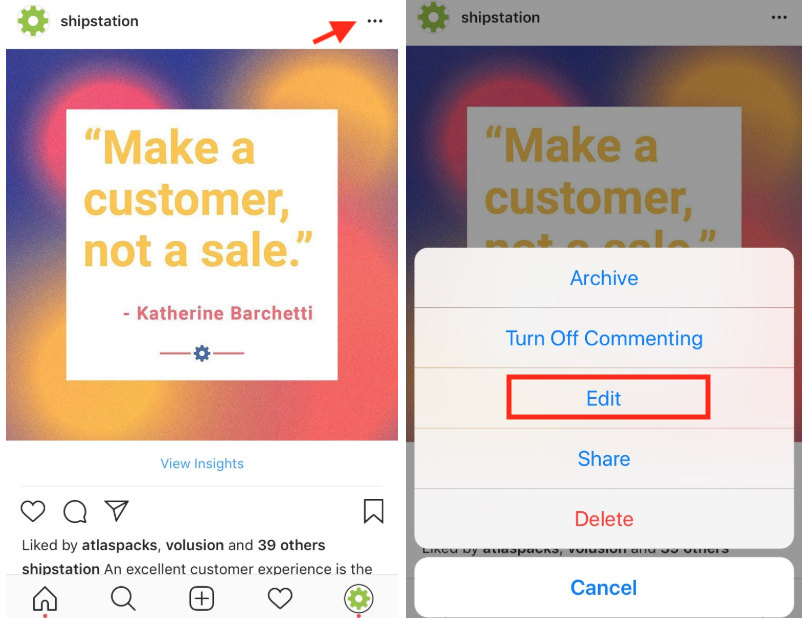
Now that you’re tagging your products on Instagram you may be asking yourself: how does this change the shopping experience?
When viewing your shoppable Instagram posts, a user will see a shopping bag on the bottom left-hand corner of your image. A shopper can immediately pinpoint which posts are shoppable or not simply by looking for the shopping bag icon.
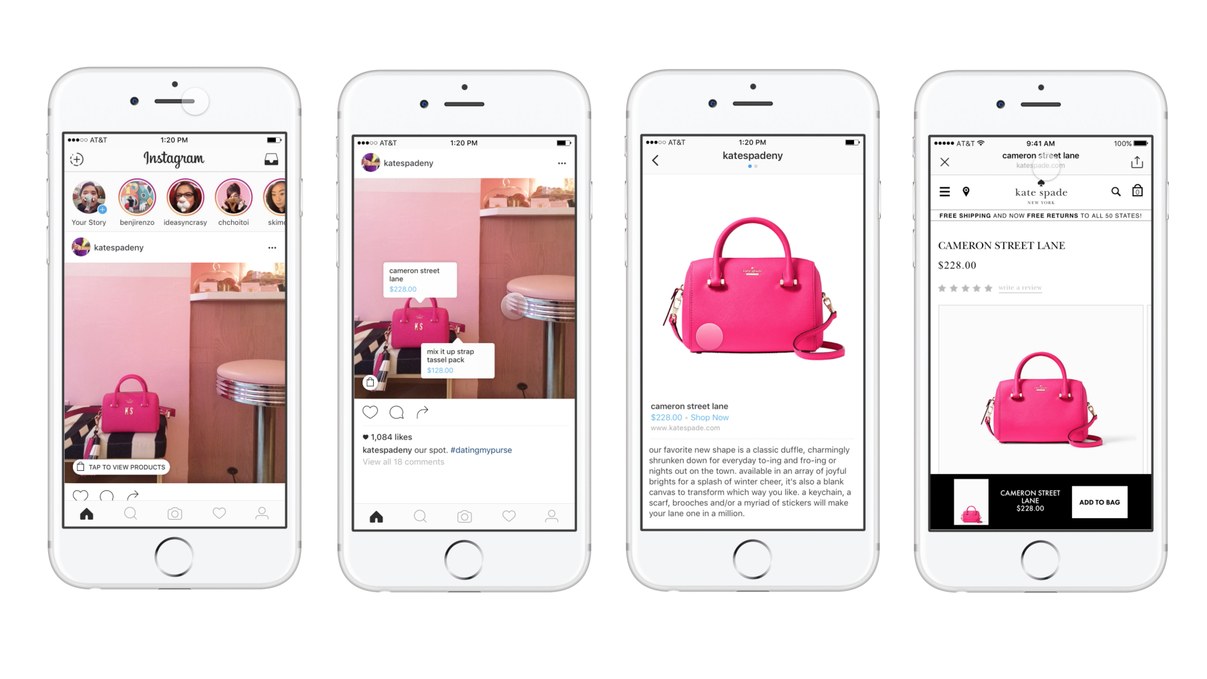
When a shopper taps your image, product tags will appear over each item being sold. If a shopper is interested in a specific product, all they have to do is tap on the details to be redirected to the product page on your website.
From there users can add to cart, checkout, and purchase. And the best part? Once they’re done, all they have to do is press the X on the top left corner to get back to scrolling through Instagram.
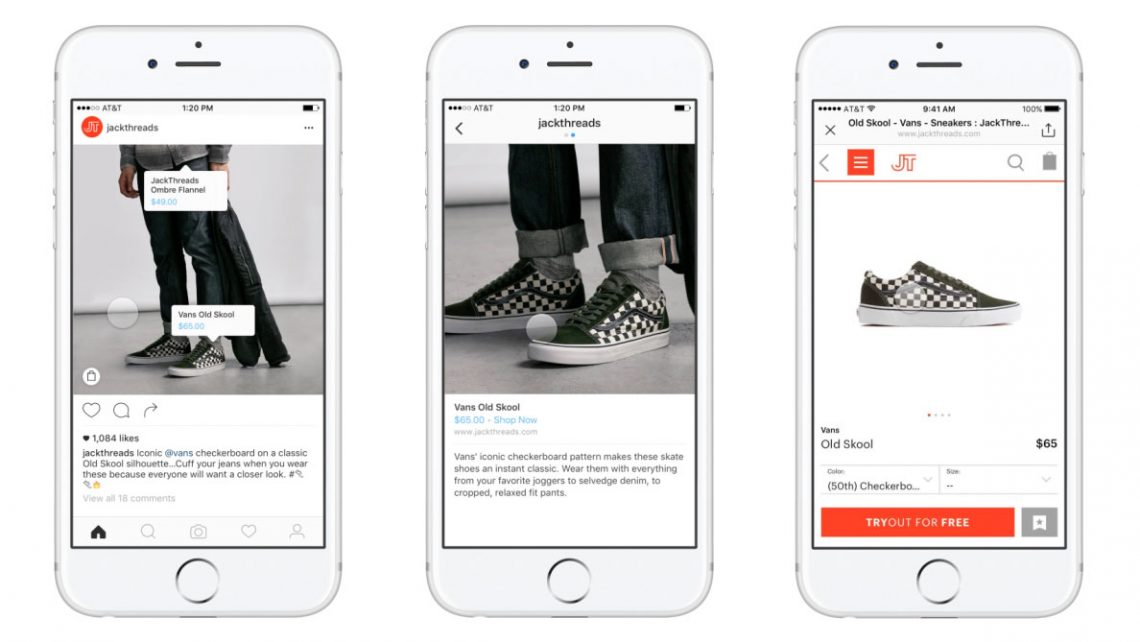
And there you have it! That’s how to transform your Instagram feed into a digital storefront. Pretty easy, huh?
Now it’s your turn! Will you be activating the shoppable Instagram posts feature? Let us know!