Back
Back










































 Technology & Integrations


For millions of entrepreneurs, Shopify is the undisputed engine of commerce. It provides a powerful platform to build a brand, attract customers, and sell products. Shopify offers beautiful storefronts and built-in payment tools. It gives you everything you need to launch and grow your online business.
A key part of that ecosystem is Shopify Shipping. It’s a reliable, integrated solution that gets you up and running fast. When you first learn how to set up shipping on Shopify, you’ll find access to discounted rates and the ability to print labels directly within your store’s admin. For many merchants, it’s the perfect tool for their journey.
But as your brand flourishes, your operational needs evolve. You might expand to new marketplaces like Amazon or eBay. Your daily order volume might climb from dozens to hundreds—or even thousands. As you grow, things get harder. You need to manage inventory, cut costs, and keep customers happy. That’s where Shopify shipping software comes in.
This is where the ShipStation Shopify integration shines. ShipStation isn’t a replacement for your Shopify workflow. It’s a powerful enhancement—a dedicated shipping and fulfillment platform designed to work in harmony with your store as you scale.
First, let’s recognize the strengths of Shopify Shipping as a foundational tool. Its power lies in seamless simplicity.
Speed and convenience: You can start shipping immediately after your first sale. You can do it all from your Shopify dashboard.
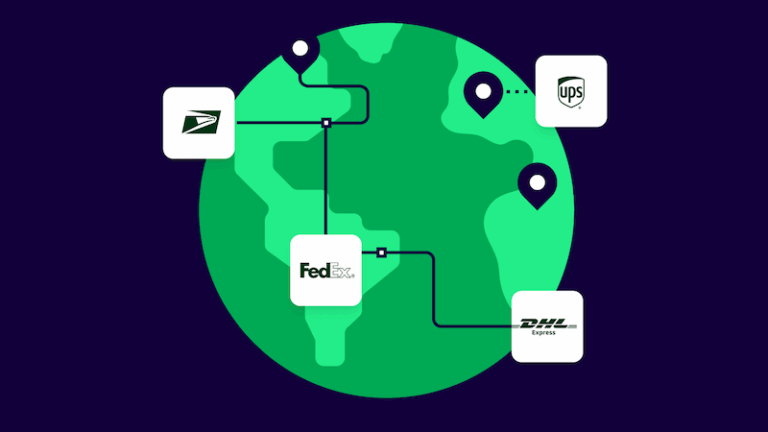
Great carrier rates: Shopify offers excellent pre-negotiated Shopify shipping discounts with top carriers. This includes Shopify UPS, USPS, and DHL Express rates, so you save money from the start.
Integrated workflow: Order details are already there. This makes buying and printing a Shopify shipping label straightforward for a manageable number of orders.
For a brand focused on establishing its product and market, this streamlined approach is invaluable. It lets you focus on sales and marketing while Shopify delivery stays covered.
As your business hits new growth stages, you’ll encounter challenges that require more specialized capabilities. Here’s how ShipStation builds upon your Shopify foundation.
The challenge: Your brand now sells on your Shopify store, Amazon, Etsy, and maybe a weekend pop-up shop. You’re logging into multiple platforms to download orders, track inventory, and update tracking numbers. It’s inefficient and risks overselling.
How ShipStation helps: ShipStation pulls orders from over 200 sales channels into one place. Your Shopify orders appear right alongside those from every other marketplace. You can manage, process, and ship everything from one hub. When you ship an order, ShipStation automatically sends tracking information back to the original sales channel and notifies the customer. This unified approach to Shopify fulfillment saves hours each week.
“We previously had to hire a full-time staff member to copy and paste tracking numbers into Shopify, which was a nightmare. Now this process is automated, saving time and reducing errors.”
Dean Leibbrandt, Co-Founder, Nakie
The challenge: You sell on Shopify, Amazon, and other channels. Keeping inventory accurate is a headache. Overselling leads to canceled orders. Running out of stock means missed sales.
How ShipStation helps: ShipStation’s inventory tools give you control across every channel.
The challenge: As order volume grows, your warehouse becomes a bottleneck. Finding items takes too long. Orders get packed incorrectly.
How ShipStation helps: ShipStation’s warehouse features streamline how you pick, pack, and ship.
The challenge: You spend hours each day manually selecting shipping services and printing labels one by one. Your team is getting bogged down in repetitive tasks instead of packing orders.
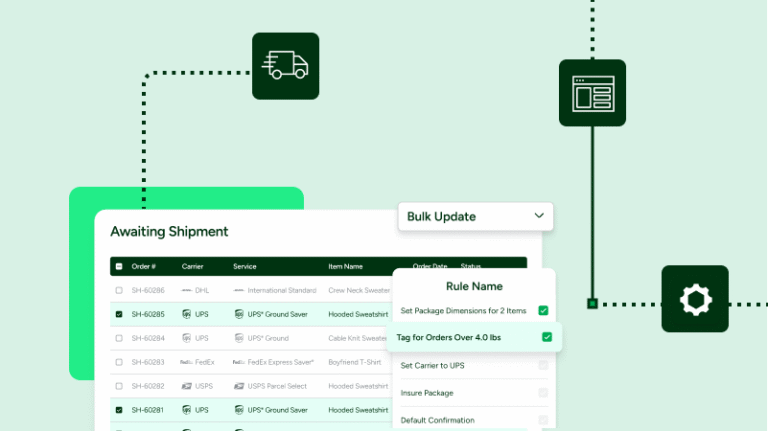
How ShipStation helps: ShipStation is built for automation at scale.
“The onboarding process set up all the automation rules right from the start, including shortcut keys, and the process became super easy.”
Andres Herrero, Founder, Sydney Sock Project
The challenge: Returns are a fact of ecommerce life. But most merchants treat them as a cost center. Every refund means lost revenue, plus shipping costs, plus time spent processing. Without the right tools, returns can drain your profits.
How ShipStation helps: ShipStation’s Returns and Exchanges feature—now available for Shopify merchants—flips the script. Instead of losing sales to refunds, you can retain revenue and build loyalty.
“ShipStation’s returns portal has the look and feel of top online stores. It’s easy to set up and provides your customers with a top-notch experience.”
Laura Lyons, Founder, Allure Wedding Jewelry
The challenge: Your customer’s experience doesn’t end at checkout. You want to extend your brand’s look and feel to the shipping process. But you’re limited to standard carrier tracking pages and a clunky returns workflow.
How ShipStation helps: We give you the tools to own the entire customer journey.
The challenge: You want to sell worldwide. But customs forms, duty fees, and global carriers can feel like a lot to handle.
How ShipStation helps: ShipStation makes Shopify international shipping simple. It fills out customs forms for you. It adds HS codes. And it connects you to global carriers. Our platform handles the complexity so you can focus on growing your global customer base.
Guaranteed prepaid duties and taxes: Give your international customers a seamless checkout experience. ShipStation lets you calculate and pay duties and taxes upfront when using Delivered Duties Paid (DDP) services—so you or your customers never have to worry about surprise adjustments on duties, taxes, or fees when shipments go through customs. This builds trust and reduces failed deliveries and abandoned carts.
The challenge: You’re shipping hundreds of orders but not sure which carriers perform best or where you’re losing money.
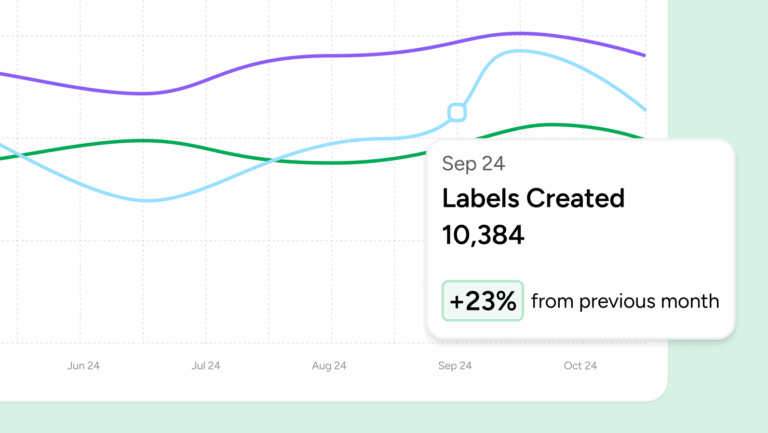
How ShipStation helps: ShipStation’s reporting tools give you a clear picture of your business.
This partnership just works. ShipStation was designed to honor and enhance your Shopify settings, not override them.
“This is crazy, but I almost rarely go into the order section of Shopify, which is our main ecommerce platform,” she said. “I just look at everything through the lens of ShipStation because everything is there.”
Amanda Eddy, Founder, Amanda Deer Jewelry
Ship from multiple locations: Use Shopify’s smart order routing? ShipStation works with it. Every item ships from the correct location.
Shop Promise support: We display the Shop Promise guarantee status. This helps you prioritize, filter, and make the fastest carrier choices to meet crucial delivery deadlines.
Keep your data in sync: Your Shopify settings, product weights, HS codes, and notes all flow into ShipStation. No manual entry needed. This ensures data consistency and a single source of truth.
Choosing your shipping software isn’t about picking a “winner.” It’s about matching the right tools to your current business needs. Shopify and Shopify Shipping offer an unbeatable foundation for launching and growing your brand.
When growth introduces new layers of complexity, ShipStation is the logical next step. As the best shipping app for Shopify at scale, it seamlessly integrates with your store to help you manage multichannel sales, automate complex workflows, and deliver a world-class customer experience.
Curious what’s possible? Check out our Shopify integration success stories. Then start your free trial to put ShipStation to work for your store.