Back
Back










































 Shipping Basics


Just in time for the holidays, we’re introducing two HUGE features that’ll help you make sure your orders get from your warehouse to your customers in time!
First up, we’ve added Delivery Times to our side bar underneath the order’s rate. Before today, it lived in our Calculator (where it’ll still be) but we wanted to bring it to the forefront of the shipping process and make sure—now that the holidays are here—the order arrives in time.
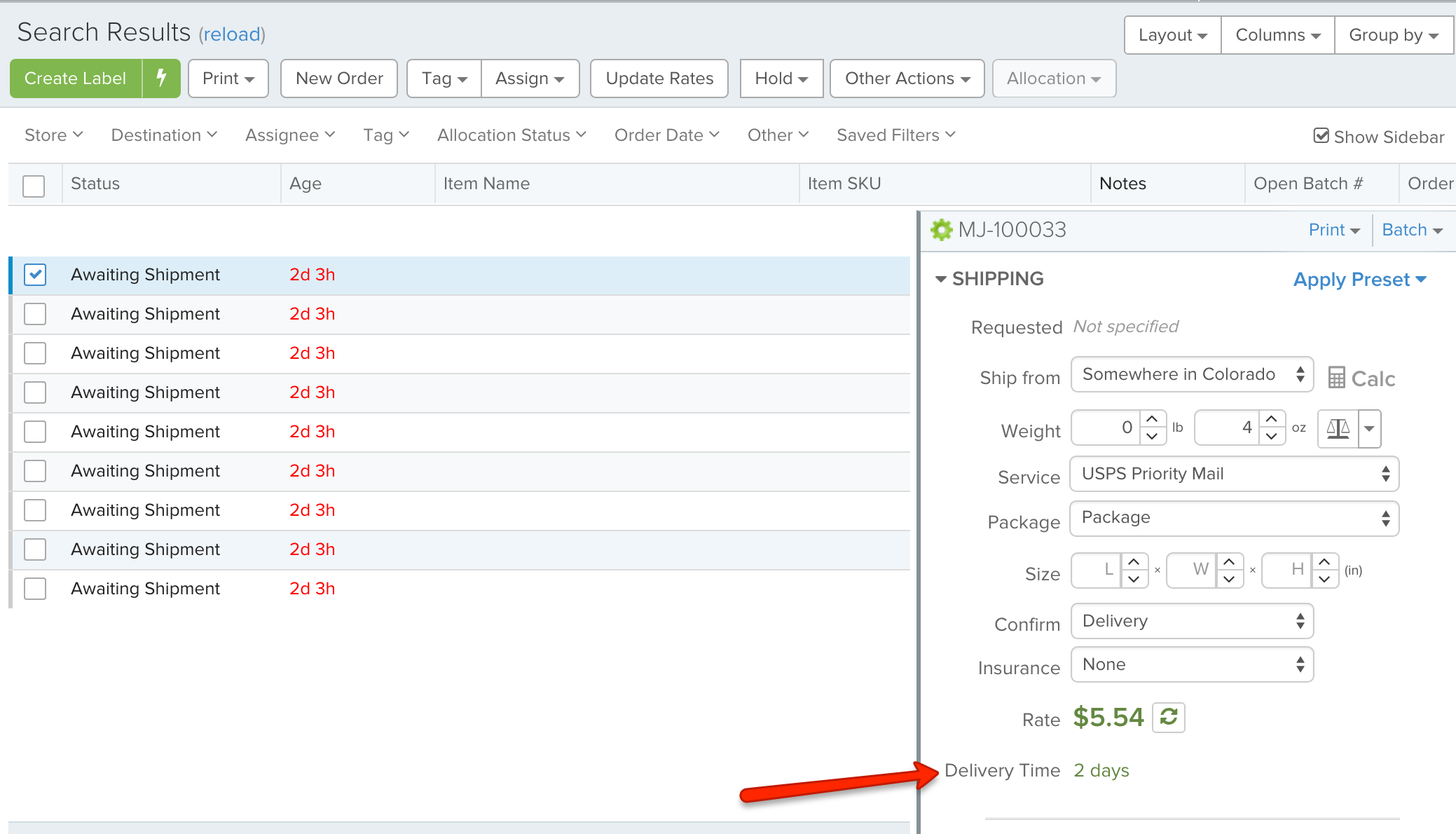
If you see a delivery date of “1 – 999 Days”, like with First Class Mail International, for example, that means the carrier does NOT have a delivery estimate for us to show you.
Following up on Delivery Times is a brand new feature, Delivery Emails. This email can be triggered once the carrier updates that the package has been delivered.
You can find it under Account Settings > Templates > Email Templates and then select the Delivery Notification tab:
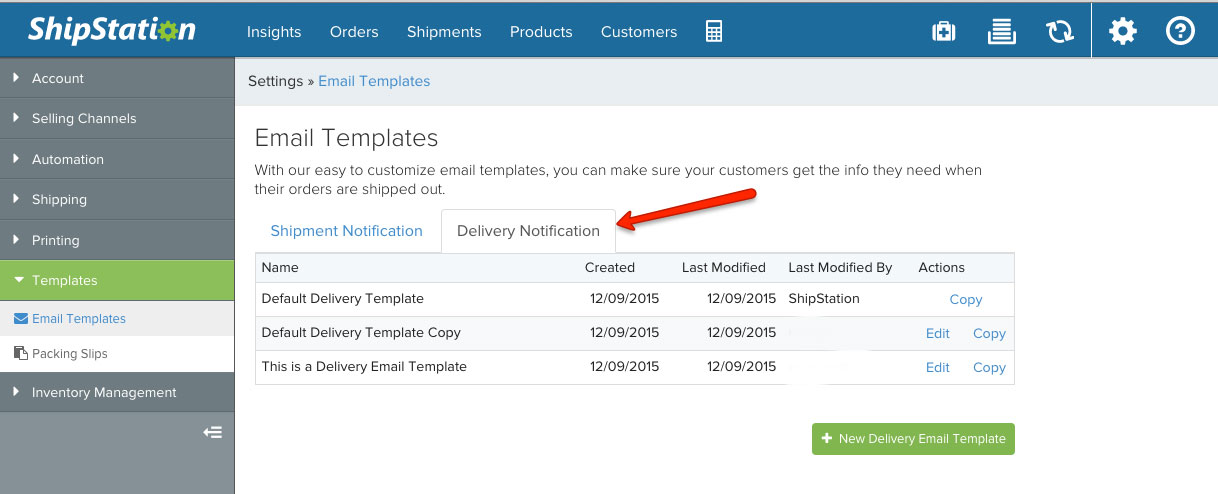
Like the Shipment Email, the Delivery Email is customizable and you can edit it with your branding and messaging, to really make it your own.
For directions on how to enable the Delivery Email, follow the steps from our Knowledge Base article by clicking here. That’ll show you where to go and how to turn it on for specific stores.
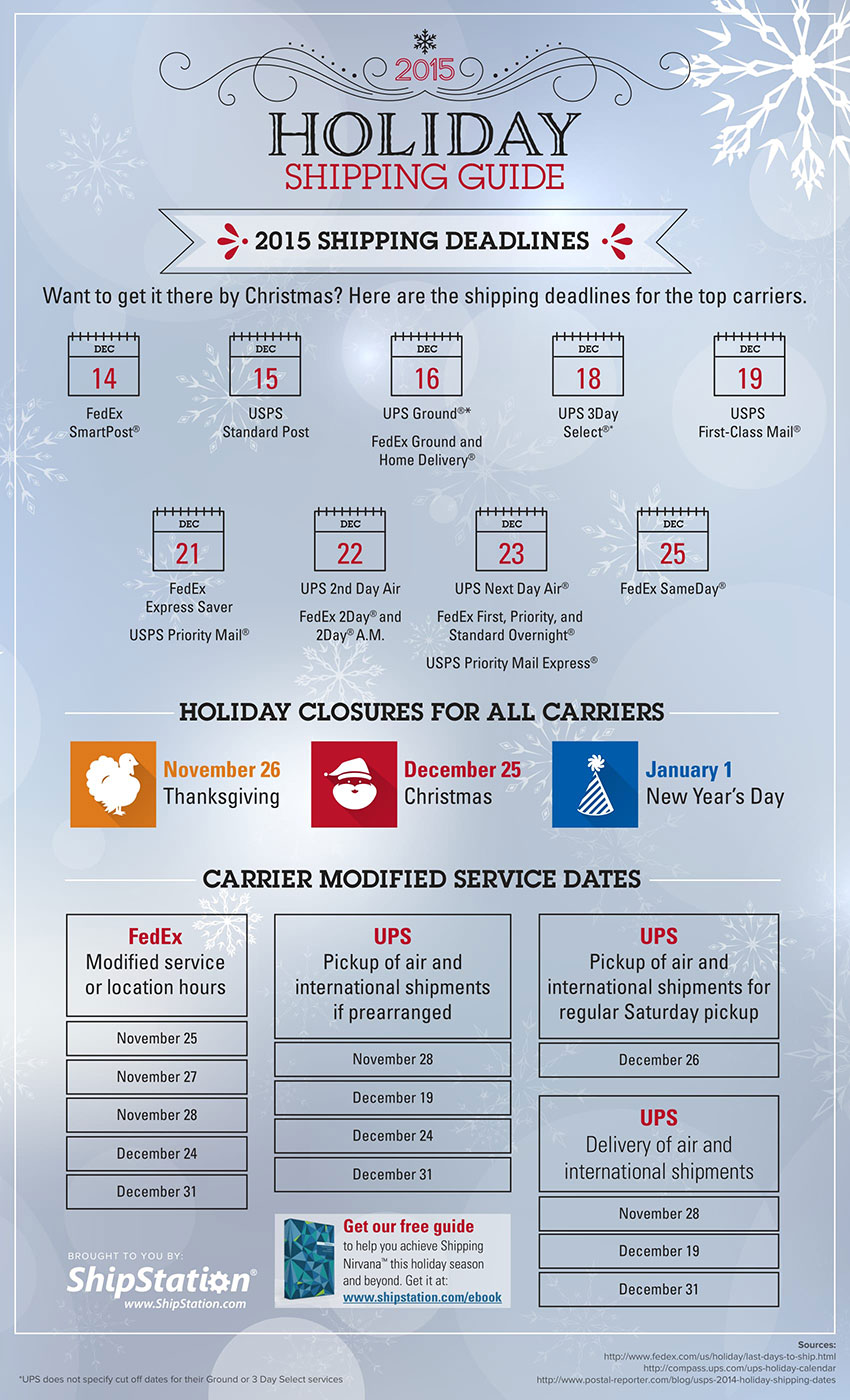
Combine Delivery Times & Emails with our Holiday Deadlines Infographic and getting orders to customers on time will be a breeze!