Back
Back










































 Shipping Basics


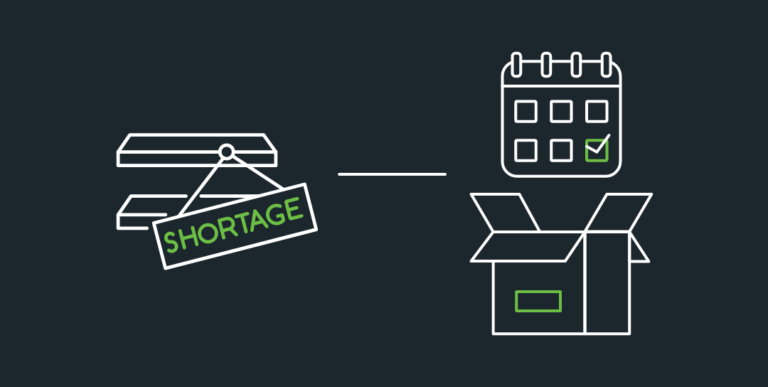
Dealing with backorders can feel like a wrench being thrown into your workflow. Knowing how to incorporate backordered items into your picking strategy can cause packing delays. While there are several factors that lead to backorders, the outcome is the same: You and your customers are waiting on these orders. Finding ways to minimize the time between receiving your inventory and your customers receiving their orders is possible if you take the right steps.
Backorders happen to businesses of all sizes—it’s part of running a business! How you deal with them is what is important. Keeping customer concerns in mind helps. Be transparent, keep them up-to-date, and ship out any other items they may have ordered. A smooth order fulfillment workflow and backorder strategy can let you segment out items ready to be shipped and those that aren’t. These are some ways for managing backorders, reducing ecommerce order delays, and delivering a great shipping experience.
A backorder is an order a customer has placed for an existing item that is currently out of stock. This occurs when demand outpaces supply. Backorders can also happen due to supply chain issues, logistics delays, or inventory shortages. The COVID-19 pandemic made Americans much more aware of backorders. With so many items we rely on not being on the shelf, there were concerns of when they would return. But, baby formula and lumber were just backordered at stores. One way to look at backorders is as backups: “We’re out right now, but we’ve got more on the way.”
A pre-order is an item available for purchase that has never had available stock. This differs from a backorder because a backorder is for an item whose stock has become depleted. In situations for both pre-order and backorder, the stock is expected to become available again.
Out-of-stock items are items that were available but are no longer. They differ from backordered items in that there is no current plan or timeframe for when more will become available. This is an important distinction because an order for an out-of-stock item would warrant a refund more than a backordered one. A backordered item, on the other hand, has plans to return to the shelves.
Backorders can be caused by a few things. Surges in demand and manufacturing or supply chain delays are the main causes. Below are how you can identify backorders happening and how to correct them.
A leading cause of backorders that has really increased in the past couple of years is supply chain delays. In fact, ShipStation found that 77.5% of merchants expect supply chain delays to impact their business during the 2022 holiday season. Despite items not being stocked when customers place them, the delays in manufacturing will clear up. Frequently, high-demand items are backordered and customers place the order to reserve their spot.
Surges in demand commonly cause items to become backordered. This can cause stocks to become depleted and even require more products to be produced. When this happens, the backorders can be harder to give customers an ETA on.
Backorders aren’t the result of a poorly run warehouse. The most successful companies in the world with the most advanced technology still encounter them. Backorders can even be seen as a sign of a popular, highly efficient business. Backorders have a few advantages. They allow for more space within your warehouse—something that can help you more efficiently pick and pack available items. Additionally, receiving and fulfilling backorders can be simple if you properly plan for them. Backorders are easiest to manage when you stay on top of your inventory and resupplies.
While backorders are unavoidable there are ways to minimize them. This is especially true for orders that are not victims of manufacturing or supply chain delays. Keeping tabs on your inventory, inventory planning, and checking in with suppliers is key.
The first way to reduce backorders is to have regular restockings. This is when it helps to have regular lines of communication with your suppliers and manufacturers. Supply chain delays still exist and suppliers and manufacturers have to keep up with the chaos as well. Having points of contact can help expedite your turnaround time. Additionally, talking to more suppliers gives you a larger network of contacts to work with in the event that you need a backup plan.
Reducing backorders also requires you to restock appropriately. A great way to avoid backordered items is to set a reorder threshold. Setting a reorder threshold requires knowledge of both your items’ demand and how long it takes to receive new stock levels. This can be done manually, but having an automated solution is ideal. Setting reorder thresholds work best through an inventory management system.
A major way to stay on top of stock levels is to utilize an inventory management system. This lets you know when you approach your reorder threshold. Inventory management systems range in price. These are especially beneficial for businesses that sell products across multiple selling channels. Inventory management systems are very useful tools, however, they can be quite expensive. Luckily, ShipStation offers an inventory management feature that is available to all users at no additional cost. However, ShipStation also offers integrations with the top inventory management systems, listing management services, ERPs, and other platforms you need to get ship done.
Accepting backorders can be tricky. Customers want a firm eta on when they’ll receive a backordered item. This is where it comes in handy to highlight if a product listing is backordered, pre ordered, or out of stock. Backordered items need to state a date or date range for when you anticipate placing an order. Otherwise, customers may be less likely to place the order.

If an item is backordered, there is a greater chance that customers will want to verify the status with the seller. This is why it is important to provide lines of communication from the customer to you—just as you should have with the supplier. Having a chatbot on your website or even a phone number can provide quicker turnaround times than just email communication.
If an item is on backorder, cancellation is more likely than an instock item. As a result, it is good to align with their needs. Providing a human element to the notification on the screen is always helpful. Some companies provide shoppers with coupon codes for future purchases or add a gift item to an order. But another way to thank your customers is to ship any other items they placed in the order.
Regardless of where your customers place orders, there are crucial fulfillment needs across all platforms—for backorders or otherwise. Staying on top of all your orders regardless of order source can be tricky unless you have a way to pick, pack, and ship them effectively. This is where ShipStation can help. In addition to the inventory management solutions listed above, there are many ways a shipping platform like ShipStation can help you navigate, organize, and ship your orders.
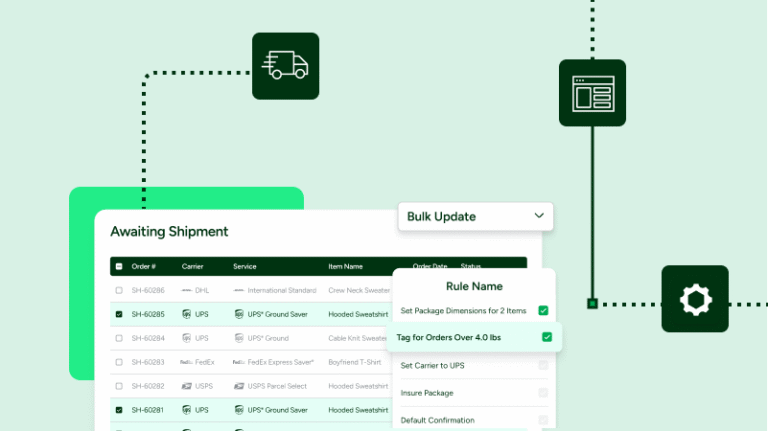
ShipStation’s automation rules apply shipping parameters to orders as soon as they come into ShipStation. While you can apply loads of things like shipping services and assign orders to different pickers, you can also instantly put orders in an on-hold status if they contain a backordered item. This helps you get to orders that are ready to ship.
If an order is ready to ship except for one item in it, you can place that order on hold and ship the part of the shipment that’s ready to go. This works great alongside placing orders on hold and moving the appropriate parts of an order into the correct status. Best of all, ShipStation updates all the tracking data for each part of these split orders.
Every order needs an exceptional delivery experience. With ShipStation, you can customize the delivery experience of your customers to match your branding, and send shipping confirmation emails out automatically for each shipment as they are ready to ship.
ShipStation also offers a customizable tracking page that you can swap in instead of the carrier tracking page. On this page, like the email, you can display which items are in the order as well as real-time tracking updates.
Backorders can be tricky to ship. You can split the shipments and ship part of the order immediately and the remainder when it arrives. Or, you can wait and ship the full order together. Either way, you want to find the best way to ship your orders to your customers. Affordable, quick shipping creates an incredible customer experience that keeps customers coming back.
With ShipStation you can save a tremendous amount of money on many of the carriers and services you rely on every day. You can get up to: